







Question: 2. Second Script: Create a bash script called spellcheck (not spellcheck. sh) that takes one or more arguments, f1, f2, ..., fn For example, you
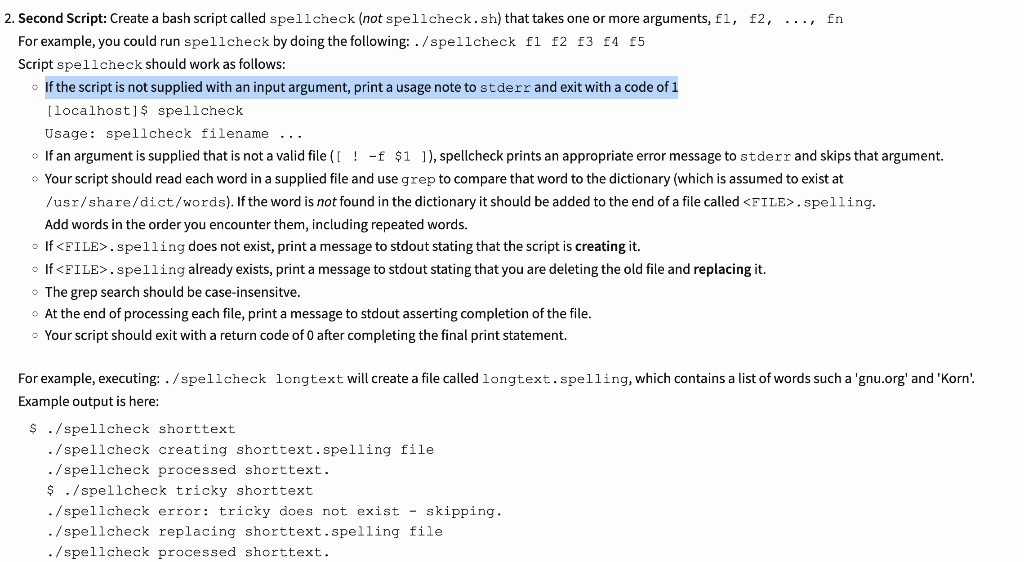
2. Second Script: Create a bash script called spellcheck (not spellcheck. sh) that takes one or more arguments, f1, f2, ..., fn For example, you could run spellcheck by doing the following: ./spellcheck fl f2 f3 f4 f5 Script spell check should work as follows: If the script is not supplied with an input argument, print a usage note to stderr and exit with a code of 1 [localhost] \$ spellcheck Usage: spellcheck filename ... If an argument is supplied that is not a valid file ( [ ! -f \$1 ]), spellcheck prints an appropriate error message to stderr and skips that argument. /usr/share/dict/words). If the word is not found in the dictionary it should be added to the end of a file called >. spelling. Add words in the order you encounter them, including repeated words. - If F FIE . spel ling does not exist, print a message to stdout stating that the script is creating it. - If FILE . spelling already exists, print a message to stdout stating that you are deleting the old file and replacing it. The grep search should be case-insensitve. At the end of processing each file, print a message to stdout asserting completion of the file. - Your script should exit with a return code of 0 after completing the final print statement. For example, executing: . / spel lcheck longtext will create a file called longtext. spelling, which contains a list of words such a 'gnu.org' and 'Korn'. Example output is here: S./spellcheck shorttext -/spellcheck creating shorttext. spelling file ./spellcheck processed shorttext. \$./spellcheck tricky shorttext - /spellcheck error: tricky does not exist - skipping. ./spellcheck replacing shorttext.spelling file ./spellcheck processed shorttext
Step by Step Solution
There are 3 Steps involved in it

Get step-by-step solutions from verified subject matter experts
 Study Help