







Question: 2. The following program draws an BB-8 as shown below. Modify the program to move the BB-8 left or right using the arrow keys. The
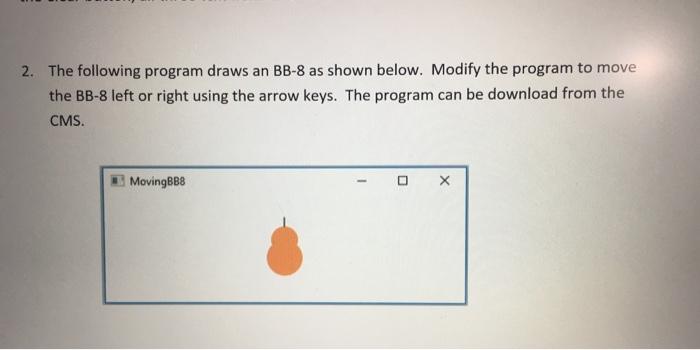
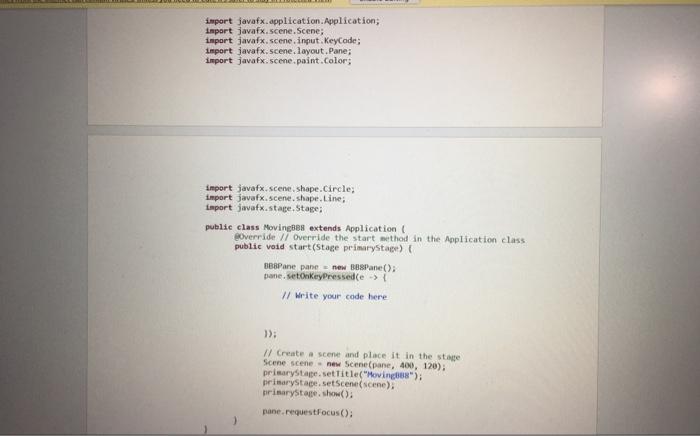
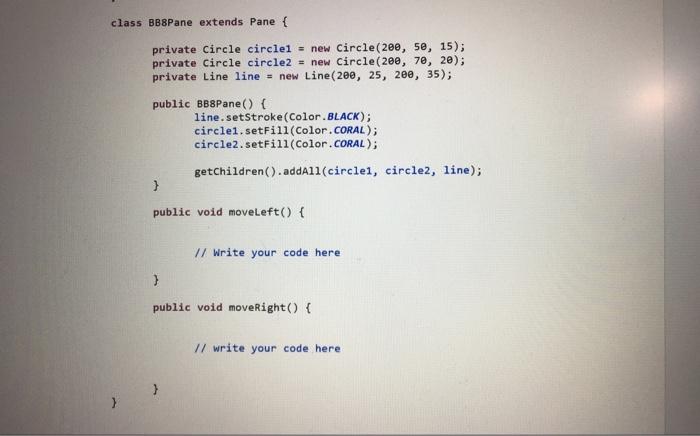
2. The following program draws an BB-8 as shown below. Modify the program to move the BB-8 left or right using the arrow keys. The program can be download from the CMS. impert javaf x.application. Application; impart javaf x. scene. Scene; inpart javaf x, scene, input. Keycode; import java x; scene. Hayout, Pane; import java x : scene. paint. Color; import javaf x scene, shape. Circley inport jovafx.stage, stage; public class MovingBes extends Application \&. ooverride // Dverride the start method in the Application class public void start (Stage pelinarystage) f Be8Pane pane = new BB8Pane(); pane. Metonkeypressed(e (l Write your code here 1) (f Create a scene and place it in the stage Scene scene = nem Scene (pane, 400,120) ) prinarytage. settit le ("Movingabs"); prisarystage, setscenat (scene). birimarystage, show(); pune request focus (): 2. The following program draws an BB-8 as shown below. Modify the program to move the BB-8 left or right using the arrow keys. The program can be download from the CMS. impert javaf x.application. Application; impart javaf x. scene. Scene; inpart javaf x, scene, input. Keycode; import java x; scene. Hayout, Pane; import java x : scene. paint. Color; import javaf x scene, shape. Circley inport jovafx.stage, stage; public class MovingBes extends Application \&. ooverride // Dverride the start method in the Application class public void start (Stage pelinarystage) f Be8Pane pane = new BB8Pane(); pane. Metonkeypressed(e (l Write your code here 1) (f Create a scene and place it in the stage Scene scene = nem Scene (pane, 400,120) ) prinarytage. settit le ("Movingabs"); prisarystage, setscenat (scene). birimarystage, show(); pune request focus ()
Step by Step Solution
There are 3 Steps involved in it

Get step-by-step solutions from verified subject matter experts
 Study Help