







Question: 2. Write an SQL statement to show that the new user has been successfully added in the ALL USERS table. (Refer to Homework 1 for
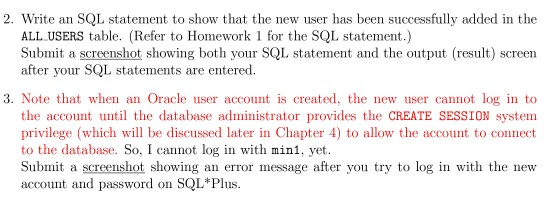
2. Write an SQL statement to show that the new user has been successfully added in the ALL USERS table. (Refer to Homework 1 for the SQL statement.) Submit a screenshot showing both your SQL statement and the output (result) screen after your SQL statements are entered. 3. Note that when an Oracle user account is created, the new user cannot log in to the account until the database administrator provides the CREATE SESSION system privilege (which will be discussed later in Chapter 4) to allow the account to connect to the database. So, I cannot log in with mini, yet. Submit a screenshot showing an error message after you try to log in with the new account and password on SQL*Plus
Step by Step Solution
There are 3 Steps involved in it

Get step-by-step solutions from verified subject matter experts
 Study Help