







Question: 20.23 Prog1-Ch1: Basic input and output with variables-b Step by step, extend the given program to produce the indicated results. *NOTE A Statement such as
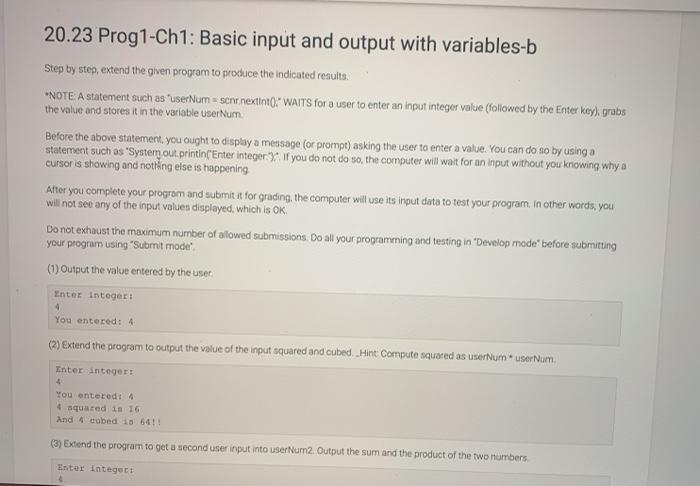
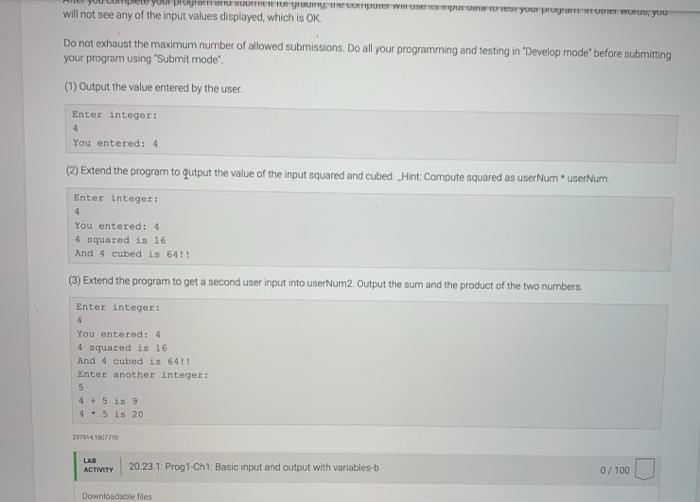
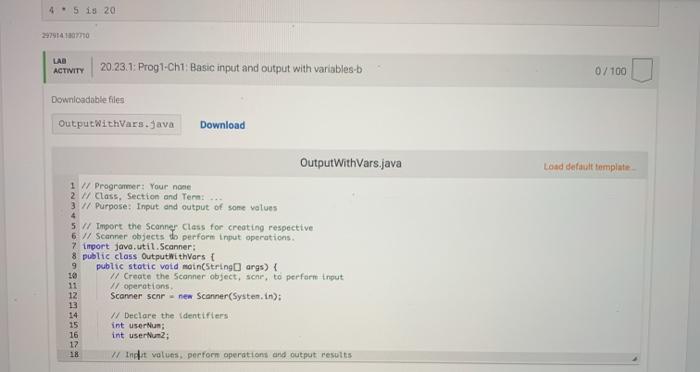
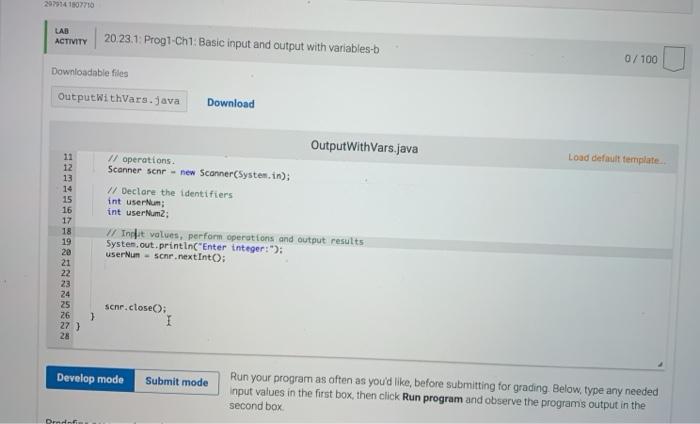
20.23 Prog1-Ch1: Basic input and output with variables-b Step by step, extend the given program to produce the indicated results. *NOTE A Statement such as 'userNum = senr nextinto:" WAITS for a user to enter an input integer value (followed by the Enter key) grabs the value and stores it in the variable user Num Before the above statement, you ought to display a message (or prompt) asking the user to enter a value. You can do so by using a statement such as "System out.println("Enter integer. If you do not do so, the computer will wait for an input without you knowing why a cursor is showing and nothing else is happening After you complete your program and submit at for grading the computer will use its input data to test your program. In other words, you will not see any of the input values displayed, which is OK, Do not exhaust the maximum number of allowed submissions. Do all your programming and testing in Develop mode" before submitting your program using "Submit mode (1) Output the value entered by the user Enter Integer: 4 You entered: 4 (2) Extend the program to output the value of the input squared and cubed Hint Compute squared as user Numuserum. Inter integer 4 You enteredt 4 4 squared in 16 And 4 cubed 1 66! (3) Extend the program to get a second user input into userNum2. Output the sum and the product of the two numbers Enter Integer SIT WOUT PUTU WOTUS You will not see any of the input values displayed, which is OK Do not exhaust the maximum number of allowed submissions. Do all your programming and testing in "Develop mode' before submitting your program using "Submit mode (1) Output the value entered by the user Enter integer: 4 You entered: 4 (2) Extend the program to qutput the value of the input squared and cubed Hint Compute squared as user NumuserNum. Enter integer: 4 You entered: 4 4 squared is 16 And 4 cubed is 6411 (3) Extend the program to get a second user input into userNum2. Output the sum and the product of the two numbers Enter Integer: 4 You entered: 4 squared is 16 And 4 cubed is 641! Enter another integer: 5 4+5 is 9 4 5 15 20 2999141807710 LAB ACTIVITY 20.23.1. Prog1-Chi Basic input and output with variables-b 0/100 Downloadable files 4 - 5 is 20 LAD ACTIVITY 20.23.1: Prog1-Chi Basic input and output with variobles-b 0/100 Downloadable files OutputWithVars.java Download OutputWithVars.java Load default template 1 w Programmer: Your name 2 / Class. Section and Term 3 // Purpose: Input and output of some values 4 5 W/ Import the Scanner Class for creating respective 6 // Scanner objects to perform input operations 7 import java.util.Scanner: 8 public class Output withVars [ 9 public static void main(String args) { // Create the Scanner object, scr, to perform input 11 // operations 12 Scanner sehr new Scanner(Systen, in); 13 14 W Declare the identifiers 15 int user Nun; 16 int userNum2; 17 18 wide values perform operations and output resolts 2979141807710 LAB ACTIVITY 20.23.1: Prog1-Chi: Basic input and output with variables-b 0/100 Downloadable files Output withVars.java Download Load default template 11 12 13 14 15 16 17 18 19 20 21 22 23 24 25 26 27 ) 28 OutputWithVars.java // operations. Scanner senr - new Scanner(System.in); // Declare the identifiers int userum; int userNum2; I/ Inget values, perform operations and output results System.out.println("Enter tnteger:"); user Nun - sehr.nextInto: schr.closeO; 1 Develop mode Submit mode Run your program as often as you'd like, before submitting for grading. Below, type any needed Input values in the first box, then click Run program and observe the programs output in the second box Ordi Predefine program input (optional) If you'd like to predefine your inputs, provide them here. Run my program Stop Clear terminal Signature of your work What is this? History of your effort will appear here once you begin working on this xylab
Step by Step Solution
There are 3 Steps involved in it

Get step-by-step solutions from verified subject matter experts
 Study Help