







Question: 28) Match the example with the function or feature: =A54 =SA54 =$A$54 =SUM(A54.B97) Ohio Next Question 28) Match the example with the function or feature:
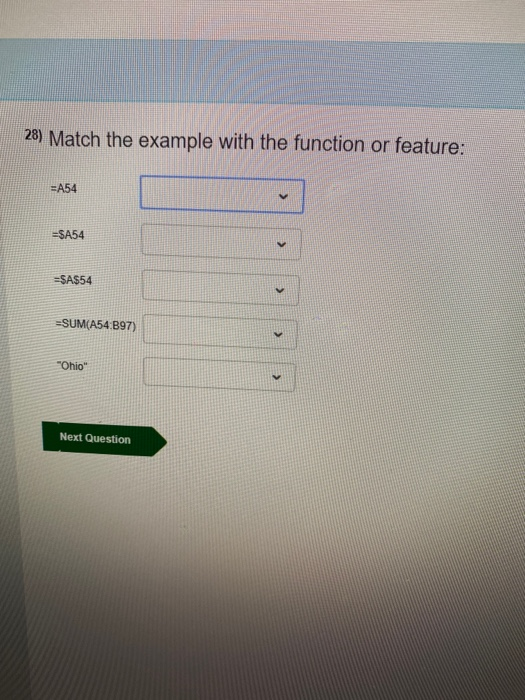
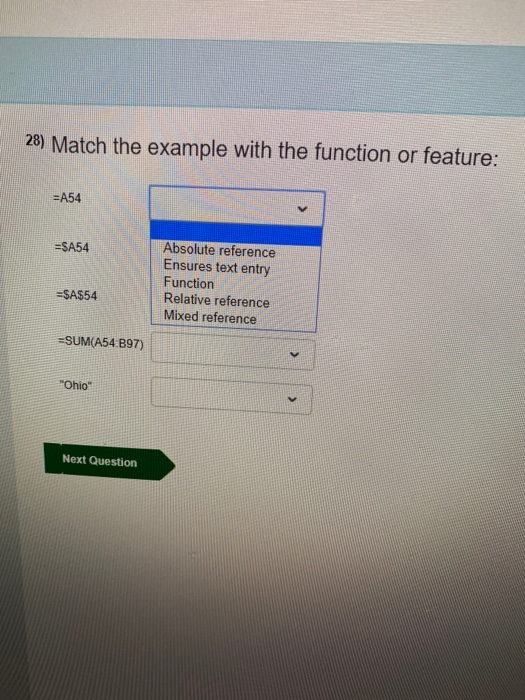
28) Match the example with the function or feature: =A54 =SA54 =$A$54 =SUM(A54.B97) "Ohio" Next Question 28) Match the example with the function or feature: =A54 =SA54 Absolute reference Ensures text entry Function Relative reference Mixed reference =$A$54 =SUM(A54:B97) "Ohio" Next
Step by Step Solution
There are 3 Steps involved in it
1 Expert Approved Answer
Step: 1 Unlock

Question Has Been Solved by an Expert!
Get step-by-step solutions from verified subject matter experts
Step: 2 Unlock
Step: 3 Unlock
 Study Help