







Question: 2904879-dt-content-rid-14170415 2/courses/COMP163005.201810/HW5Stopwatch.pdf Write a Java program with a Graphical User Interface that will function as a stopwatch. needs a button and a label to display
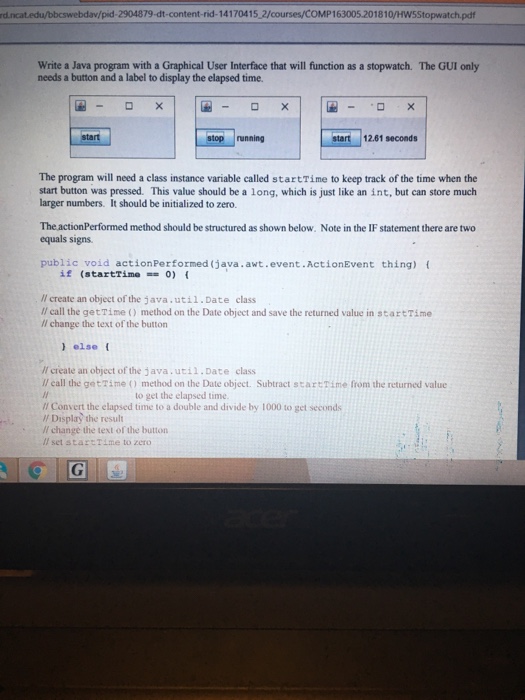
2904879-dt-content-rid-14170415 2/courses/COMP163005.201810/HW5Stopwatch.pdf Write a Java program with a Graphical User Interface that will function as a stopwatch. needs a button and a label to display the elapsed time. The GUI only ELrunning | Eer1201 seconds! stop running The program will need a class instance variable called startTime to keep track of the time when the start button was pressed. This value should be a long, which is just like an int, but can store much larger numbers. It should be initialized to zero. The actionPerformed method should be structured as shown below. Note in the IF statement there are two equals signs public void actionPerformed (java.awt.event.ActionEvent thing) ( if (startTime=0) { /l create an object of the java.util.Date class ll call the getTime method on the Date object and save the returned value in startTime Il change the text of the button )else Il create an object of the java.util.Date class I call the getTime() method on the Date object. Subtract startTime from the returned value to get the elapsed time. // Convert the elapsed time to a double and divide by 1000 to get seconds /f Display the result /I change the text of the button ll set startTime to zero
Step by Step Solution
There are 3 Steps involved in it

Get step-by-step solutions from verified subject matter experts
 Study Help