







Question: 3 . 3 0 LAB: Working with Strings Write a program in C programming to display which string has more characters, which string comes first
LAB: Working with Strings
Write a program in C programming to display which string has more characters, which string comes first alphabetically, and to replace the last character in a
string with an uppercased letter. The program will ask the user for two strings size the string for characters and then display the
required information.
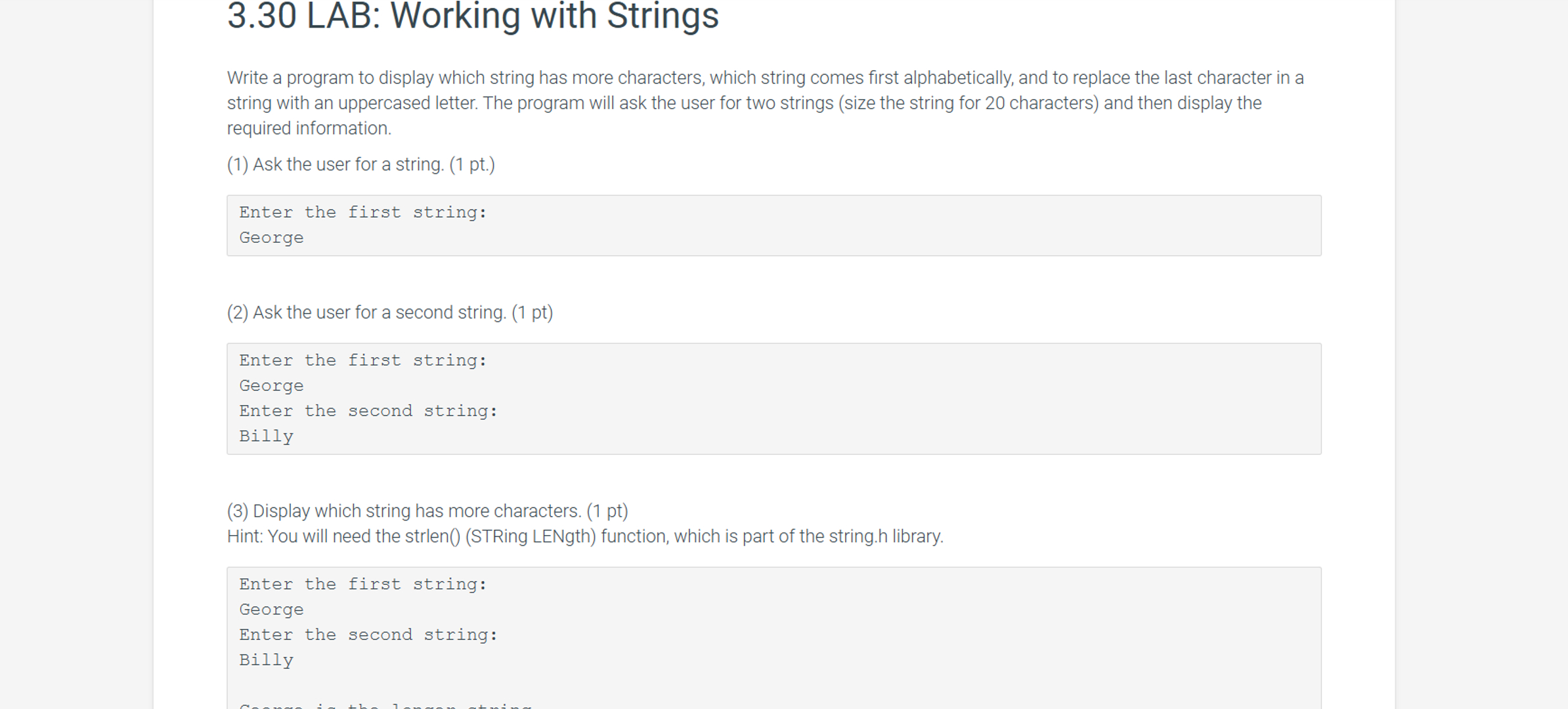
Ask the user for a string. pt
Enter the first string:
George
Ask the user for a second string. pt
Enter the first string:
George
Enter the second string:
Billy
Display which string has more characters. pt
Hint: You will need the strlenSTRing LENgth function, which is part of the string.h library.
Enter the first string:
George
Enter the second string:
Billy If the two string have the same number of characters, display that they are equal lengths. pt
Enter the first string:
Scott
Enter the second string:
Billy
The strings, Scott and Billy, are equal lengths.
Display which string comes first alphabetically. pts
Hint: You will need the strcmpSTRing CoMPare function.
Enter the first string:
George
Enter the second string:
Billy
George is the longer string.
The string that comes first alphabetically is Billy. Convert the last character in the first string to uppercase. pts
Hint: Get the last character in the string, convert it to uppercase you will need the toupper function, which is part of the ctype.h
library and then assign it to the last character position of the string
Enter the first string:
George
Enter the second string:
Billy
George is the longer string.
The string that comes first alphabetically is Billy.
George with the last character converted to uppercase is GeorgE.
LAB
: LAB: Working with Strings
main.c
Load default template...
#include
Step by Step Solution
There are 3 Steps involved in it
1 Expert Approved Answer
Step: 1 Unlock

Question Has Been Solved by an Expert!
Get step-by-step solutions from verified subject matter experts
Step: 2 Unlock
Step: 3 Unlock
 Study Help