







Question: 3. Create a top caption with the text: Practice Making Change 4. The app will use 1 activity and 3 Fragments. - The activity layout
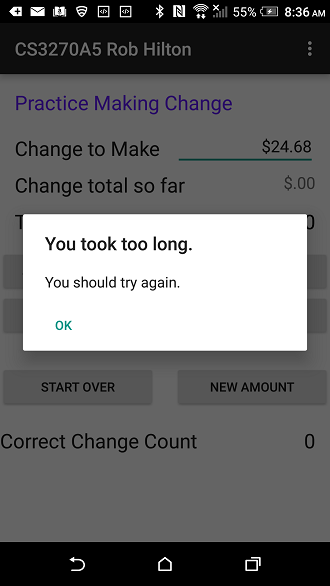
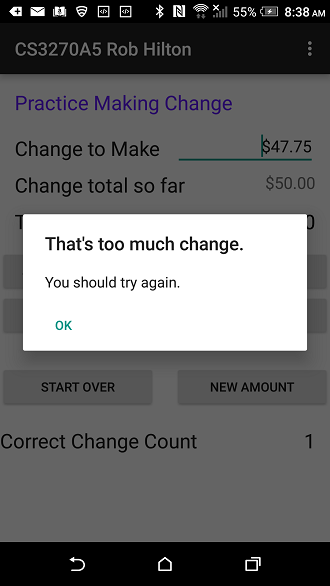
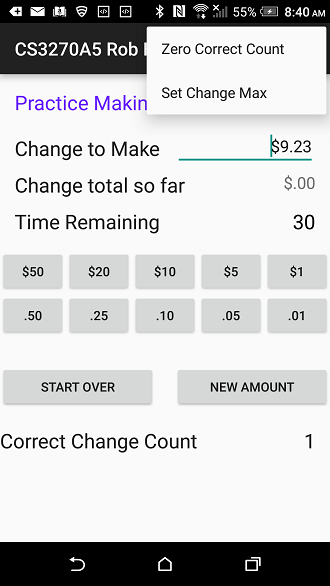
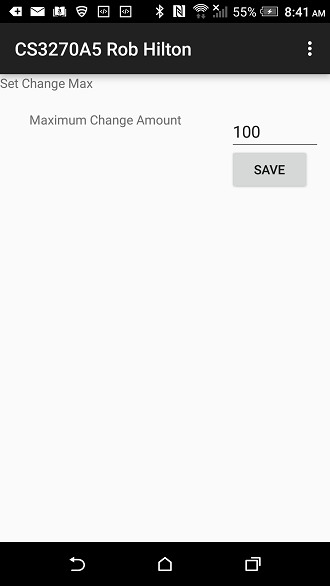
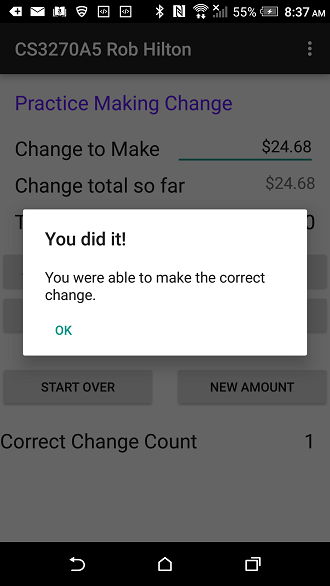
3. Create a top caption with the text: "Practice Making Change" 4. The app will use 1 activity and 3 Fragments. - The activity layout will contain no UI other than the fragment placeholders. - The top fragment should be named ChangeResults and is composed of the UI for the caption and the "Change to Make" and "Change So Far" results. - The middle fragment should be named ChangeButtons and will contain the ten buttons for each denomination. Use a TableLayout for the change buttons. The Change buttons should all share one listener. - The bottom fragment should be named ChangeActions and will contain buttons to: - - (Start Over) reset the change amount to zero and restart the timer - - (New Amount) set a new target amount, zero the change amount and restart the timer. - - Cumulative count of correct attempts - Provide a countdown timer that will allow the user 30 seconds to complete each change making attempt. 5. A random dollar amount will be calculated when the New Amount button is pressed - - the random amount will less than or equal to the maximum change amount setting. 6. Each attempt will allow the user to press buttons corresponding to currency and coin. - - the user's choices will be accumulated and shown as a total amount so far. 7. The user's attempt ends when either: - - the timer gets to zero - - the amounts match - - when the change made is greater than the target amount. 8. Outcome dialogs should be displayed: - - when the timer gets to zero a "Time's Up" message should be displayed - - when the change amount matches the target amount a "Correct" dialog should be displayed. - - when the change amount exceeds the target amount an "Incorrect" dialog should be displayed. 9. After any of the dialogs have been displayed and dismissed, the ChangeSoFar should go to zero and the user will retry the ChangeToMake. 8. Preserve the state of the values ChangeToMake, ChangeSoFar, and CorrectChangeCount and CorrectChangeCount. 9. Create an option menu to allow the user to zero the correct count and to set a value as the change amount maximum. - The screen to change the max amount should be a fragment that replaces the top Results fragment. - The other two fragments should be hidden while the max change fragment is visible.
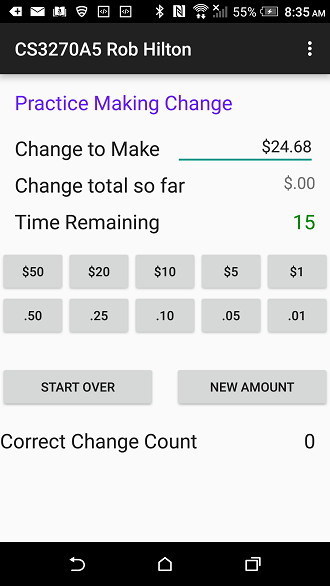
a " ???? * RI T Mil 55% 8:35 AM CS3270A5 Rob Hilton Practice Making Change Change to Make Change total so far Time Remaining $24.68 $.00 15 $50 $20 $10 $5 $1 50 25 10 05 01 NEW AMOUNT START OVER Correct Change Count a " ???? * RI T Mil 55% 8:35 AM CS3270A5 Rob Hilton Practice Making Change Change to Make Change total so far Time Remaining $24.68 $.00 15 $50 $20 $10 $5 $1 50 25 10 05 01 NEW AMOUNT START OVER Correct Change Count
Step by Step Solution
There are 3 Steps involved in it

Get step-by-step solutions from verified subject matter experts
 Study Help