







Question: '3. Explain who the audience is for the spreadsheet. 3. Describe the design aspects of your document that make it more readable for the audience.
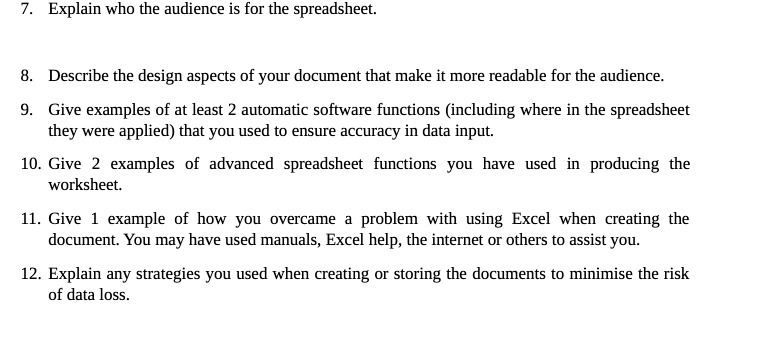
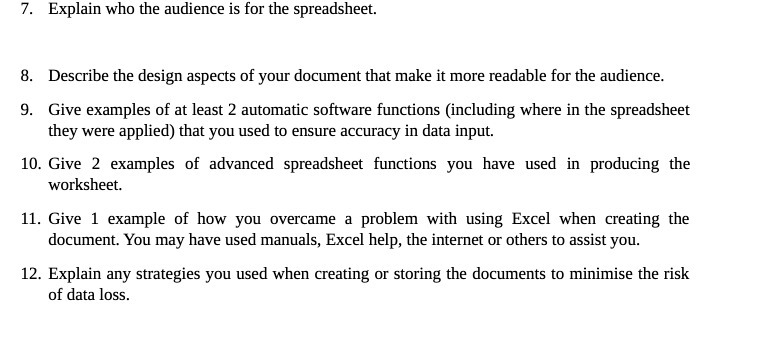
'3. Explain who the audience is for the spreadsheet. 3. Describe the design aspects of your document that make it more readable for the audience. 9. Give examples of at least 2 automatic software mctions [including where in the spreadsheet they were applied] that you used to ensure accuracy in data input. 10. Give 2 examples of advanced spreadsheet mctious you have used in producing the worksheet. 11. Give 1 example of how you overcame a problem with using Excel when creating the document You may have used manuals, Excel help, the internet or others to assist you. 12. Explain any strategies you used when creating or storing the documents to minimise the risk of data loss
Step by Step Solution
There are 3 Steps involved in it

Get step-by-step solutions from verified subject matter experts
 Study Help