







Question: 3) Part C : Create a Main Script for Simulation : Main.m Step C-1. Create a script file Main.m which is the main code for
3) Part C : Create a Main Script for Simulation : Main.m\ Step C-1. Create a script file Main.m which is the main code for the simulation of the given 4 objects.\ Step C-2. Reset your system first by using close, clear, clc".\ \ Step C-2. Load the initial data Data0.mat. (= Step A-1)\ Step C-3. Check that the initial data Data0.mat is valid by using your function Input_Check().\ Step C-4. Set the update time interval (dt) and the current time (t) as dt = 0.0005 and t = 0.\ (If there is anything else you need to declare before a simulation, feel free to do it.)\ Step C-5. As the time (t) increases by dt, use your functions Accel.m and Fwd_Euler.m to simulate the\ trajectories of the objects from the initial data until one of the following conditions is met:\ - If ? reaches 1000, stop and display the following message.\ No Collision is Expected.\ - If any of the asteroids collide with Earth first, stop and display the following message.\ Warning : A Collision with Asteroid 2 is Expected at t = 32 \ (The blue-colored values above are decided depending on the simulation result.)\ - We assume a collision if the distance between two bodies becomes less than or equal to 0.02.Step C-2. Reset your system first by using "close", "clear", "clc".\
%System Reset\ close all; % close All Figure Windows\ clear;
,%Removes All Variables from the Current Workspace\ clc;
,%clear Command History\ Step C-2. Load the initial data "Data0.mat". (= Step A-1)\
% Initial Data \ load('Data0.mat'); \ Step C-3. Check that the initial data "Data0.mat" is valid by using your function "Input_Check()".\ Step C-4. Set the update time interval (dt) and the current time (
tas
dt=0.0005and
t=0.\ (If there is anything else you need to declare before a simulation, feel free to do it.)\ Step C-5. As the time (t) increases by dt, use your functions "Accel.m" and "Fwd_Euler.m" to simulate the\ trajectories of the objects from the initial data until one of the following conditions is met:\ If
treaches 1000 , stop and display the following message.\ "No Collision is Expected."\ If any of the asteroids collide with Earth first, stop and display the following message.\ "Warning : A Collision with Asteroid 2 is Expected at
t=32"\ (The blue-colored values above are decided depending on the simulation result.)\ We assume a collision if the distance between two bodies becomes less than or equal to
0.02.
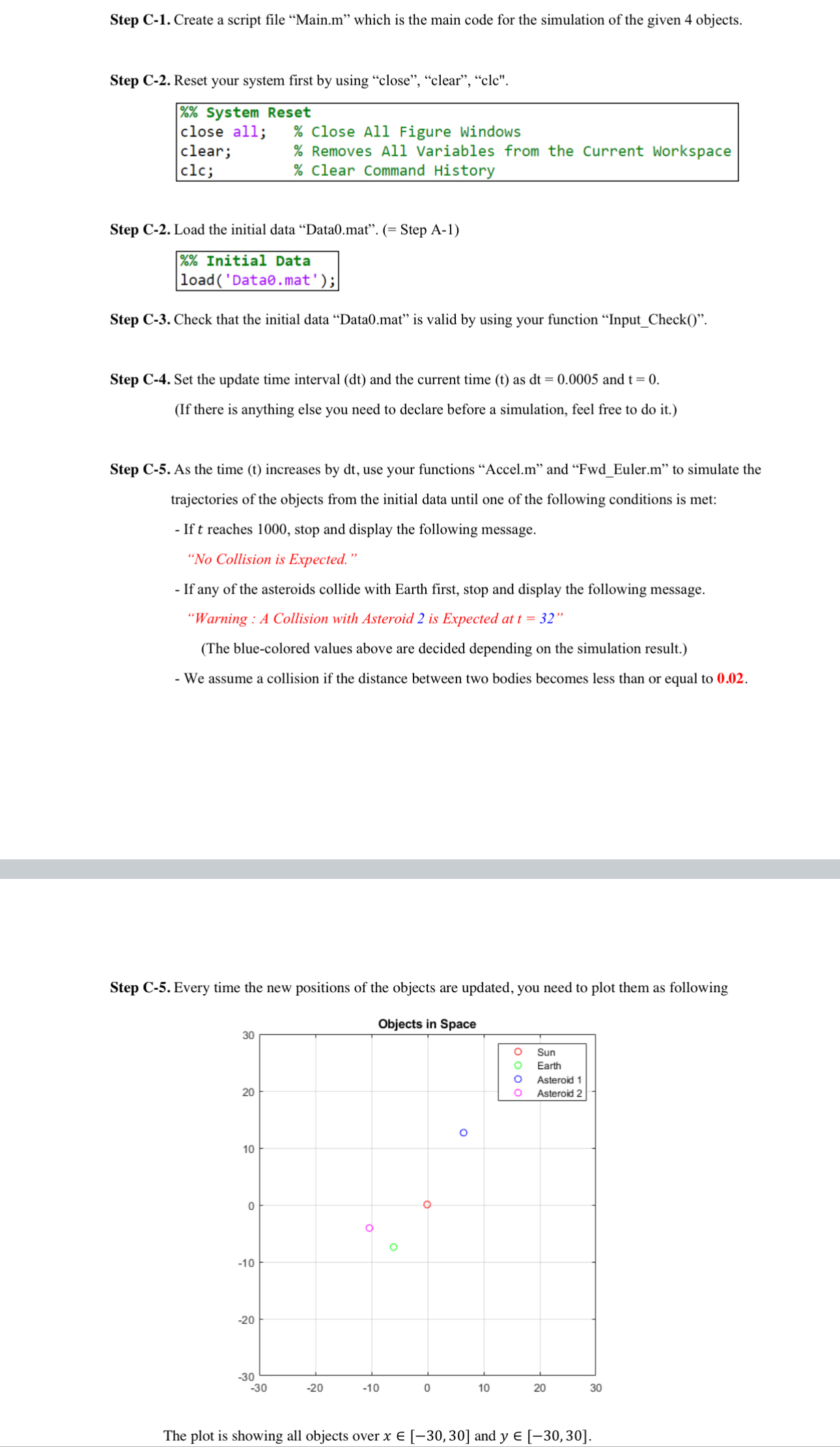
Step C-1. Create a script file "Main.m" which is the main code for the simulation of the given 4 objects. Step C-2. Reset your system first by using "close", "clear", "clc". Step C-2. Load the initial data "Data0.mat". (= Step A-1) Step C-3. Check that the initial data "Data0.mat" is valid by using your function "Input_Check()". Step C-4. Set the update time interval (dt) and the current time (t) as dt=0.0005 and t=0. (If there is anything else you need to declare before a simulation, feel free to do it.) Step C-5. As the time (t) increases by dt, use your functions "Accel.m" and "Fwd_Euler.m" to simulate the trajectories of the objects from the initial data until one of the following conditions is met: - If t reaches 1000 , stop and display the following message. "No Collision is Expected." - If any of the asteroids collide with Earth first, stop and display the following message. "Warning : A Collision with Asteroid 2 is Expected at t=32 " (The blue-colored values above are decided depending on the simulation result.) - We assume a collision if the distance between two bodies becomes less than or equal to 0.02. Step C-5. Every time the new positions of the objects are updated, you need to plot them as following The plot is showing all objects over x[30,30] and y[30,30]
Step by Step Solution
There are 3 Steps involved in it

Get step-by-step solutions from verified subject matter experts
 Study Help