







Question: 3. Please explain in detail each step and coding characters of below Python code. (10 points) #Declare variables to store the budget amount, #
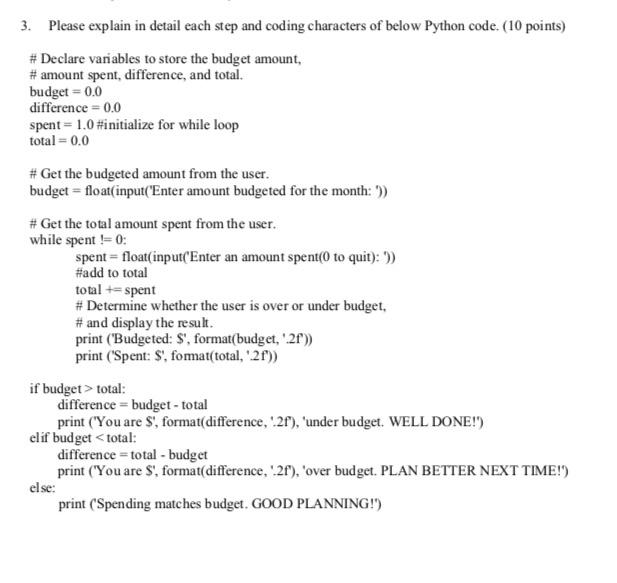
3. Please explain in detail each step and coding characters of below Python code. (10 points) #Declare variables to store the budget amount, # amount spent, difference, and total. budget = 0.0 difference = 0.0 spent 1.0 #initialize for while loop total = 0.0 #Get the budgeted amount from the user. budget float(input("Enter amount budgeted for the month: '")) # Get the total amount spent from the user. while spent != 0: spent float(input("Enter an amount spent(0 to quit): ')) #add to total total +spent #Determine whether the user is over or under budget, # and display the result. print ("Budgeted: S', format(budget, '.2f')) print ("Spent: S', format(total, '2f')) if budget > total: difference budget - total print ("You are $', format(difference, '2f'), 'under budget. WELL DONE!') elif budget
Step by Step Solution
There are 3 Steps involved in it

Get step-by-step solutions from verified subject matter experts
 Study Help