







Question: 3. Run Length Encoding One of the ways that computers can compress files is called run-length encoding (although you may have seen a pretty inaccurate
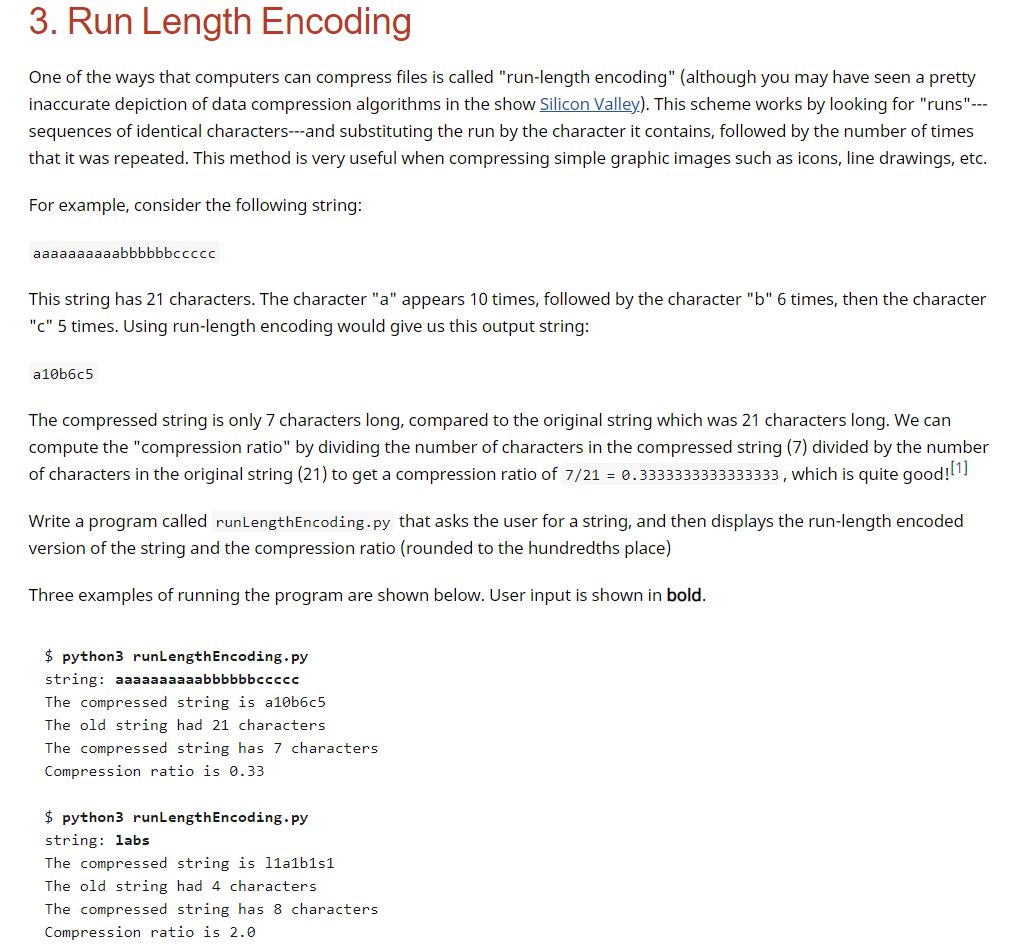
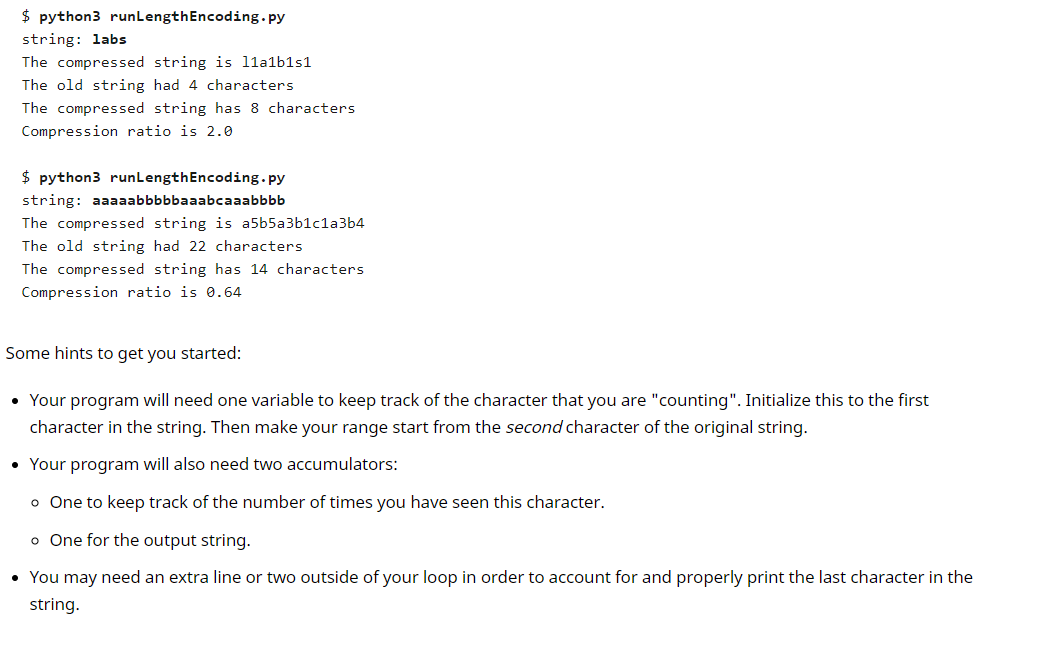
3. Run Length Encoding One of the ways that computers can compress files is called "run-length encoding" (although you may have seen a pretty inaccurate depiction of data compression algorithms in the show Silicon Valley). This scheme works by looking for "runs"--- sequences of identical characters---and substituting the run by the character it contains, followed by the number of times that it was repeated. This method is very useful when compressing simple graphic images such as icons, line drawings, etc. For example, consider the following string: aaaaaaaaaabbbbbbccccc This string has 21 characters. The character "a" appears 10 times, followed by the character "b" 6 times, then the character "C" 5 times. Using run-length encoding would give us this output string: a 10b6c5 The compressed string is only 7 characters long, compared to the original string which was 21 characters long. We can compute the "compression ratio" by dividing the number of characters in the compressed string (7) divided by the number of characters in the original string (21) to get a compression ratio of 7/21 = 0.3333333333333333, which is quite good![1] Write a program called runLengthEncoding.py that asks the user for a string, and then displays the run-length encoded version of the string and the compression ratio (rounded to the hundredths place) Three examples of running the program are shown below. User input is shown in bold. $ python3 runLengthEncoding.py string: aaaaaaaaaabbbbbbccccc The compressed string is a10b6c5 The old string had 21 characters The compressed string has 7 characters Compression ratio is 0.33 $ python3 runLengthEncoding.py string: labs The compressed string is 11a1b151 The old string had 4 characters The compressed string has 8 characters Compression ratio is 2.0 $ python3 runLengthEncoding.py string: labs The compressed string is 11a1b1s1 The old string had 4 characters The compressed string has 8 characters Compression ratio is 2.0 $ python3 runLengthEncoding.py string: aaaaabbbbbaaabcaaabbbb The compressed string is a5b5a3b1c1a3b4 The old string had 22 characters The compressed string has 14 characters Compression ratio is 0.64 Some hints to get you started: Your program will need one variable to keep track of the character that you are "counting". Initialize this to the first character in the string. Then make your range start from the second character of the original string. Your program will also need two accumulators: o One to keep track of the number of times you have seen this character. o One for the output string. You may need an extra line or two outside of your loop in order to account for and properly print the last character in the string
Step by Step Solution
There are 3 Steps involved in it

Get step-by-step solutions from verified subject matter experts
 Study Help