







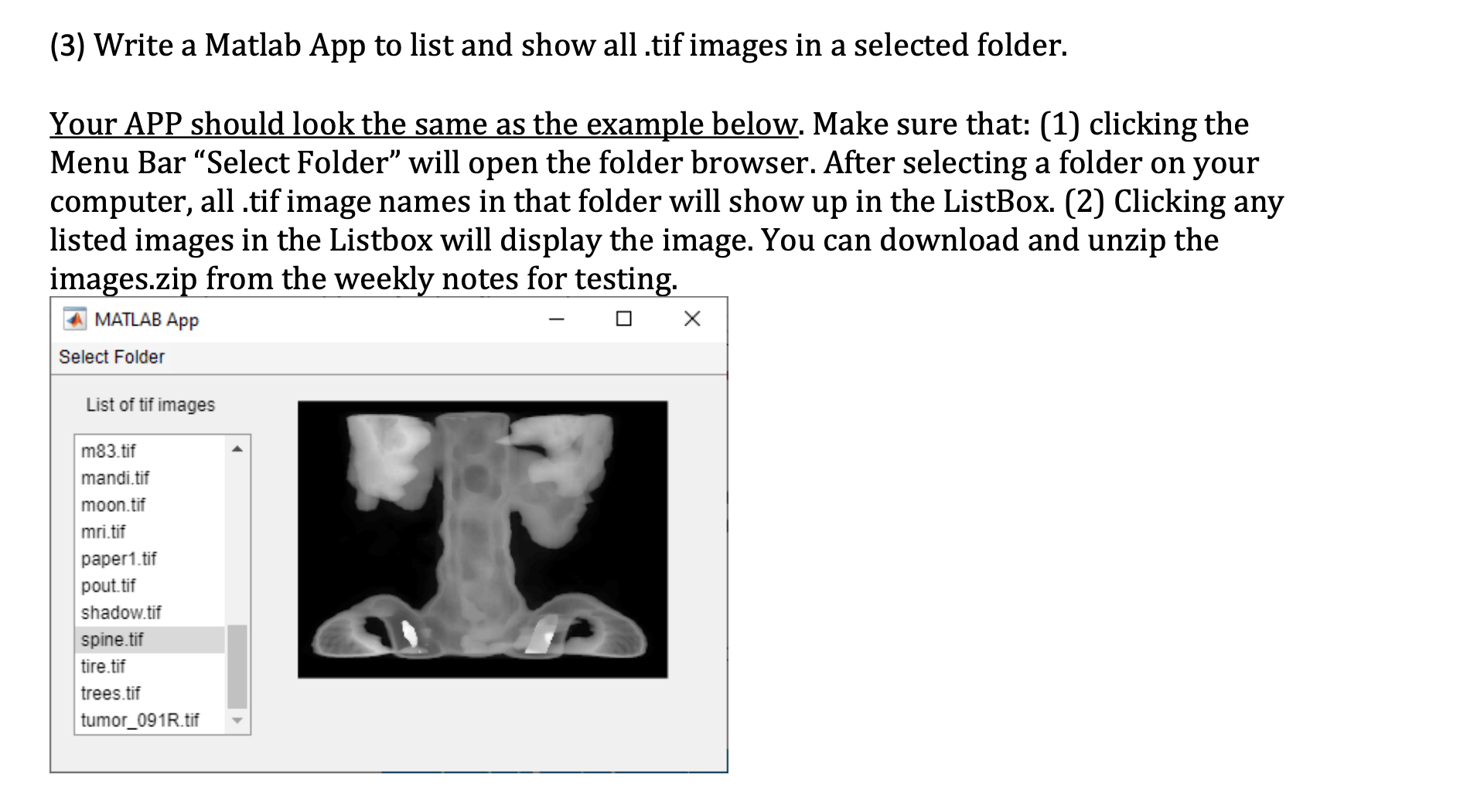
Question: ( 3 ) Write a Matlab App to list and show all . tif images in a selected folder. Your APP should look the same
Write a Matlab App to list and show all tif images in a selected folder.
Your APP should look the same as the example below. Make sure that: clicking the
Menu Bar "Select Folder" will open the folder browser. After selecting a folder on your
computer, all tif image names in that folder will show up in the ListBox. Clicking any
listed images in the Listbox will display the image. You can download and unzip the
images.zip from the weekly notes for testing.
Step by Step Solution
There are 3 Steps involved in it
1 Expert Approved Answer
Step: 1 Unlock

Question Has Been Solved by an Expert!
Get step-by-step solutions from verified subject matter experts
Step: 2 Unlock
Step: 3 Unlock
 Study Help