







Question: 4 Modify document properties to include Mason Gibbons as the author, replacing any existing author. Click in or select the Comments box and type the
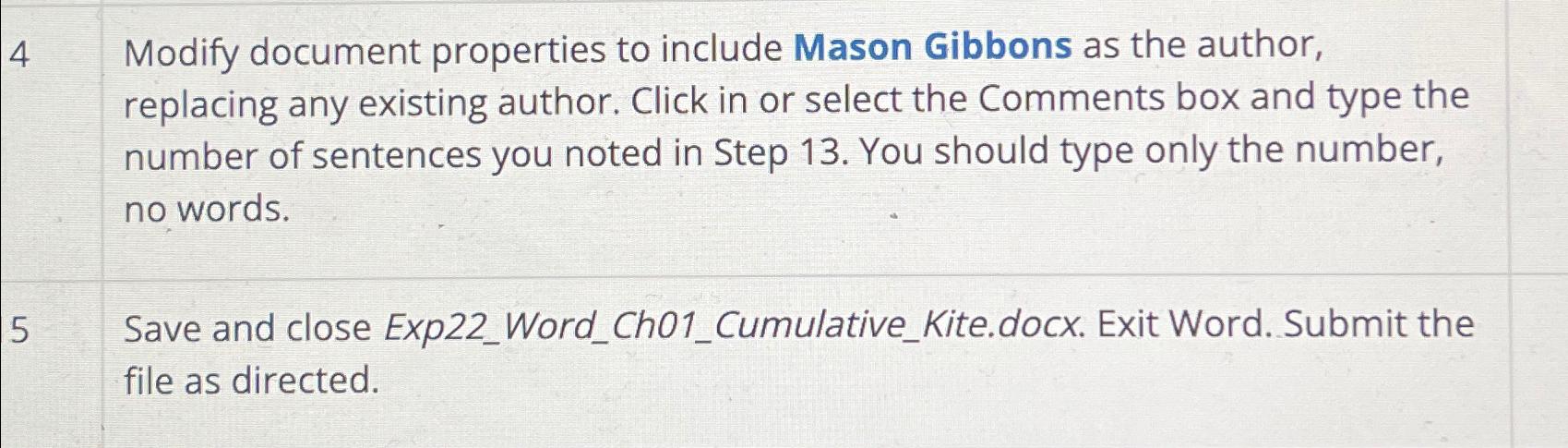
Modify document properties to include Mason Gibbons as the author, replacing any existing author. Click in or select the Comments box and type the number of sentences you noted in Step You should type only the number, no words.
Save and close ExpWordChCumulativeKite.docx. Exit Word. Submit the file as directed.
Step by Step Solution
There are 3 Steps involved in it
1 Expert Approved Answer
Step: 1 Unlock

Question Has Been Solved by an Expert!
Get step-by-step solutions from verified subject matter experts
Step: 2 Unlock
Step: 3 Unlock
 Study Help