



Question: 4. View the items in Customer shopping cart The System should display the items in shopping cart for a given customer. View the items in
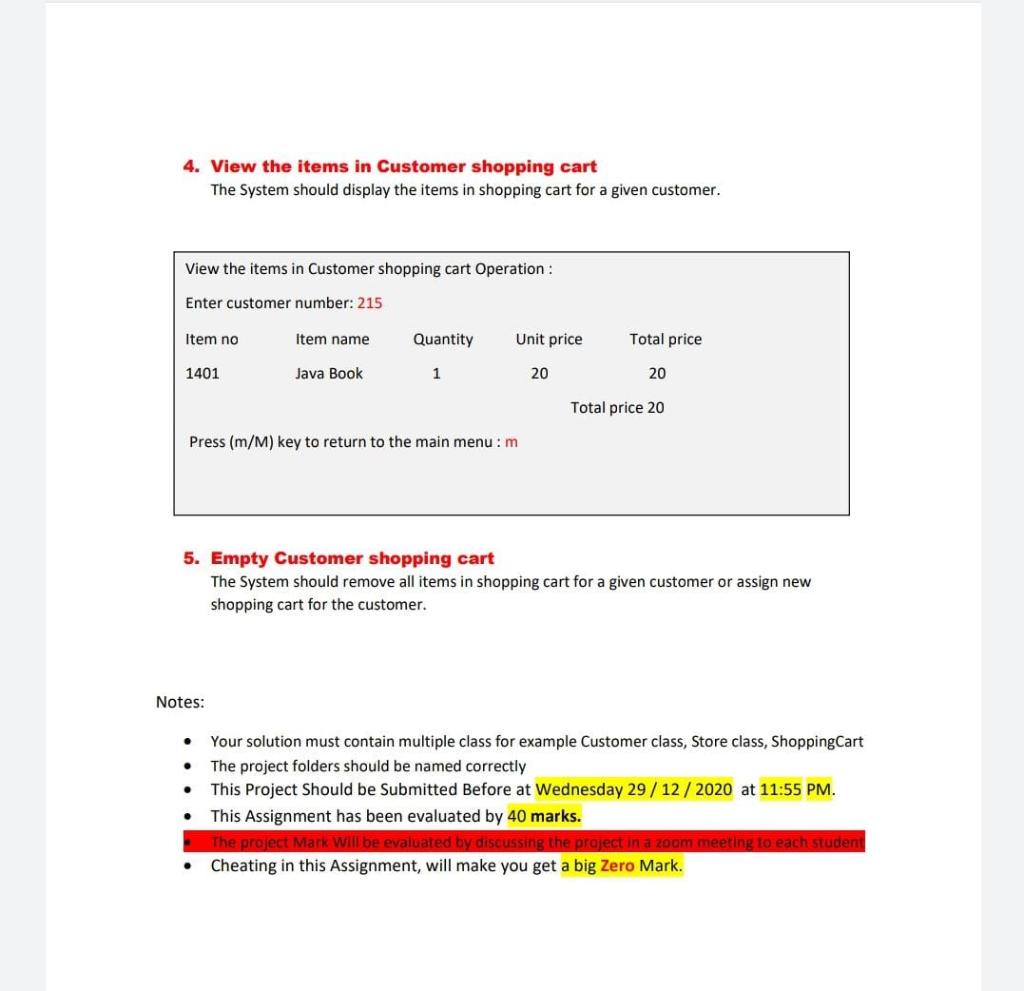
4. View the items in Customer shopping cart The System should display the items in shopping cart for a given customer. View the items in Customer shopping cart Operation : Enter customer number: 215 Item no Item name Quantity Unit price Total price 1401 Java Book 1 20 20 Total price 20 Press (m/M) key to return to the main menu: m 5. Empty Customer shopping cart The System should remove all items in shopping cart for a given customer or assign new shopping cart for the customer. Notes: . . Your solution must contain multiple class for example Customer class, Store class, Shopping Cart The project folders should be named correctly This Project Should be Submitted Before at Wednesday 29/12/2020 at 11:55 PM. This Assignment has been evaluated by 40 marks. The project Mark Will be evaluated by discussing the project in a zoom meeting to each student Cheating in this Assignment, will make you get a big Zero Mark. . 4. View the items in Customer shopping cart The System should display the items in shopping cart for a given customer. View the items in Customer shopping cart Operation : Enter customer number: 215 Item no Item name Quantity Unit price Total price 1401 Java Book 1 20 20 Total price 20 Press (m/M) key to return to the main menu: m 5. Empty Customer shopping cart The System should remove all items in shopping cart for a given customer or assign new shopping cart for the customer. Notes: . . Your solution must contain multiple class for example Customer class, Store class, Shopping Cart The project folders should be named correctly This Project Should be Submitted Before at Wednesday 29/12/2020 at 11:55 PM. This Assignment has been evaluated by 40 marks. The project Mark Will be evaluated by discussing the project in a zoom meeting to each student Cheating in this Assignment, will make you get a big Zero Mark
Step by Step Solution
There are 3 Steps involved in it

Get step-by-step solutions from verified subject matter experts