







Question: 5 . 2 1 LAB: Adjust list by normalizing When analyzing data sets, such as data for human heights or for human weights, a common
LAB: Adjust list by normalizing
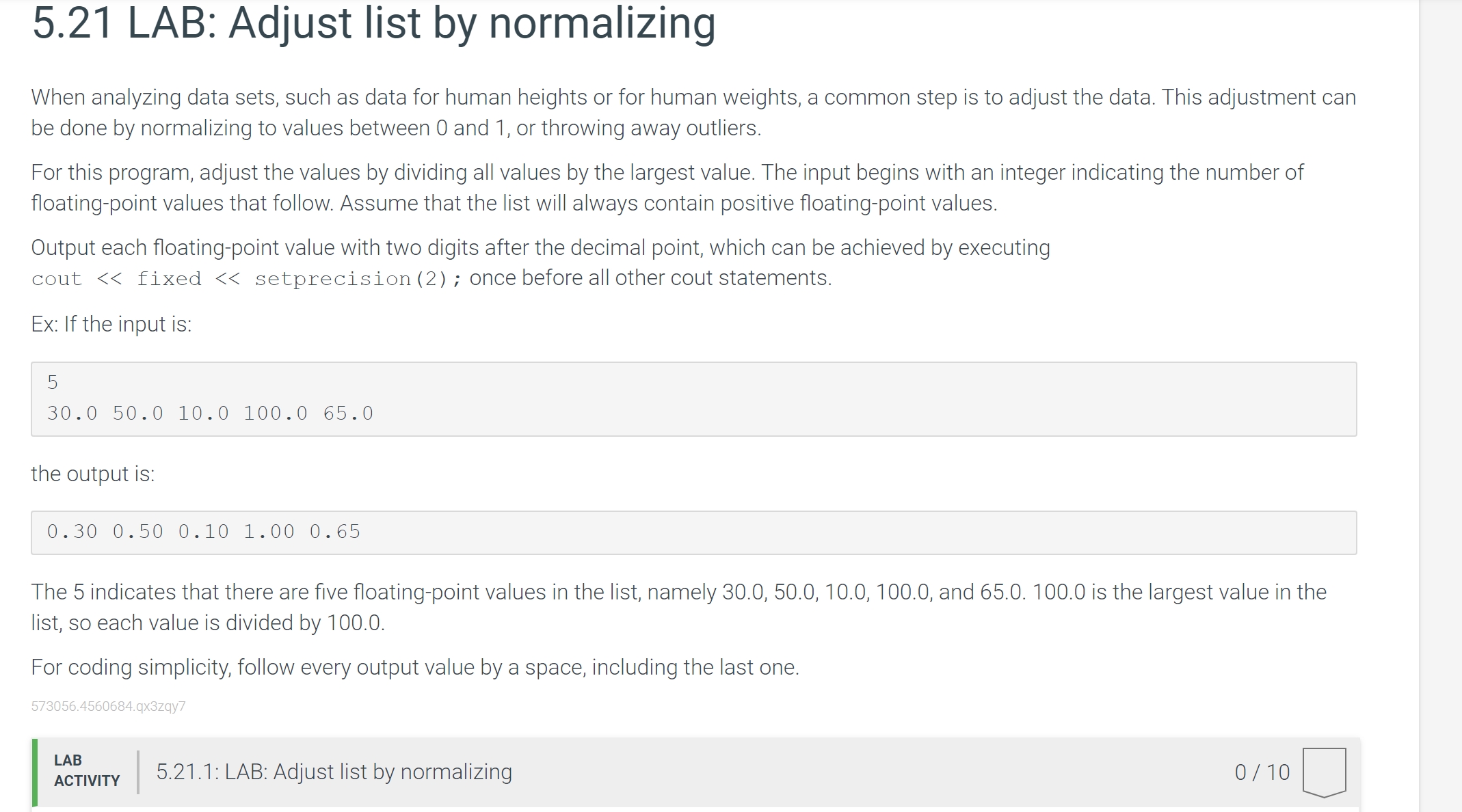
When analyzing data sets, such as data for human heights or for human weights, a common step is to adjust the data. This adjustment can
be done by normalizing to values between and or throwing away outliers.
For this program, adjust the values by dividing all values by the largest value. The input begins with an integer indicating the number of
floatingpoint values that follow. Assume that the list will always contain positive floatingpoint values.
Output each floatingpoint value with two digits after the decimal point, which can be achieved by executing
cout fixed setprecision; once before all other cout statements.
Ex: If the input is:
the output is:
The indicates that there are five floatingpoint values in the list, namely and is the largest value in the
list, so each value is divided by
For coding simplicity, follow every output value by a space, including the last one.
LAB
ACTIVITY
: LAB: Adjust list by normalizing
Step by Step Solution
There are 3 Steps involved in it
1 Expert Approved Answer
Step: 1 Unlock

Question Has Been Solved by an Expert!
Get step-by-step solutions from verified subject matter experts
Step: 2 Unlock
Step: 3 Unlock
 Study Help