







Question: 5 5 6 Chapter 8 Arrays and More Tutorial 8 - 1 0 : Building a List from user input In this tutorial, your will
Chapter Arrays and More
Tutorial :
Building a List from user input
In this tutorial, your will rewrite the application from Tutorial that let the user input and save the names of friends. In this new version, the names will be saved in a List of String object. After entering the names, the user can click a button and view all the names in a list box.
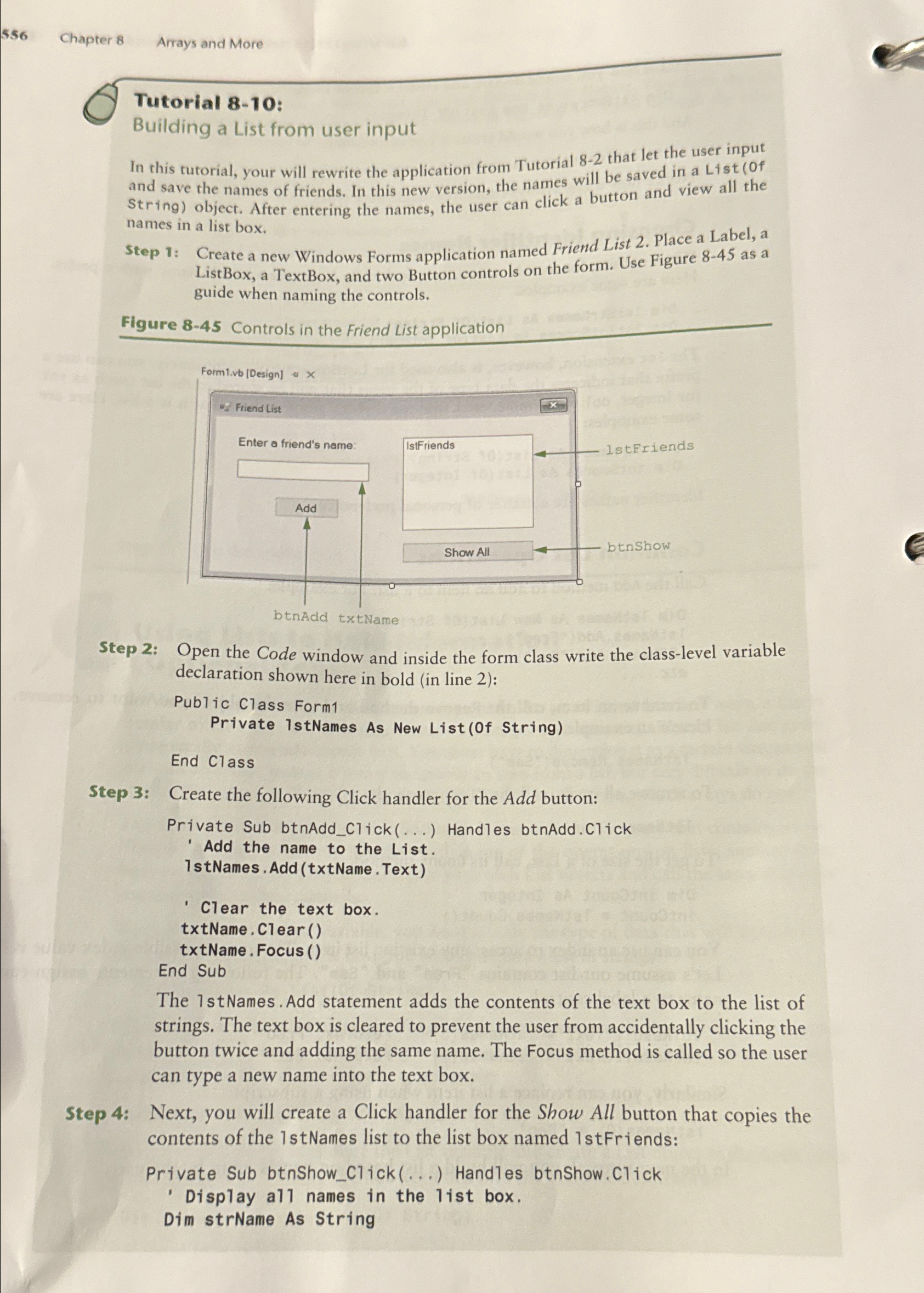
Step : Create a new Windows Forms application named Friend List Place a Label, a ListBox, a TextBox, and two Button controls on the form. Use Figure as a guide when naming the controls.
Figure Controls in the Friend List application
Step : Open the Code window and inside the form class write the classlevel variable declaration shown here in bold in line :Step : Create the following Click handler for the Add button:The stNames. Add statement adds the contents of the text box to the list of strings. The text box is cleared to prevent the user from accidentally clicking the button twice and adding the same name. The Focus method is called so the user can type a new name into the text box.Step : Next, you will create a Click handler for the Show All button that copies the contents of the stNames list to the list box named stFriends:Private Sub btnShowClick Handles btnShow.Click
Display all names in the list box.
Dim strName As String
Step by Step Solution
There are 3 Steps involved in it
1 Expert Approved Answer
Step: 1 Unlock

Question Has Been Solved by an Expert!
Get step-by-step solutions from verified subject matter experts
Step: 2 Unlock
Step: 3 Unlock
 Study Help