







Question: 5 . 7 . 3 : Modify the boxString method to leave a space around the string. 5 9 3 6 6 0 . 4
: Modify the boxString method to leave a space around the string.
axzqy
Modify the boxstring method to leave a space around the string that is being boxed, like this:
Hello
public class BoxStringModification
Prints a string in a box.
@param contents the string to enclose in a box
public static void boxStringString contents
int n contents.length;
Your code goes here
System.out.println;
public static void mainString args
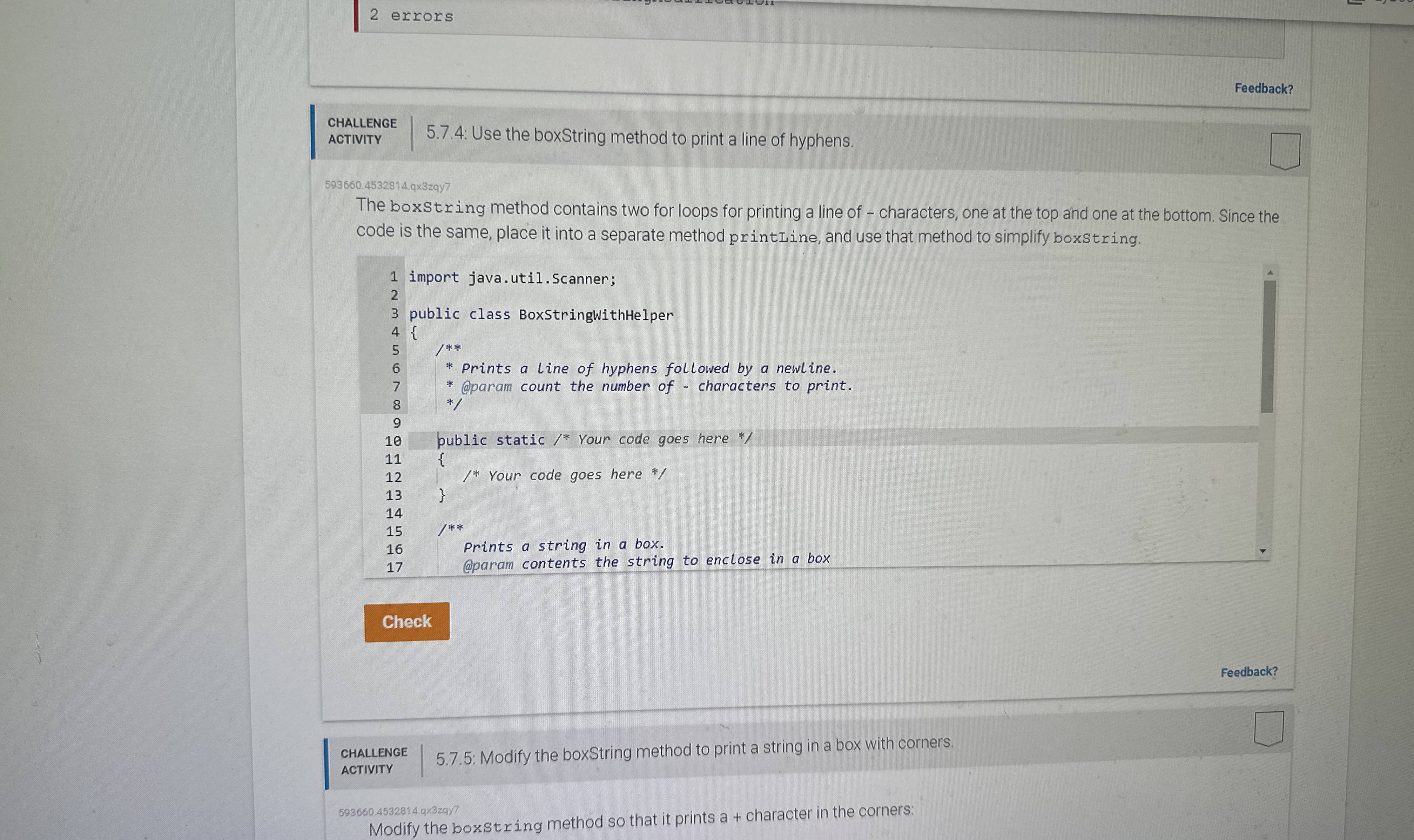
: Use the boxString method to print a line of hyphens.
: Use the boxString method to print a line of hyphens.
qxzqy
The boxstring method contains two for loops for printing a line of characters, one at the top and one at the bottom. Since the
code is the same, place it into a separate method printLine, and use that method to simplify boxstring.
import java.util.Scanner;
public class BoxStringWithHelper
Prints a line of hyphens followed by a newline.
@param count the number of characters to print.
public static Your code goes here
Your code goes here
Prints a string in a box.
@param contents the string to enclose in a box
: Modify the boxString method to print a string in a box with corners.
Modify the boxstring method so that it prints a character in the corners:
Step by Step Solution
There are 3 Steps involved in it
1 Expert Approved Answer
Step: 1 Unlock

Question Has Been Solved by an Expert!
Get step-by-step solutions from verified subject matter experts
Step: 2 Unlock
Step: 3 Unlock
 Study Help