



Question: 5 Image Enhancement in the Frequency Domain[5 Points a) Read the image blurry-moon.tif and sharpen it using unsharp masking. Use a Gaussian lowpass filter of
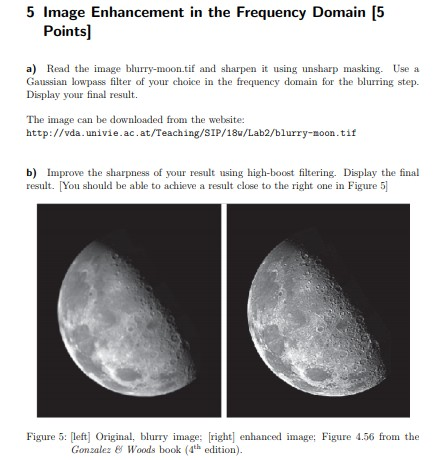
5 Image Enhancement in the Frequency Domain[5 Points a) Read the image blurry-moon.tif and sharpen it using unsharp masking. Use a Gaussian lowpass filter of your choice in the frequency domain for the blurring step. Display your final result. The image can be downloaded from the website: http://vda.univie.ac.at/Teaching/SIP/18Lab2/blurry-oontif b) Improve the sharpness of your result using high-boost filtering. Display the final result. You should be able to achieve a result close to the right one in Figure 5 Figure 5: left Original, blurry image right enhanced image: Figure 4.56 from the Gonzalez Woods book (4th edition) 5 Image Enhancement in the Frequency Domain[5 Points a) Read the image blurry-moon.tif and sharpen it using unsharp masking. Use a Gaussian lowpass filter of your choice in the frequency domain for the blurring step. Display your final result. The image can be downloaded from the website: http://vda.univie.ac.at/Teaching/SIP/18Lab2/blurry-oontif b) Improve the sharpness of your result using high-boost filtering. Display the final result. You should be able to achieve a result close to the right one in Figure 5 Figure 5: left Original, blurry image right enhanced image: Figure 4.56 from the Gonzalez Woods book (4th edition)
Step by Step Solution
There are 3 Steps involved in it

Get step-by-step solutions from verified subject matter experts