







Question: 5 Points 2 1) Convert the range below to a table with headers 3 Use the style of the table below 4 Name the table
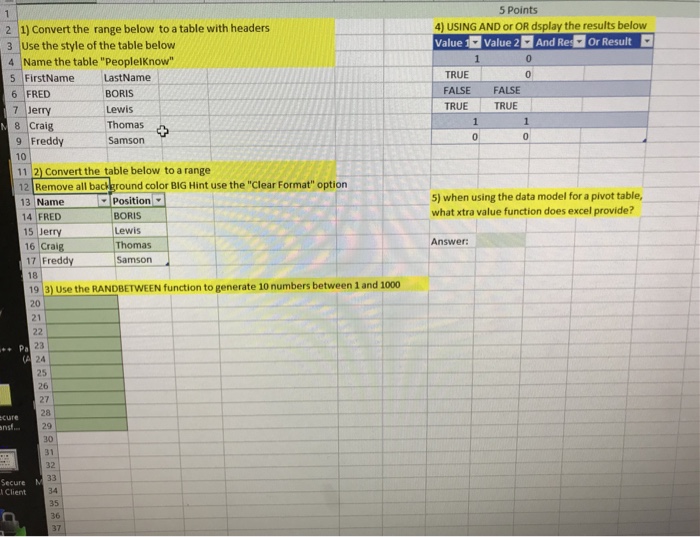
5 Points 2 1) Convert the range below to a table with headers 3 Use the style of the table below 4 Name the table "PeoplelKnow 4) USING AND or OR dsplay the results below Value Value 2 And Redr Result 0 LastName BORIS Lewis Thomas Samson TRUE FALSE FALSE TRUE TRUE FirstName 6 FRED 7 Jerry 8 Craig 9 Freddy 10 11 2) Convert the table below to a range 12 Remove all background color BIG Hint use the "Clear Format" option 5) when using the data model for a pivot table, what xtra value function does excel provide? -position ! BORIS Lewis Thomas 3 Name 14 FRED 15 Jerry 16 Craig 17 FreddySamson Answer: 18 19 3) Use the RANDBETWEEN function to generate 10 numbers between 1 and 1000 20 23 24 27 29 30 31 32 Secure N l Client 35 36
Step by Step Solution
There are 3 Steps involved in it

Get step-by-step solutions from verified subject matter experts
 Study Help