







Question: 6 . 1 7 LAB * : Program: Online shopping cart ( Part 1 ) ( 1 ) Create three files to submit: ItemToPurchase.h -
LAB: Program: Online shopping cart Part
Create three files to submit:
ItemToPurchase.h Class declaration
ItemToPurchase.cpp Class definition
main.cpp main function
Build the ItemToPurchase class with the following specifications:
Default constructor
Public class functions mutators & accessors
SetName & GetName pts
SetPrice & GetPrice pts
SetQuantity & GetQuantity pts
Private data members
string itemName Initialized in default constructor to "none"
int itemPrice Initialized in default constructor to
int itemQuantity Initialized in default constructor to
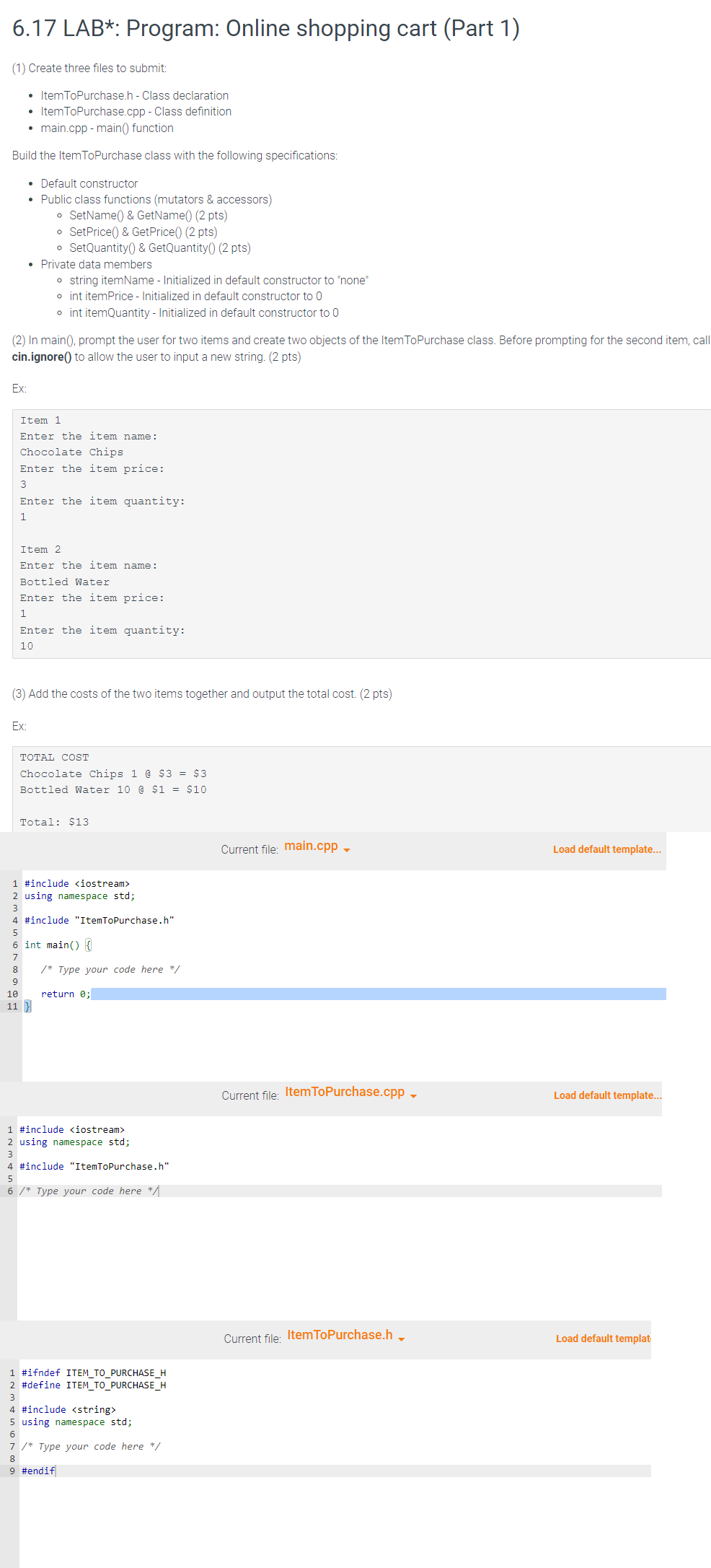
In main prompt the user for two items and create two objects of the ItemToPurchase class. Before prompting for the second item, call
cin.ignore to allow the user to input a new string. pts
Ex:
Item
Enter the item name:
Chocolate Chips
Enter the item price:
Enter the item quantity:
Item
Enter the item name:
Bottled Water
Enter the item price:
Enter the item quantity:
Add the costs of the two items together and output the total cost. pts
Ex:
TOTAL COST
Chocolate Chips d $$
Bottled Water a $$
Total: $ LAB: Program: Online shopping cart Part
Create three files to submit:
ItemToPurchase. h Class declaration
ItemToPurchase.cpp Class definition
main.cpp main function
Build the ItemToPurchase class with the following specifications:
Default constructor
Public class functions mutators & accessors
SetName & GetName pts
SetPrice & GetPrice pts
SetQuantity & GetQuantity pts
Private data members
string itemName Initialized in default constructor to "none"
int itemPrice Initialized in default constructor to
int itemQuantity Initialized in default constructor to
In main prompt the user for two items and create two objects of the ItemToPurchase class. Before prompting for the second item, call
cin.ignore to allow the user to input a new string. pts
Ex:
Item
Enter the item name:
Chocolate Chips
Enter the item price:
Enter the item quantity:
Item
Enter the item name:
Bottled Water
Enter the item price:
Enter the item quantity:
Add the costs of the two items together and output the total cost. pts
Ex:
TOTAL COST
Chocolate Chips @ $$
Bottled Water a $$
Total: $
Current file: main.cpp
#include
Step by Step Solution
There are 3 Steps involved in it
1 Expert Approved Answer
Step: 1 Unlock

Question Has Been Solved by an Expert!
Get step-by-step solutions from verified subject matter experts
Step: 2 Unlock
Step: 3 Unlock
 Study Help