







Question: 6) GROUP and AGGREGATE (e.g., COUNT, AVG, SUM): a) Using the Products table, create a query that shows for each supplier: the SupplierID and the
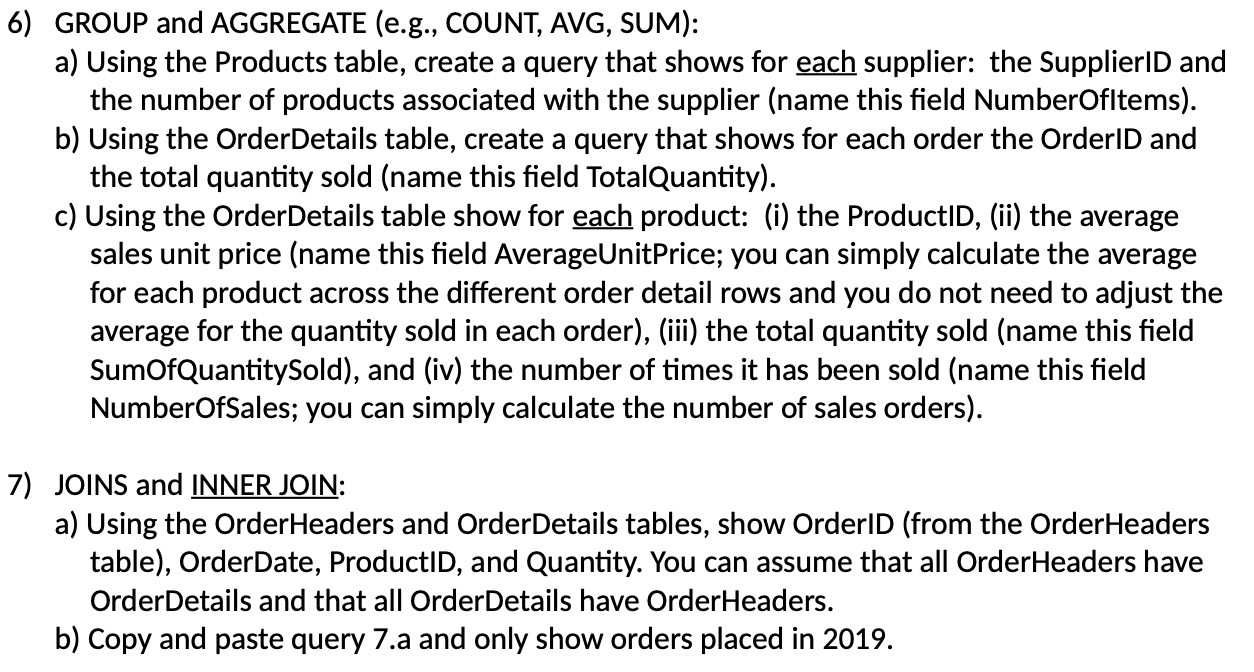
6) GROUP and AGGREGATE (e.g., COUNT, AVG, SUM): a) Using the Products table, create a query that shows for each supplier: the SupplierID and the number of products associated with the supplier (name this field NumberOfitems). b) Using the OrderDetails table, create a query that shows for each order the OrderID and the total quantity sold (name this field TotalQuantity). c) Using the OrderDetails table show for each product: (i) the ProductID, (ii) the average sales unit price (name this field AverageUnitPrice; you can simply calculate the average for each product across the different order detail rows and you do not need to adjust the average for the quantity sold in each order), (iii) the total quantity sold (name this field SumOfQuantitySold), and (iv) the number of times it has been sold (name this field NumberOfSales; you can simply calculate the number of sales orders). 7) JOINS and INNER JOIN: a) Using the OrderHeaders and OrderDetails tables, show OrderID (from the OrderHeaders table), OrderDate, ProductID, and Quantity. You can assume that all OrderHeaders have OrderDetails and that all OrderDetails have OrderHeaders. b) Copy and paste query 7.a and only show orders placed in 2019
Step by Step Solution
There are 3 Steps involved in it

Get step-by-step solutions from verified subject matter experts
 Study Help