



Question: 6. In cell A15, type a comment that indicates the largest expense and apply a 10% Orientation to the cell; hide row 15 so your
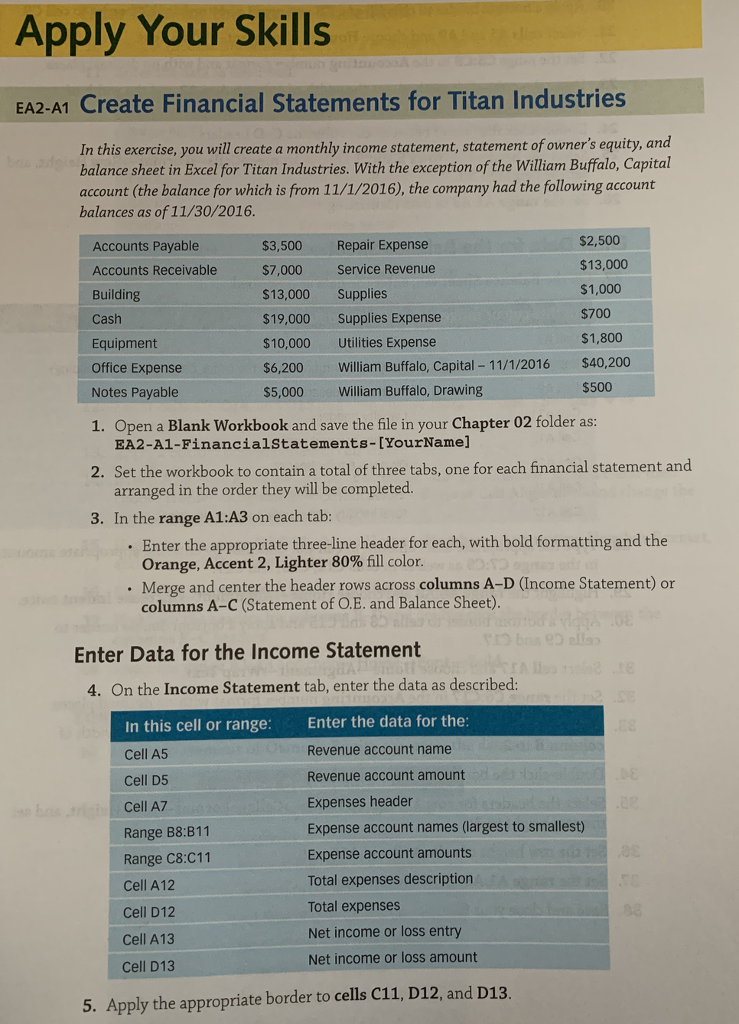
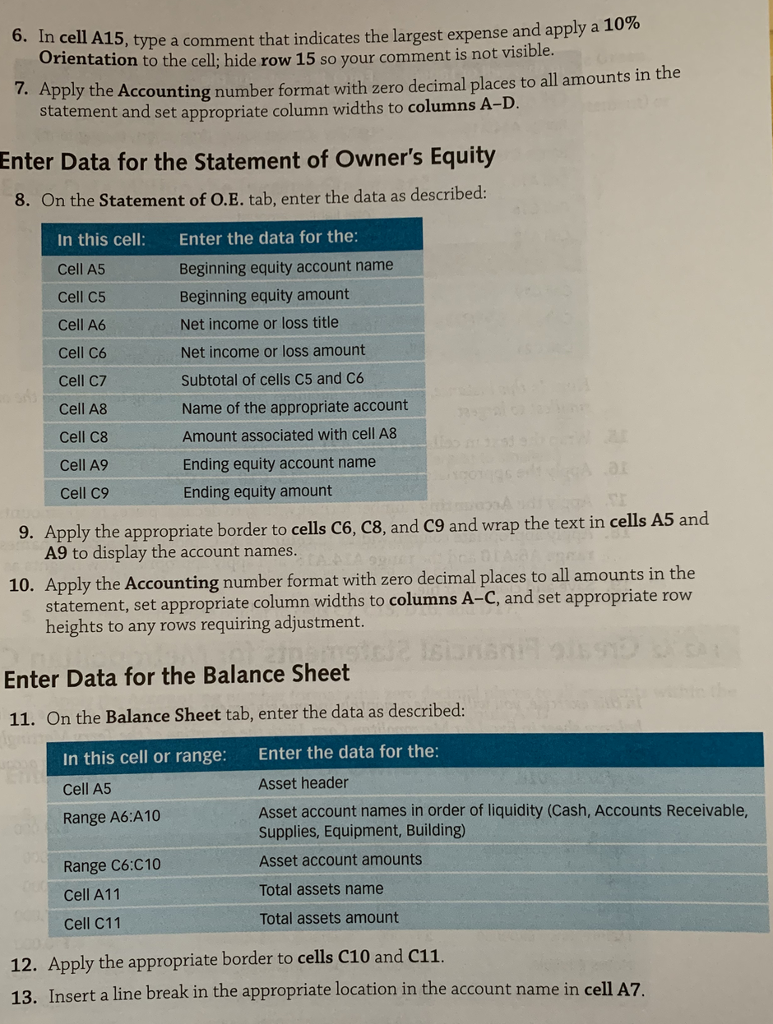
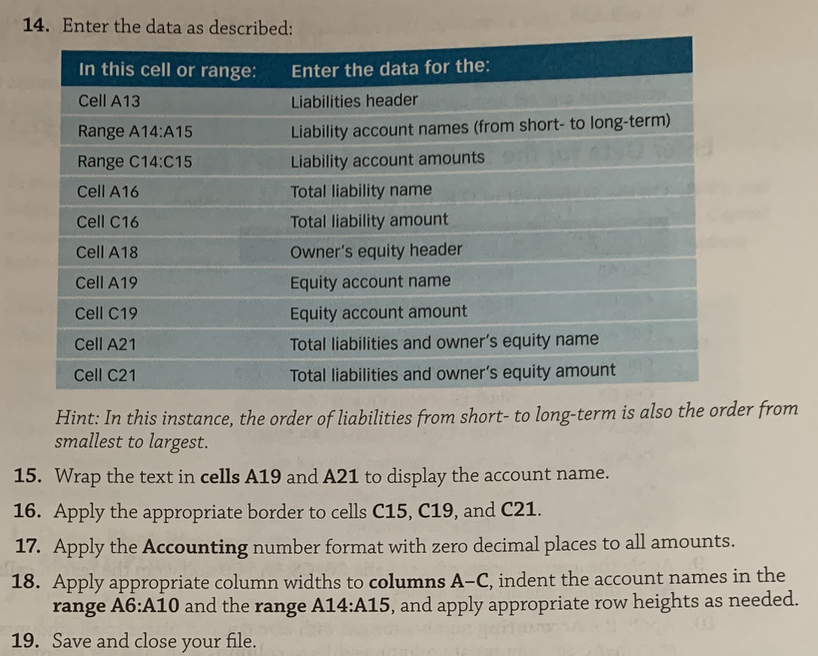
6. In cell A15, type a comment that indicates the largest expense and apply a 10% Orientation to the cell; hide row 15 so your comment is not visible pply the Accounting number format with zero decimal places to all amounts in the statement and set appropriate column widths to columns Enter Data for the Statement of Owner's Equity 8. On the Statement of O.E. tab, enter the data as described: In this cell: Cell A5 Cell C5 Cell A6 Cell C6 Cell C7 Cell A8 Cell C8 Cell A9 Cell C9 Enter the data for the Beginning equity account name Beginning equity amount Net income or loss title Net income or loss amount Subtotal of cells C5 and C6 Name of the appropriate account Amount associated with cell A8 Ending equity account name Ending equity amount 9. Apply the appropriate border to cells C6, C8, and C9 and wrap the text in cells A5 and A9 to display the account names ly the Accounting number format with zero decimal places to all amounts in the statement, set appropriate column widths to columns A-C, and set appropriate row heights to any rows requiring adjustment. 10. App Enter Data for the Balance Sheet 11. On the Balance Sheet tab, enter the data as described: Enter the data for the Asset header Asset account names in order of liquidity (Cash, Accounts Receivable, supplies, Equipment, Building) Asset account amounts Total assets name Total assets amount In this cell or range: Cell A5 Range A6:A10 Range C6:C10 Cell A11 Cell C11 12. Apply the appropriate border to cells C10 and c11. 13. Insert a line break in the appropriate location in the account name in cell A7
Step by Step Solution
There are 3 Steps involved in it

Get step-by-step solutions from verified subject matter experts