







Question: 6.6.1: Deleting rows and columns using the colon operator. This activity uses a 3rd party app. Though your actvity may be recorded, a refresh may
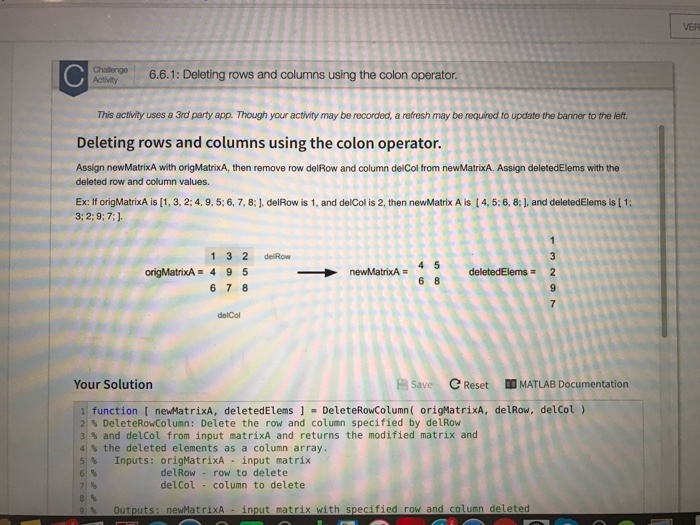
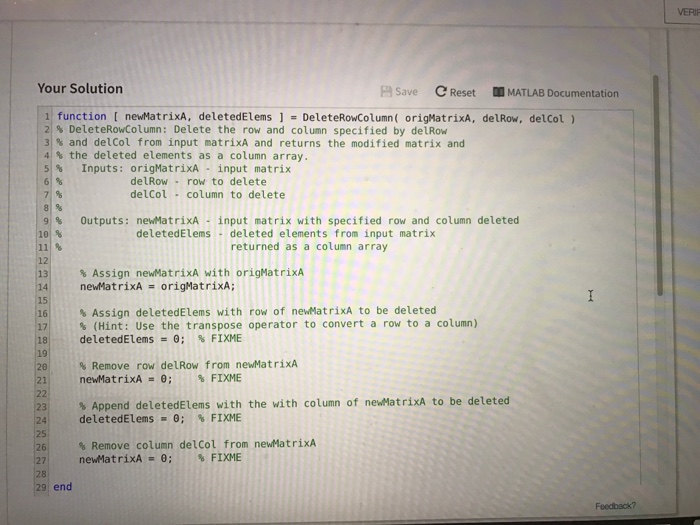
6.6.1: Deleting rows and columns using the colon operator. This activity uses a 3rd party app. Though your actvity may be recorded, a refresh may be required to update the banner to the left. Deleting rows and columns using the colon operator. Assign newMatrixA with origMatrixA, then remove row delRow and column delCol from newMatrixA. Assign deletedElems with the deleted row and column values. Ex: If origMatrixA is [1, 3, 2:4, 9, 5: 6, 7, 8 delRow is 1, and delcol is 2, then newMatrix A is [4, 5:6, 8 and deletedelems is 1 3; 2: 9: 7:1. 1 3 2 de Row origMatrixA 4 9 5 new MatrixA 6 7 8 Your Solution Save C Reset DM MATLAB Documentation function I newMatrixA, deletedElems 1 DeleteRowColumn origMatrixA, delRow, del Col) 2 DeleteRowcolumn: Delete the row and column specified by delRow 3 and del Col from input matrixA and returns the modified matrix and 4 the deleted elements as a column array. 5 Inputs orig MatrixA input matrix del Row row to delete del Col column to delete th specified row and column deleted newMatrixA input matrix
Step by Step Solution
There are 3 Steps involved in it

Get step-by-step solutions from verified subject matter experts
 Study Help