







Question: 7. Design and Implement a Medical Store Console Application - Vignan Med Plus Health This application is based on the concept of Adding and Managing
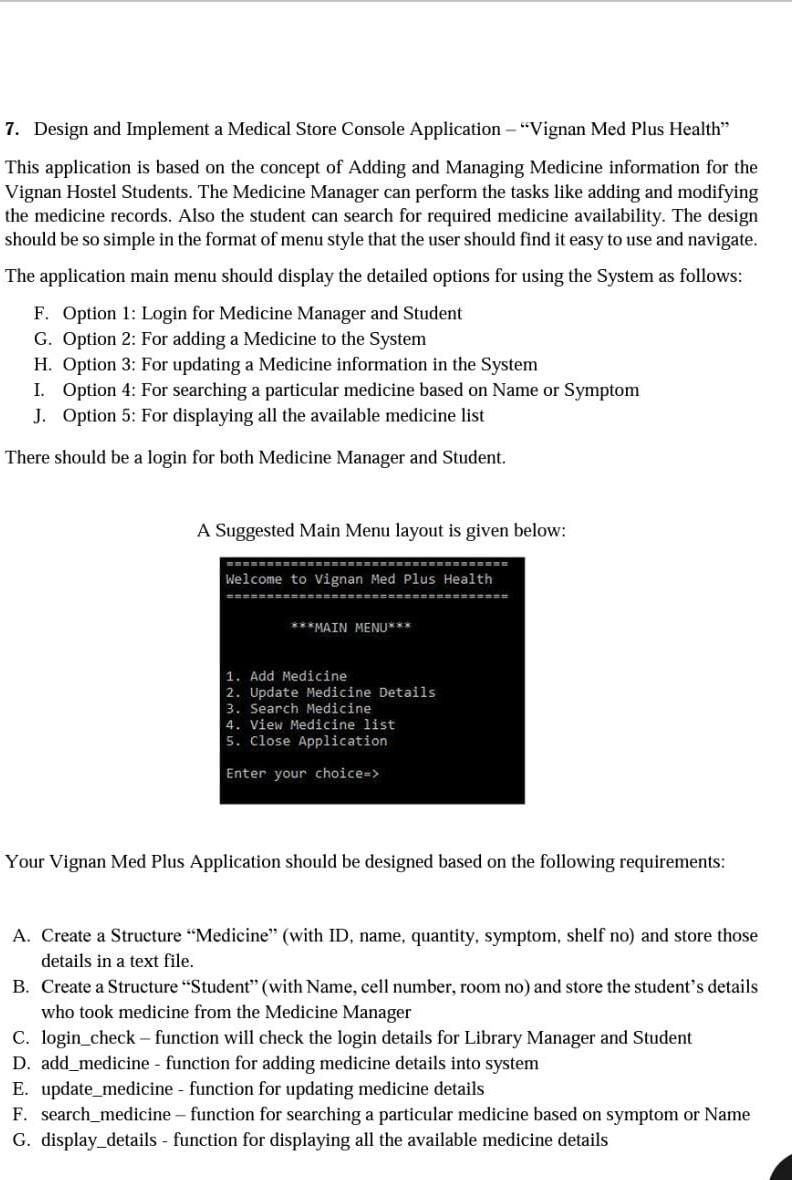
7. Design and Implement a Medical Store Console Application - "Vignan Med Plus Health" This application is based on the concept of Adding and Managing Medicine information for the Vignan Hostel Students. The Medicine Manager can perform the tasks like adding and modifying the medicine records. Also the student can search for required medicine availability. The design should be so simple in the format of menu style that the user should find it easy to use and navigate. The application main menu should display the detailed options for using the System as follows: F. Option 1: Login for Medicine Manager and Student G. Option 2: For adding a Medicine to the System H. Option 3: For updating a Medicine information in the System I. Option 4: For searching a particular medicine based on Name or Symptom J. Option 5: For displaying all the available medicine list There should be a login for both Medicine Manager and Student. A Suggested Main Menu layout is given below: Your Vignan Med Plus Application should be designed based on the following requirements: A. Create a Structure "Medicine" (with ID, name, quantity, symptom, shelf no) and store those details in a text file. B. Create a Structure "Student" (with Name, cell number, room no) and store the student's details who took medicine from the Medicine Manager C. login_check - function will check the login details for Library Manager and Student D. add_medicine - function for adding medicine details into system E. update_medicine - function for updating medicine details F. search_medicine - function for searching a particular medicine based on symptom or Name G. display_details - function for displaying all the available medicine details
Step by Step Solution
There are 3 Steps involved in it

Get step-by-step solutions from verified subject matter experts
 Study Help