



Question: 7.15.1: LAB: Great-Circle Distances between Cities on Earth 7.15 LAB: Great-Circle Distances between cities on Earth The shortest distance between two points on a sphere
7.15.1: LAB: Great-Circle Distances between Cities on Earth
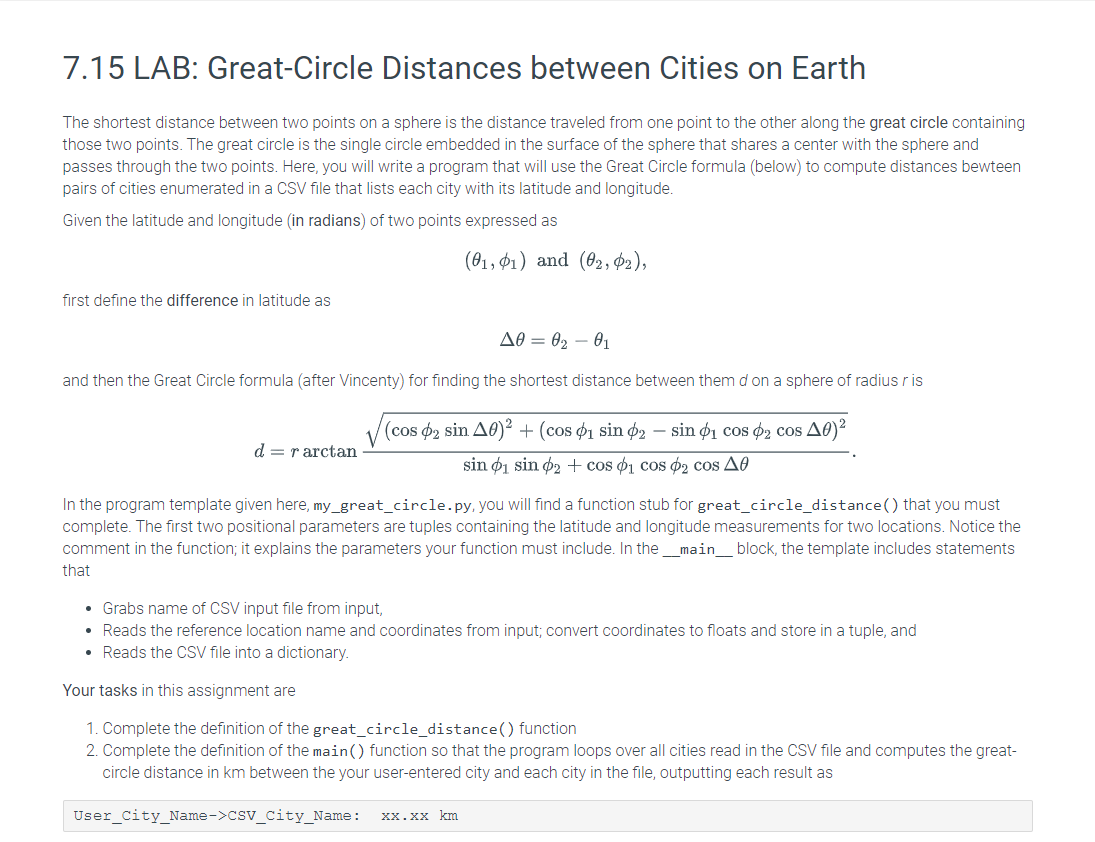
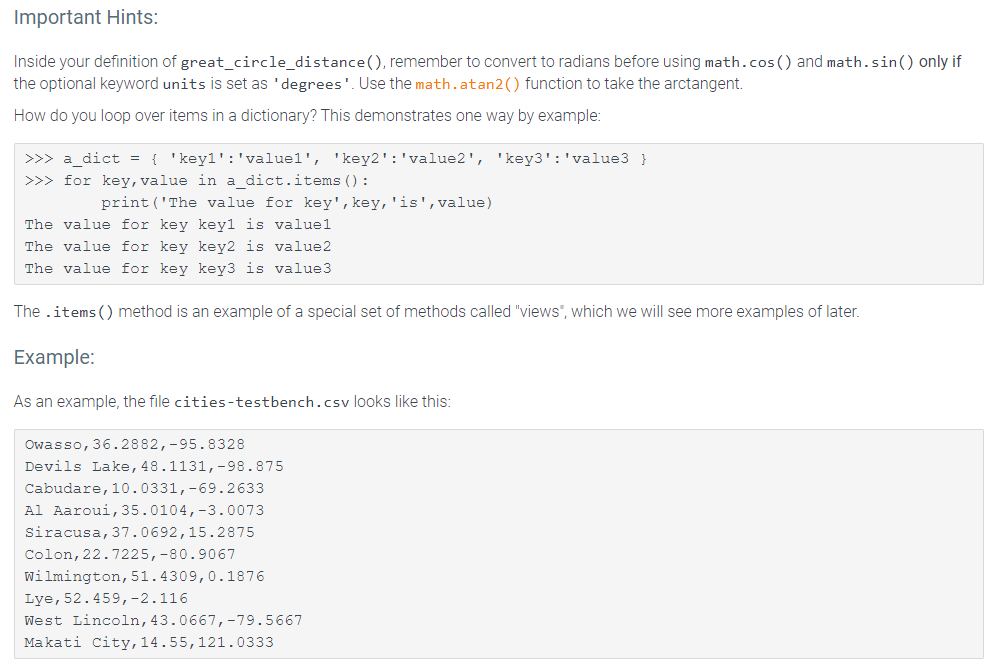
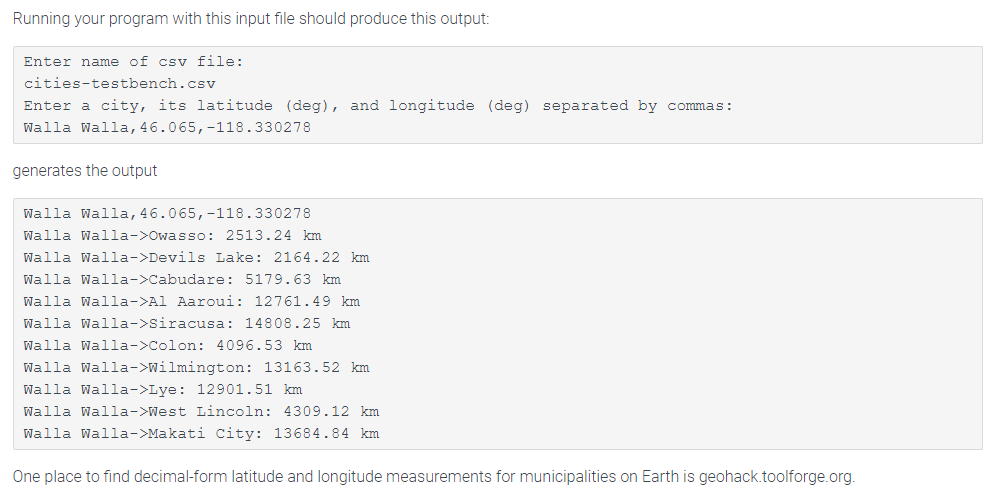
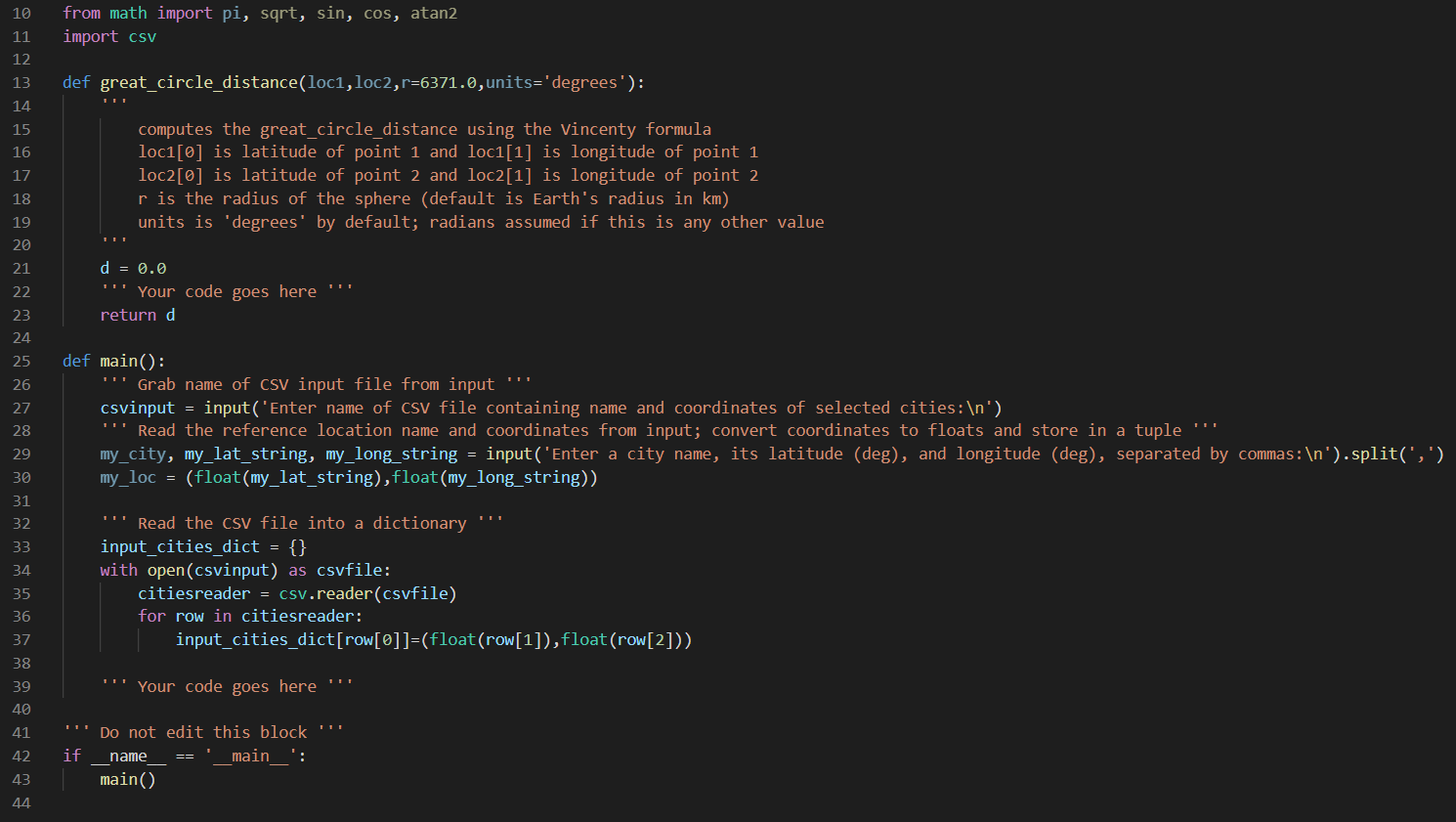
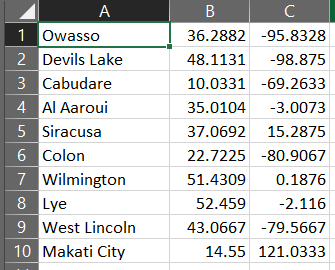
7.15 LAB: Great-Circle Distances between cities on Earth The shortest distance between two points on a sphere is the distance traveled from one point to the other along the great circle containing those two points. The great circle is the single circle embedded in the surface of the sphere that shares a center with the sphere and passes through the two points. Here, you will write a program that will use the Great Circle formula (below) to compute distances bewteen pairs of cities enumerated in a CSV file that lists each city with its latitude and longitude. Given the latitude and longitude (in radians of two points expressed as (01,01) and (02, 02), first define the difference in latitude as = - and then the Great Circle formula (after Vincenty) for finding the shortest distance between them d on a sphere of radius ris d=r arctan (cos 02 sin A0)2 + (cos u sin 02 sin $i cos 02 cos A0)2 sin 01 sin 02 + cos 01 cos 02 cos AO In the program template given here, my_great_circle.py, you will find a function stub for great_circle_distance() that you must complete. The first two positional parameters are tuples containing the latitude and longitude measurements for two locations. Notice the comment in the function; it explains the parameters your function must include. In the __main__block, the template includes statements that Grabs name of CSV input file from input, Reads the reference location name and coordinates from input; convert coordinates to floats and store in a tuple, and Reads the CSV file into a dictionary Your tasks in this assignment are 1. Complete the definition of the great_circle_distance() function 2. Complete the definition of the main() function so that the program loops over all cities read in the CSV file and computes the great- circle distance in km between the your user-entered city and each city in the file, outputting each result as User_city_Name->CSV_City_Name: XX.XX km Important Hints: Inside your definition of great_circle_distance(), remember to convert to radians before using math.cos() and math.sin() only if the optional keyword units is set as 'degrees'. Use the math.atan2 function to take the arctangent. How do you loop over items in a dictionary? This demonstrates one way by example: >>> a_dict = { 'keyi':'valuel', 'key2':'value2', 'key3': 'value3 } >>> for key, value in a_dict.items(): print('The value for key', key, 'is',value) The value for key keyl is value1 The value for key key2 is value2 The value for key key3 is value3 The .items() method is an example of a special set of methods called "views", which we will see more examples of later. Example: As an example, the file cities-testbench.csv looks like this: Owasso, 36.2882,-95.8328 Devils Lake, 48.1131,-98.875 Cabudare, 10.0331,-69.2633 Al Aaroui, 35.0104,-3.0073 Siracusa, 37.0692,15.2875 Colon, 22.7225,-80.9067 Wilmington, 51.4309,0.1876 Lye, 52.459,-2.116 West Lincoln, 43.0667,-79.5667 Makati City,14.55, 121.0333 Running your program with this input file should produce this output: Enter name of csv file: cities-testbench.csv Enter a city, its latitude (deg), and longitude (deg) separated by commas: Walla Walla, 46.065, -118.330278 generates the output Walla Walla, 46.065,-118.330278 Walla Walla->Owasso: 2513.24 km Walla Walla->Devils Lake: 2164.22 km Walla Walla->Cabudare: 5179.63 km Walla Walla->Al Aaroui: 12761.49 km Walla Walla->Siracusa: 14808.25 km Walla Walla->Colon: 4096.53 km Walla Walla->Wilmington: 13163.52 km Walla Walla->Lye: 12901.51 km Walla Walla->West Lincoln: 4309.12 km Walla Walla->Makati City: 13684.84 km One place to find decimal-form latitude and longitude measurements for municipalities on Earth is geohack.toolforge.org. 10 from math import pi, sqrt, sin, cos, atan2 import csv 11 12 13 def great_circle_distance(loci, loc2,r=6371.0, units='degrees'): 14 15 16 17 18 computes the great_circle_distance using the Vincenty formula loc1[0] is latitude of point 1 and loc1[1] is longitude of point 1 loc2[0] is latitude of point 2 and loc2[1] is longitude of point 2 r is the radius of the sphere (default is Earth's radius in km) units is 'degrees' by default; radians assumed if this is any other value 19 20 21 22 d = 0.0 Your code goes here "". return d 23 24 25 26 27 28 29 def main(): Grab name of csV input file from input "" csvinput = input('Enter name of csv file containing name and coordinates of selected cities: ') Read the reference location name and coordinates from input; convert coordinates to floats and store in a tuple my_city, my_lat_string, my_long_string = input('Enter a city name, its latitude (deg), and longitude (deg), separated by commas: ').split(',') my_loc = (float(my_lat_string),float(my_long_string)) 30 31 32 33 34 ""! Read the Csv file into a dictionary input_cities_dict = {} with open(csvinput) as csvfile: citiesreader = csv.reader(csvfile) for row in citiesreader: input_cities_dict[row[@]]=(float(row[1]),float(row[2])) 35 36 37 38 39 40 Your code goes here "" 41 42 if Do not edit this block name 'main ' : main() 43 44 A 1 Owasso 2 Devils Lake 3 Cabudare 4 Al Aaroui 5 Siracusa 6 Colon 7 Wilmington 8 Lye 9 West Lincoln 10 Makati City B C 36.2882 -95.8328 48.1131 -98.875 10.0331 -69.2633 35.0104 -3.0073 37.0692 15.2875 22.7225 -80.9067 51.4309 0.1876 52.459 -2.116 43.0667 -79.5667 14.55 121.0333
Step by Step Solution
There are 3 Steps involved in it

Get step-by-step solutions from verified subject matter experts