







Question: 7.Create a Standalone Java Application using Frames for developing a Student Management System. ArrayList to store Student object with the data members: Register Number, Name,
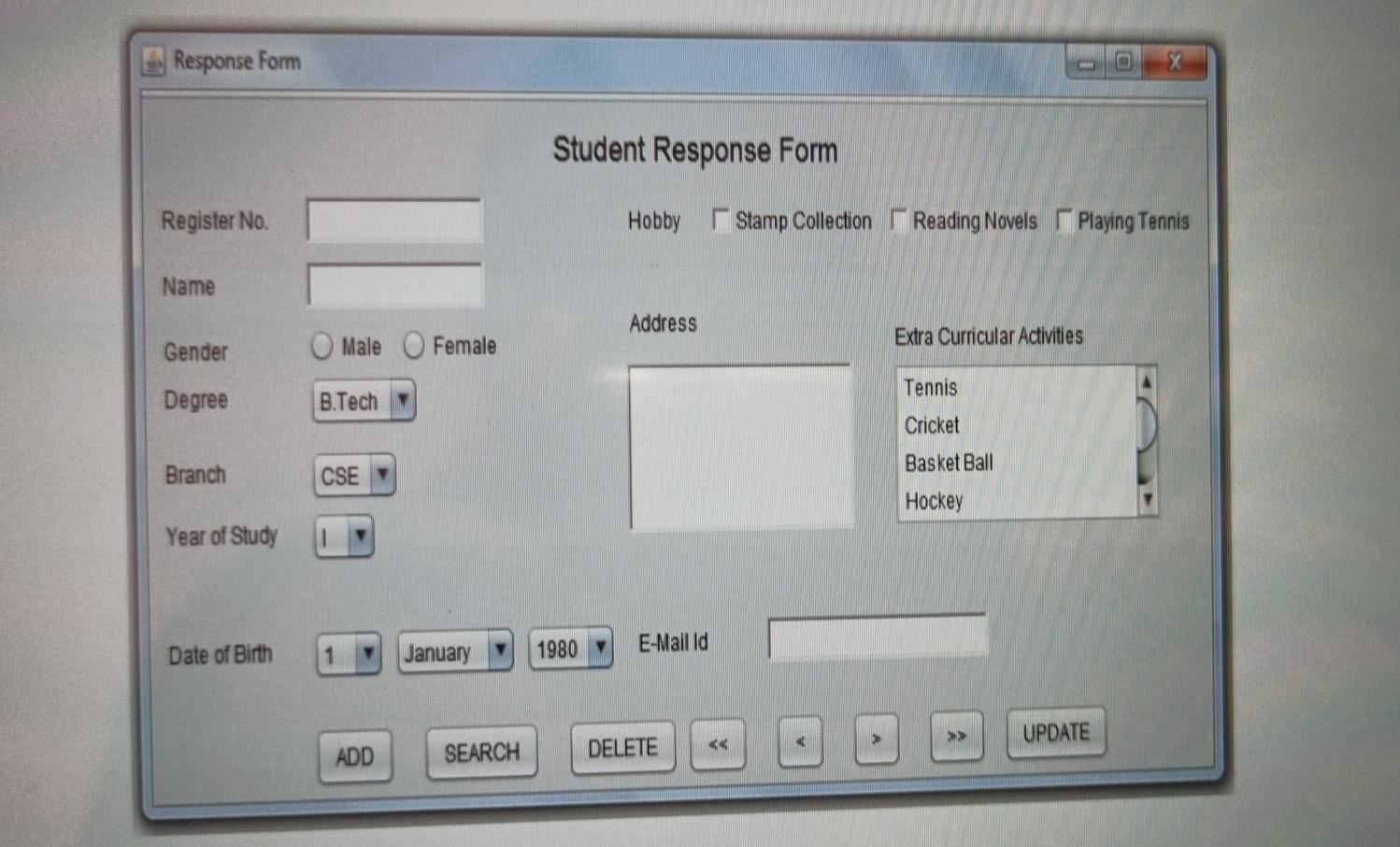
7.Create a Standalone Java Application using Frames for developing a Student Management System. ArrayList to store Student object with the data members: Register Number, Name, Gender, Degree, Branch, Year of Study, Date of Birth, Address, E-Mail-Id, Hobby, and Extra-Curricular Activities (Note: Initially store some student details in ArrayList) Design the following GUI for manipulation of collection with buttons for adding, deleting, updating and browsing through students' records. Initially display the first record in the student table. When the user presses Clear button display a blank form. When the user after entering register number presses Search button, display the corresponding student's detail in the form. When the user presses Add button, display a blank form. After entering all the details the user should press the Update button to insert the record into the student table. When the user presses Delete button the current student record that is displayed in the form should be deleted from the student table. Implement the button for moving to the next record and >> for moving to the last record. If any student information in the form is updated during search or browse operations, upon clicking Update button the corresponding record should be updated with the current information, Response Form Student Response Form Register No. Hobby Stamp Collection Reading Novels Playing Tennis Name Address Gender Male Female Extra Curricular Activities Tennis Degree B.Tech Cricket Basket Ball Branch CSE Hockey Year of Study E-Mailid Date of Birth January 1980 UPDATE ADD SEARCH DELETE
Step by Step Solution
There are 3 Steps involved in it

Get step-by-step solutions from verified subject matter experts
 Study Help