







Question: 8. Using the circuits you built for question 7, write to include the following: a. Use 410 as a starting point for your analog
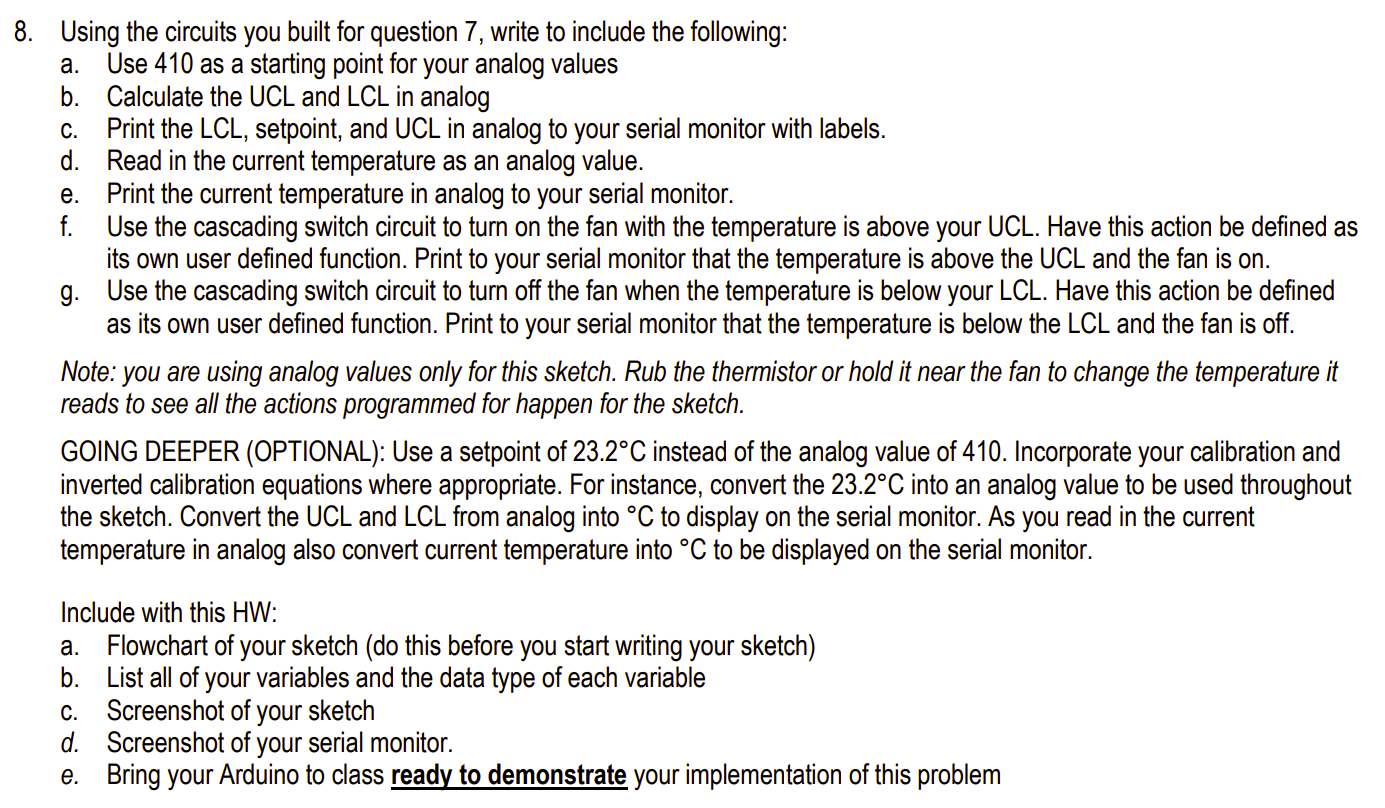
8. Using the circuits you built for question 7, write to include the following: a. Use 410 as a starting point for your analog values b. Calculate the UCL and LCL in analog C. Print the LCL, setpoint, and UCL in analog to your serial monitor with labels. d. Read in the current temperature as an analog value. e. Print the current temperature in analog to your serial monitor. f. Use the cascading switch circuit to turn on the fan with the temperature is above your UCL. Have this action be defined as its own user defined function. Print to your serial monitor that the temperature is above the UCL and the fan is on. g. Use the cascading switch circuit to turn off the fan when the temperature is below your LCL. Have this action be defined as its own user defined function. Print to your serial monitor that the temperature is below the LCL and the fan is off. Note: you are using analog values only for this sketch. Rub the thermistor or hold it near the fan to change the temperature it reads to see all the actions programmed for happen for the sketch. GOING DEEPER (OPTIONAL): Use a setpoint of 23.2C instead of the analog value of 410. Incorporate your calibration and inverted calibration equations where appropriate. For instance, convert the 23.2C into an analog value to be used throughout the sketch. Convert the UCL and LCL from analog into C to display on the serial monitor. As you read in the current temperature in analog also convert current temperature into C to be displayed on the serial monitor. Include with this HW: a. Flowchart of your sketch (do this before you start writing your sketch) b. List all of your variables and the data type of each variable Screenshot of your sketch Screenshot of your serial monitor. Bring your Arduino to class ready to demonstrate your implementation of this problem C. d. e.
Step by Step Solution
There are 3 Steps involved in it

Get step-by-step solutions from verified subject matter experts
 Study Help