







Question: A B C 1 Shareholders' Equity / Corporations 2 Using Excel for shareholders' equity transactions and preparing financial statements 3 D 4 Naxion Corporation
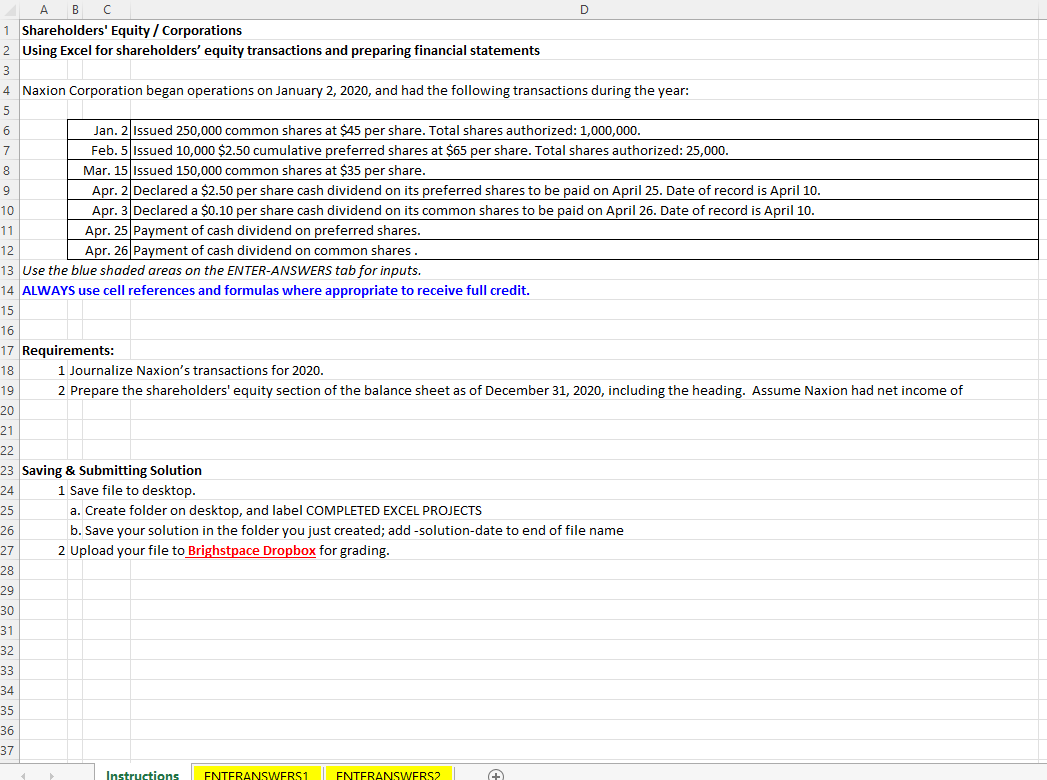
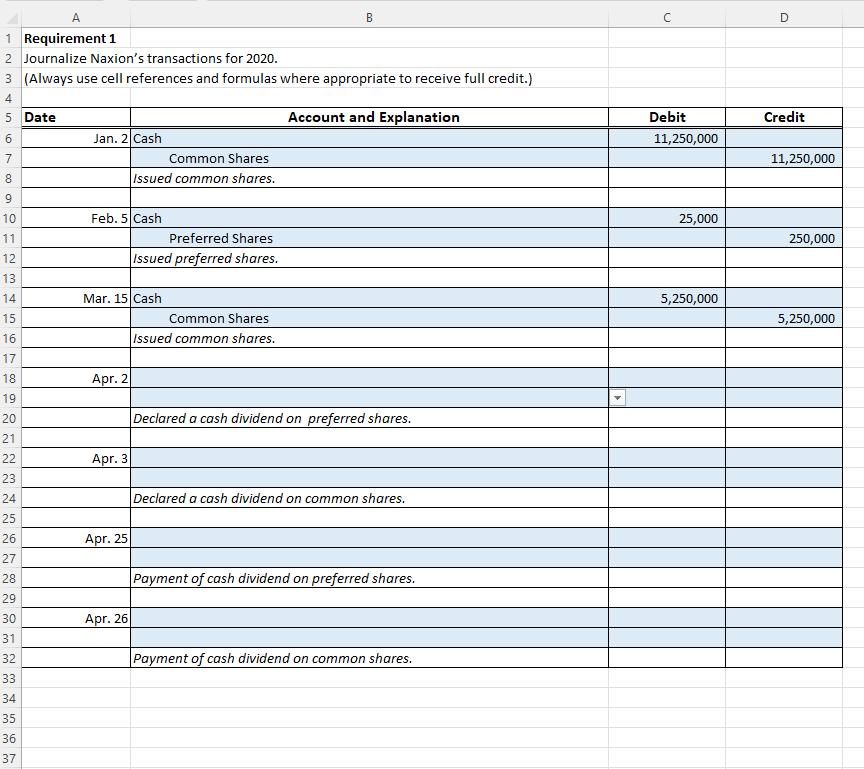
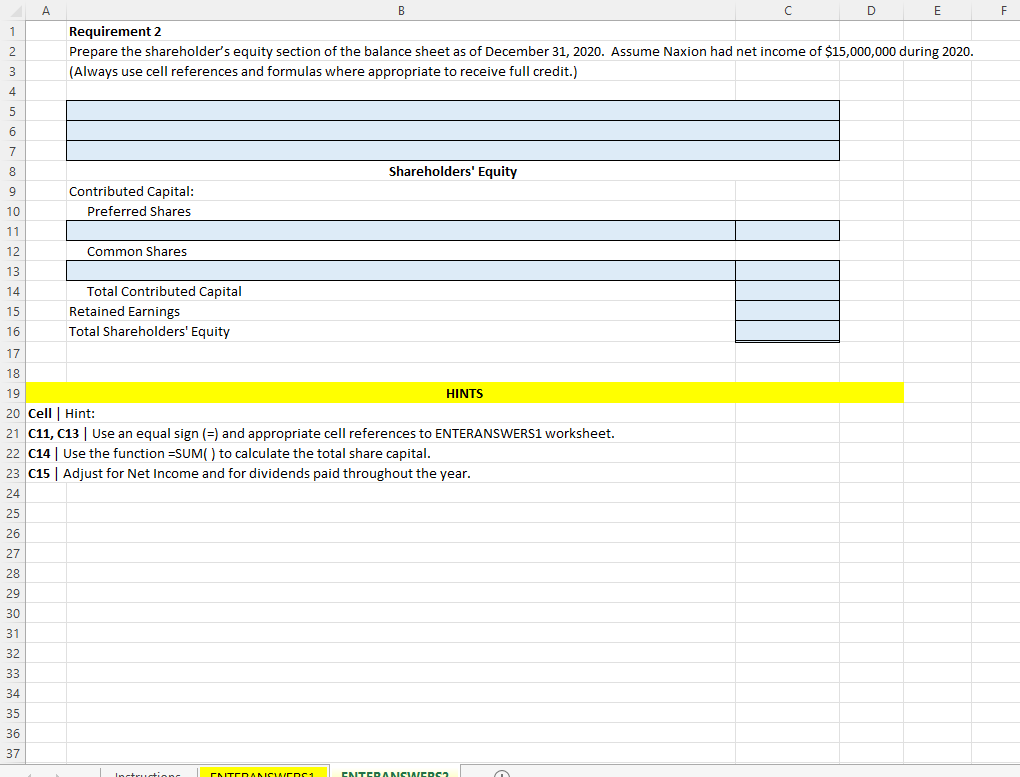
A B C 1 Shareholders' Equity / Corporations 2 Using Excel for shareholders' equity transactions and preparing financial statements 3 D 4 Naxion Corporation began operations on January 2, 2020, and had the following transactions during the year: 5 6 7 8 9 10 11 12 Jan. 2 Issued 250,000 common shares at $45 per share. Total shares authorized: 1,000,000. Feb. 5 Issued 10,000 $2.50 cumulative preferred shares at $65 per share. Total shares authorized: 25,000. Mar. 15 Issued 150,000 common shares at $35 per share. Apr. 2 Declared a $2.50 per share cash dividend on its preferred shares to be paid on April 25. Date of record is April 10. Apr. 3 Declared a $0.10 per share cash dividend on its common shares to be paid on April 26. Date of record is April 10. Apr. 25 Payment of cash dividend on preferred shares. Apr. 26 Payment of cash dividend on common shares. 13 Use the blue shaded areas on the ENTER-ANSWERS tab for inputs. 14 ALWAYS use cell references and formulas where appropriate to receive full credit. 15 16 17 Requirements: 18 1 Journalize Naxion's transactions for 2020. 19 2 Prepare the shareholders' equity section of the balance sheet as of December 31, 2020, including the heading. Assume Naxion had net income of 20 21 22 23 Saving & Submitting Solution 24 1 Save file to desktop. 25 26 27 a. Create folder on desktop, and label COMPLETED EXCEL PROJECTS b. Save your solution in the folder you just created; add -solution-date to end of file name 2 Upload your file to Brighstpace Dropbox for grading. 28 29 30 31 32 33 34 35 36 37 Instructions ENTERANSWERS1 ENTERANSWERS2
Step by Step Solution
There are 3 Steps involved in it

Get step-by-step solutions from verified subject matter experts
 Study Help