



Question: a) explain what is happening when toString() is called for each of the objects through the printFileSyatem() method b) explain how the searchSize() method has
a) explain what is happening when toString() is called for each of the objects through the printFileSyatem() method
b) explain how the searchSize() method has been implemented and what aspect of OOP enables this
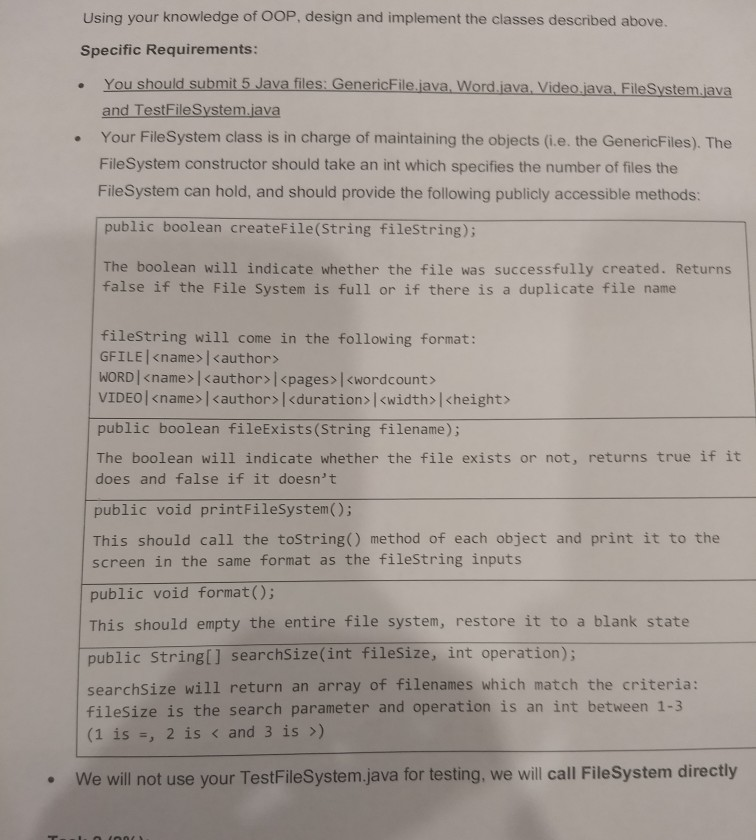
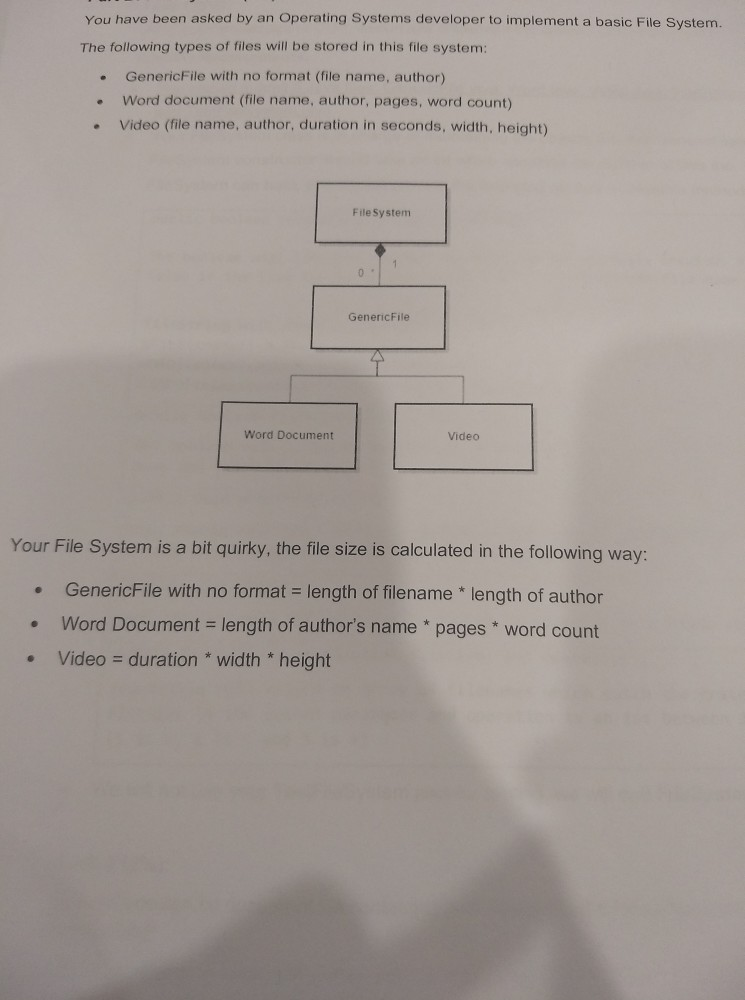
Using your knowledge of OOP, design and implement the classes described above. Specific Requirements: You should submit 5 Java files: GenericFile.java, Word.java, Video.java. FileSystem.java and TestFile System.java Your FileSystem class is in charge of maintaining the objects (i.e. the GenericFiles). The FileSystem constructor should take an int which specifies the number of files the FileSystem can hold, and should provide the following publicly accessible methods: public boolean createFile(String filestring); The boolean will indicate whether the file was successfully created. Returns false if the File System is full or if there is a duplicate file name fileString will come in the following format: GFILE
Step by Step Solution
There are 3 Steps involved in it

Get step-by-step solutions from verified subject matter experts