







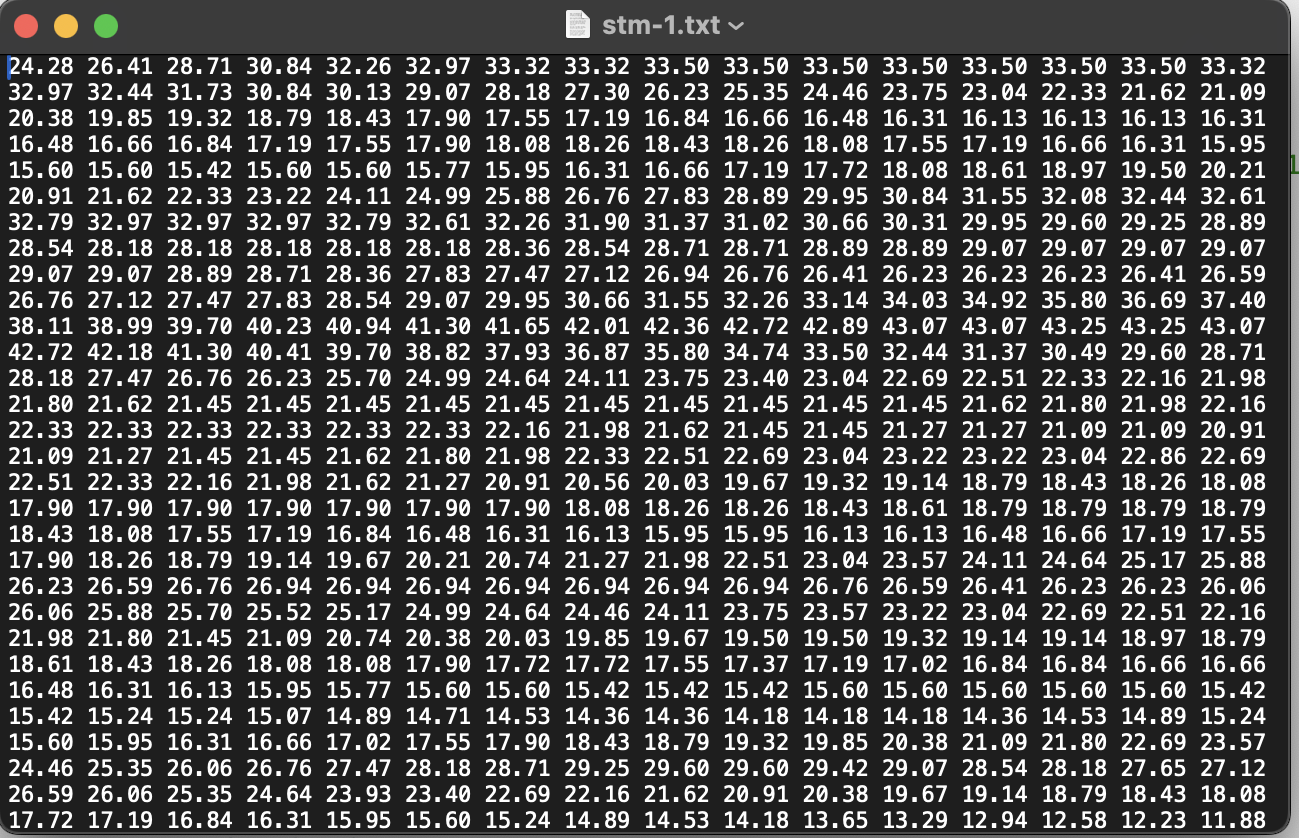
Question: a ) First , load the data and pick out every other data point in the x and y directions. I.e . , you should
aFirstload the data and pick out every other data point in the x and y directions. I.eyou should have data points You can look atthe lectrure notes on Gaussian Process Regresison for an example how to do this. Youwill use this data set to make the interpolation, and the other data points for comparison.bFirstdo a D linear interpolation on the reduced evendata points. Use the functionscipy.interpolate.RegularGridInterpolatorThen reconstruct a new version of the entiredata set all pointsusing this interpolation. Make a plot of row for both the origionaldata and the interpolated data. On average, how far off is the interpolated data? Do thesame thing for row Why is the data in this row farther off?cRepeat part busing cubic interpoalation. You can still usescipy.interpolate.RegularGridInterpolatorwith the option method'cubic'.dNow repeate part busing gaussian proces regression. Be sure to include the errors inyour plot using the sigma returned by the GPR and the fillbetweenfunctionHow doesthe accuracy compare to cubic interpolation? How does the actual error compare to thesigma from the GPRNote: For GPR to work, you'll probably need to use a smaller number of data points. Forexample, you may need to use every th or th point, rather than everyother point. Oryou may need to use everyother row between and Or you might need to justrandomly pick or lessdata points out of the or so you start with thisshould work find for GPRIm not sure what will work or will work best, but give it a try.eFinallyrepeate part dbut include an error on each point of the rounding erroron the data. Compare the sigma returned by the GPR and the difference between the real and interpolated values in parts d and e
What is wrong with my code?
Step by Step Solution
There are 3 Steps involved in it
1 Expert Approved Answer
Step: 1 Unlock

Question Has Been Solved by an Expert!
Get step-by-step solutions from verified subject matter experts
Step: 2 Unlock
Step: 3 Unlock
 Study Help