







Question: A . Open the Relationships window. Create a join line between the Call Types and Calls tables, ensuring that you enforce referential integrity and cascade
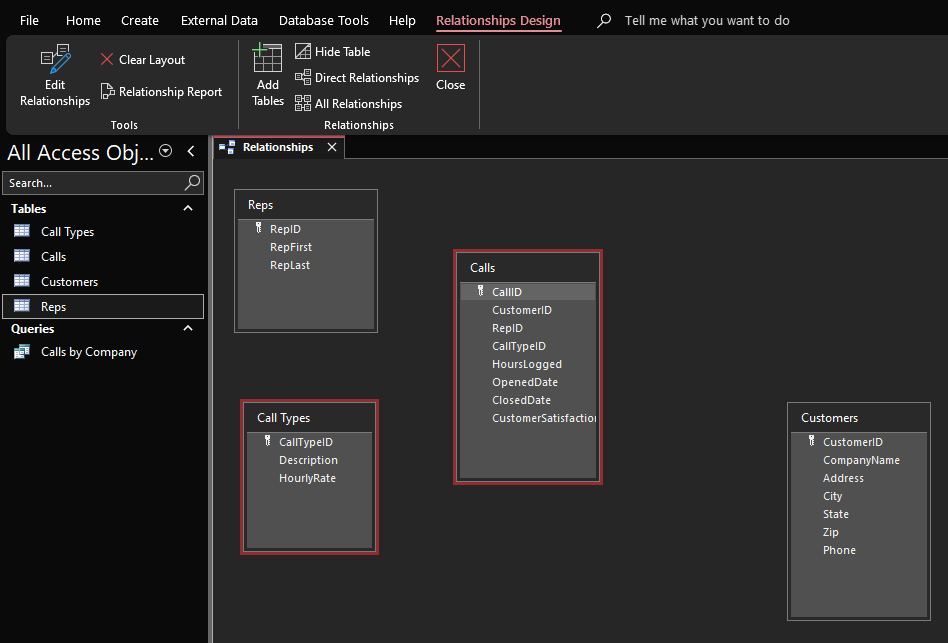
A Open the Relationships window. Create a join line between the Call Types and Calls tables, ensuring that you enforce referential integrity and cascade update related fields. Set a relationship between Reps and Calls and between Customers and Calls using the same options. Save and close the Relationships window.
B Create a multitable query, following the steps below:
Add the following fields in this order: CallID from Calls Description from Call Types CompanyName from Customers and RepFirst and RepLast from Reps
Run the query, and then modify it to add HoursLogged from Calls
Sort the query by HoursLogged in ascending order. Set the criteria of the HoursLogged field to Is Not Null and run the query again.
Modify the criteria of the HoursLogged field to and the Description to Disaster Recovery, and the RepFirst to Barbara do not enter RepLast criterion
Save the query as Complex Disaster Recovery CallsBarbara. Run and close the query.
C Create a copy of the Complex Disaster Recovery CallsBarbara query and modify it following the steps below:
Save the copy of the query as Complex Network Installation CallsBarbara.
Modify the query so that the description displays Barbaras network installation calls that logged between and hours.
Save run, and then close the query.
Step by Step Solution
There are 3 Steps involved in it
1 Expert Approved Answer
Step: 1 Unlock

Question Has Been Solved by an Expert!
Get step-by-step solutions from verified subject matter experts
Step: 2 Unlock
Step: 3 Unlock
 Study Help