







Question: A Point object represents a single pixel, at a particular coordinate, of a particular color. Point is a kind of Mark, so the Point class
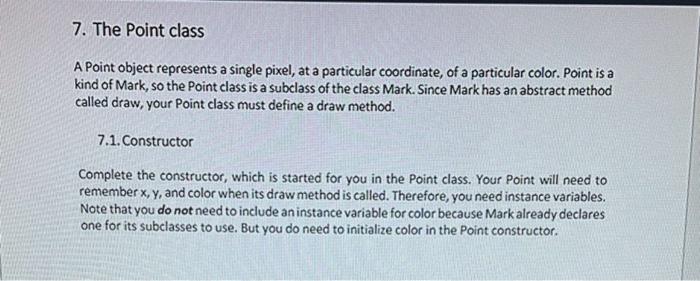
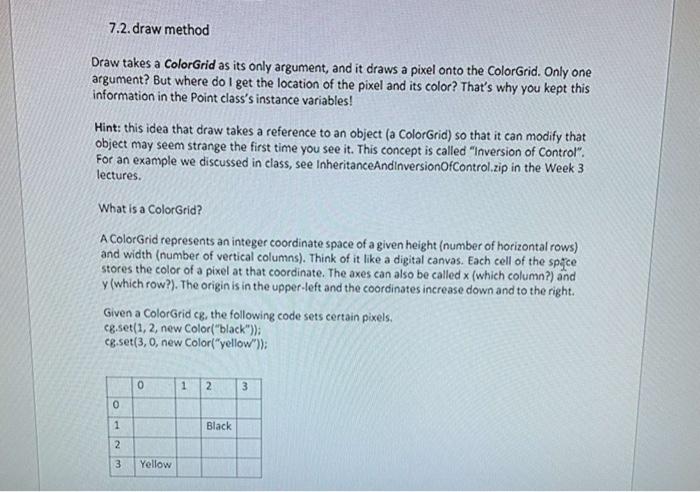
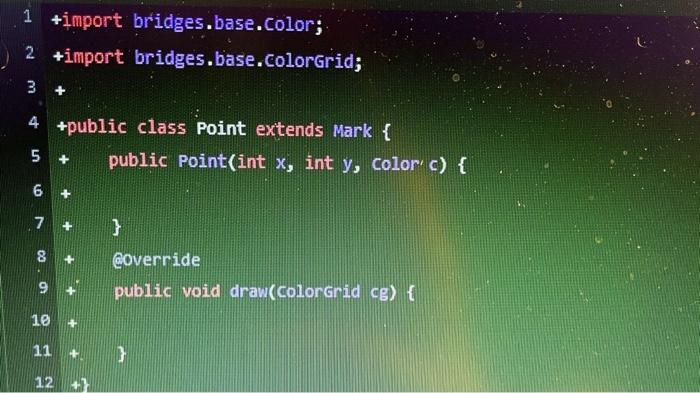
A Point object represents a single pixel, at a particular coordinate, of a particular color. Point is a kind of Mark, so the Point class is a subclass of the class Mark. Since Mark has an abstract method called draw, your Point class must define a draw method. 7.1. Constructor Complete the constructor, which is started for you in the Point class. Your Point will need to remember x,y, and color when its draw method is called. Therefore, you need instance variables. Note that you do not need to include an instance variable for color because Mark already declares one for its subclasses to use. But you do need to initialize color in the Point constructor. Draw takes a ColorGrid as its only argument, and it draws a pixel onto the ColorGrid. Only one argument? But where do I get the location of the pixel and its color? That's why you kept this information in the Point class's instance variables! Hint: this idea that draw takes a reference to an object (a ColorGrid) so that it can modify that object may seem strange the first time you see it. This concept is called "Inversion of Control". For an example we discussed in class, see InheritanceAndinversionOfControl.zip in the Week 3 lectures. What is a ColorGrid? A ColorGrid represents an integer coordinate space of a given height (number of horizontal rows) and width (number of vertical columns). Think of it like a digital canvas. Each cell of the spfyce stores the color of a pixel at that coordinate. The axes can also be called x (which column?) and y (which row?). The origin is in the upper-left and the coordinates increase down and to the right. Given a ColorGrid cg, the following code sets certain pixels. cg.set (1,2, new Color("black")); cg.set (3,0, new Color("yellow")); 1+ import bridges.base.Color; 2 +import bridges.base. Colorgrid; 3+ 4+ public class Point extends Mark \{ 5+ public Point(int x, int y, Color c c) \{ 6+ 7+ public void drav(colorgrid cg) \{ 8+ Qoverride 9+ 10+ 11+ 12+}
Step by Step Solution
There are 3 Steps involved in it

Get step-by-step solutions from verified subject matter experts
 Study Help