







Question: A sample program Q3Skeleton.java to keep track of 3 best friends as strings has been posted in an announcement. Its home screen shows the friends
A sample program Q3Skeleton.java to keep track of 3 best friends as strings has been posted in an announcement. Its home screen shows the friends names. Its edit screen allows you to change your best friends. Its play screen gives randomly generated suggestion of one friend to play with. You will enhance the skeleton with 3 new features. Feature A below entails the most work. It carries the same weight as features B and C combined. Change strings for a friend name in the sample to an object with 2 data attributes. If you choose to build a contact list as shown, the two attributes will be name and phone number. See Figures 1 and 2. Read initial data from a file when starting the application and save updated data to the same file when closing the application. For your own testing, you want to make some changes to the data. Close the application. Opening the app again should show you the changed data saved. Add a Refresh button on play screen. Pressing the refresh button will regenrate another friend name. The screen should look like Figure 3.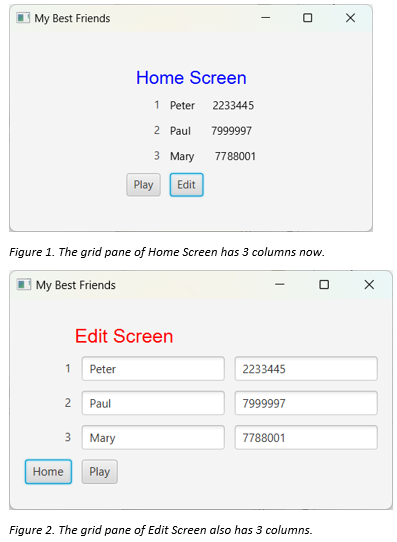
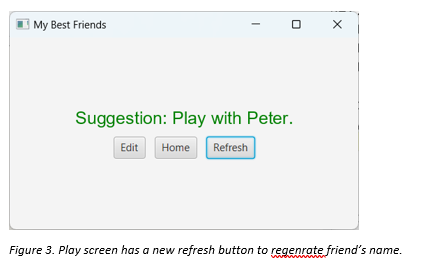
Figure 1. The grid pane of Home Screen has 3 columns now. My Best Friends Edit Screen 1 2 3 Figure 2. The grid pane of Edit Screen also has 3 columns. Suggestion: Play with Peter. Figure 3. Play screen has a new refresh button to regenrate friend's name
Step by Step Solution
There are 3 Steps involved in it

Get step-by-step solutions from verified subject matter experts
 Study Help