







Question: a Search For this database project, you will use MS Access to create a database of vendors, and the related items they sell to your
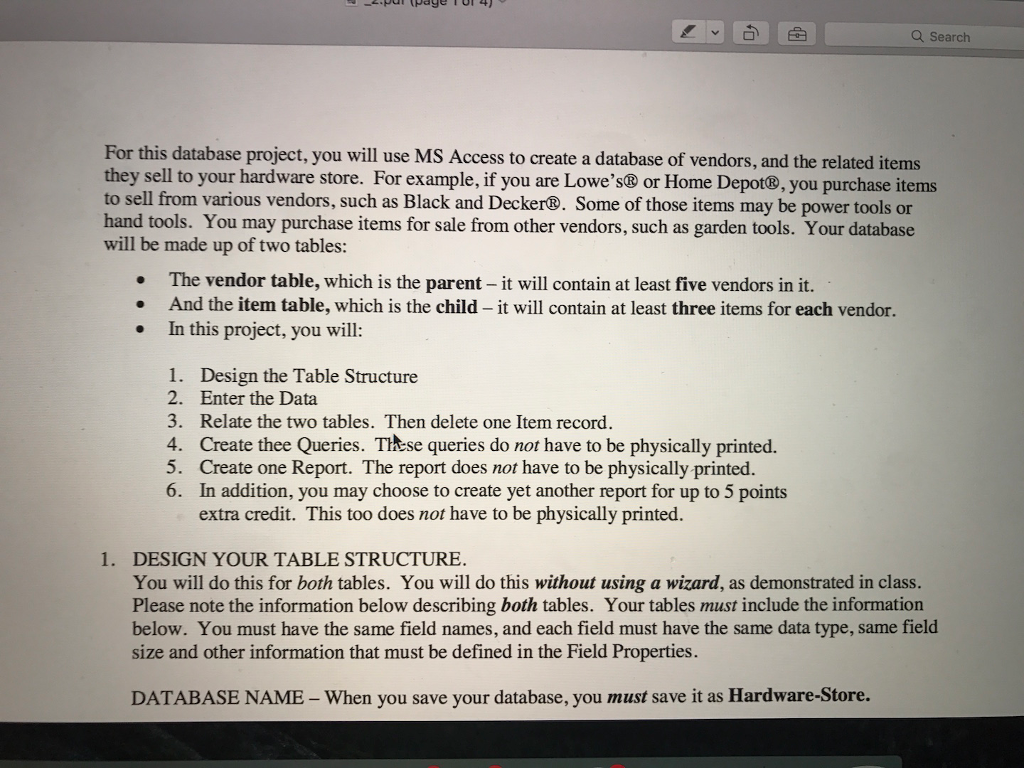
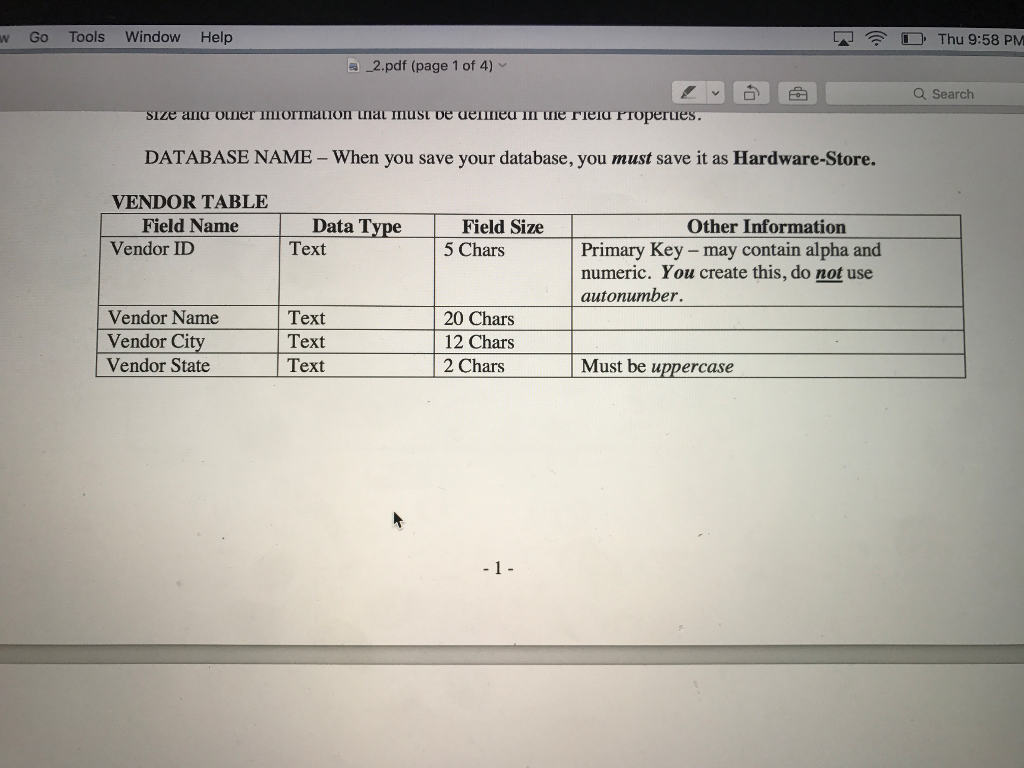
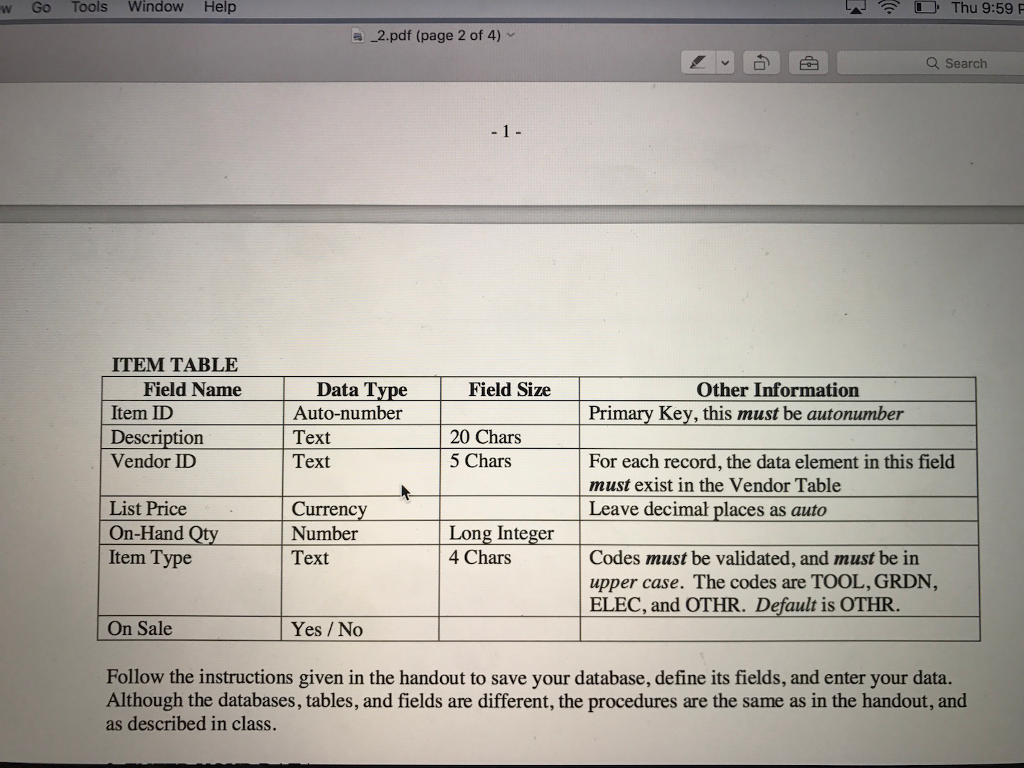
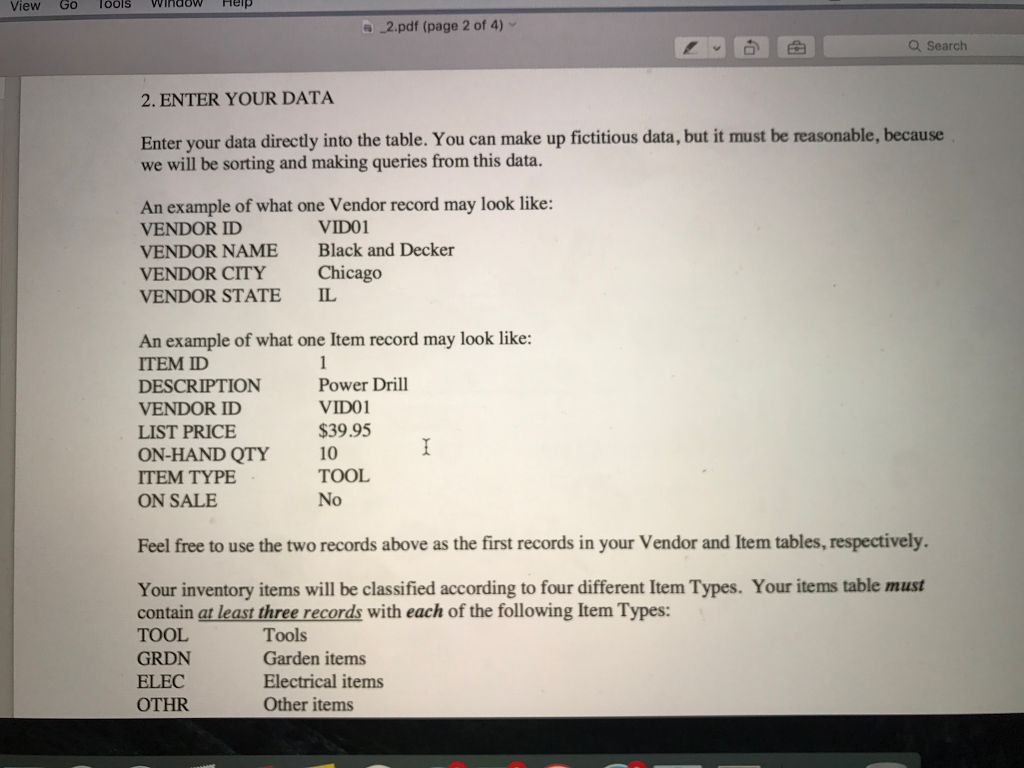
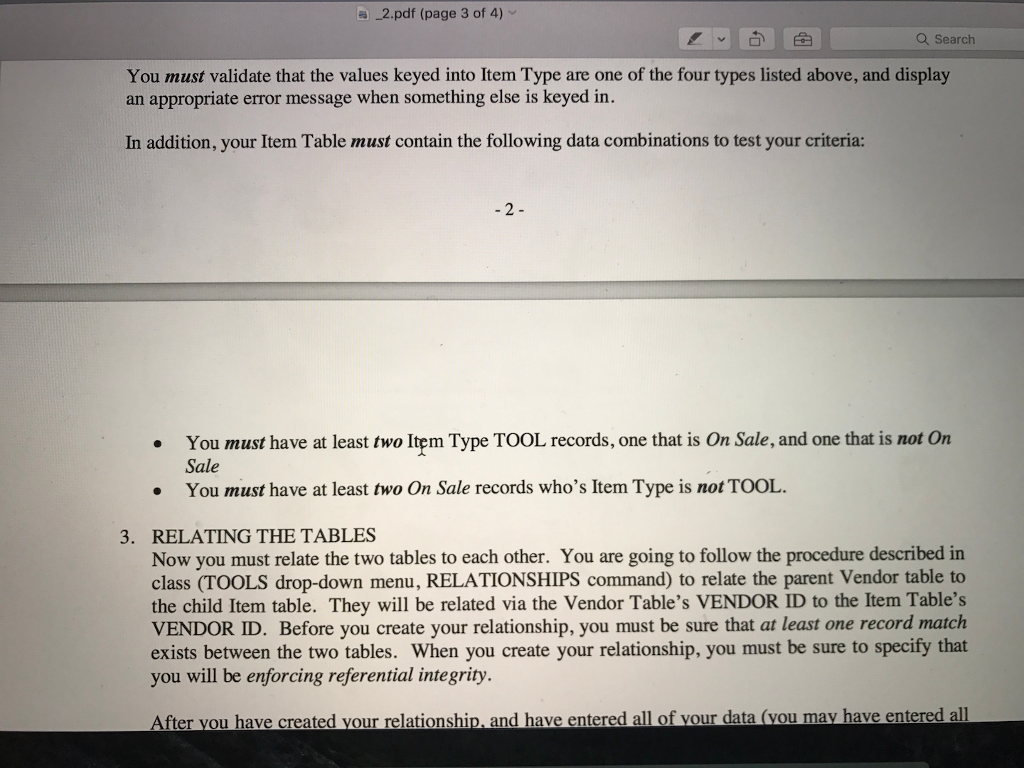
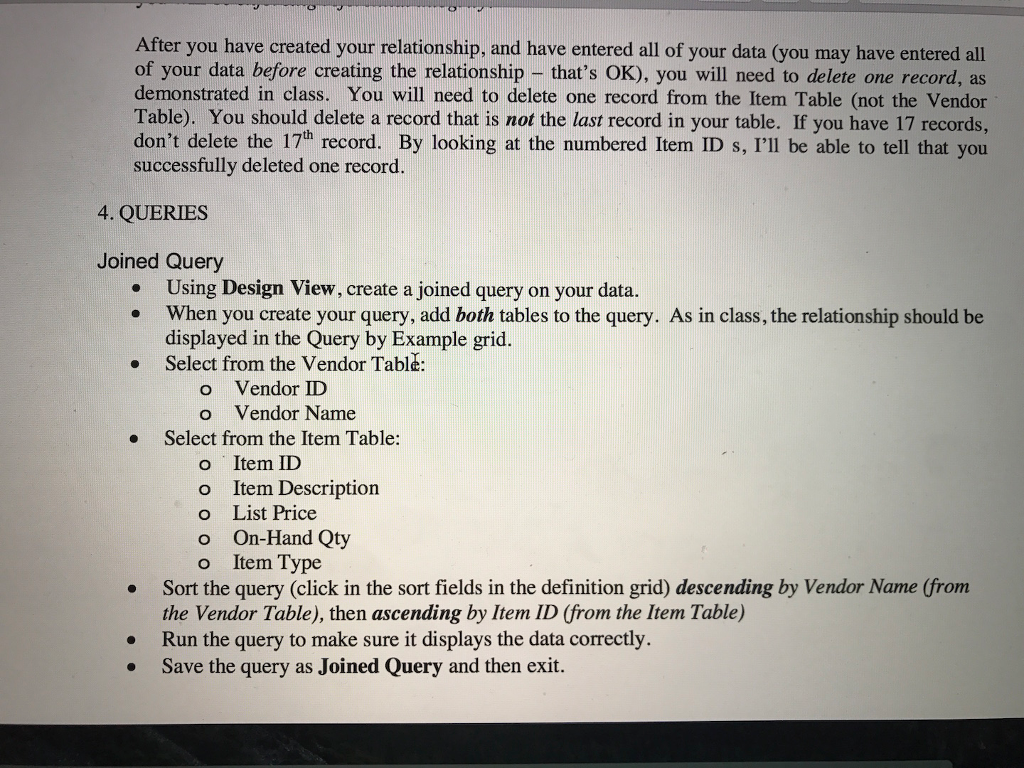
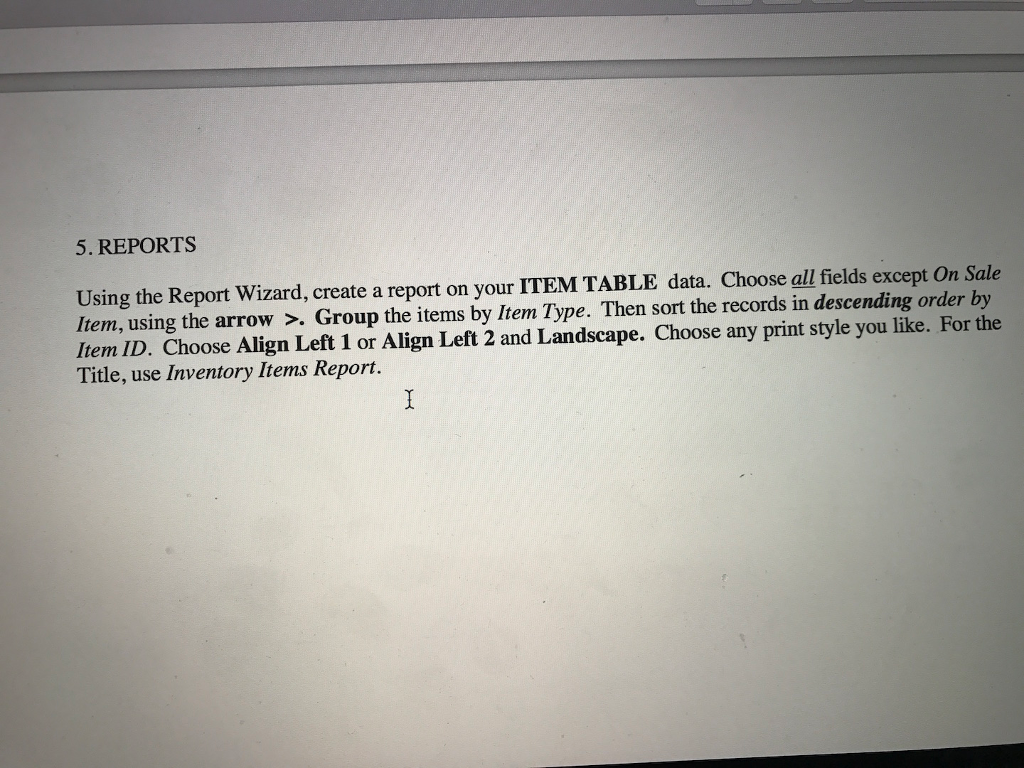
a Search For this database project, you will use MS Access to create a database of vendors, and the related items they sell to your hardware store. For example, if you are Lowe's or Home Depot, you purchase items to sell various vendors, such as Black and Decker. of those items may be power hand tools. may purchase items for sale from other vendors, such as Your database will be made up of two tables: The vendor table, which is the parent it will contain at least five vendors in it. And the item table, which is the child-it will contain at least three items for each vendor. In this project, you will: 1. Design the Table Structure 2. Enter the Data 3. Relate the two tables. Then delete one Item record. 4. Create thee Queries. Thtse queries do not have to be physically printed. 5. Create one Report. The report does not have to be physically printed. 6. In addition, you may choose to create yet another report for up to 5 points extra credit. This too does not have to be physically printed. 1. DESIGN YOUR TABLE STRUCTURE. You will do this for both tables. You will do this without using a wizard, as demonstrated in class. Please note the information below describing both tables. Your tables must include the information below. You must have the same field names, and each field must have the same data type, same field size and other information that must be defined in the Field Properties. DATABASE NAME When you save your database, you must save it as Hardware-Store
Step by Step Solution
There are 3 Steps involved in it

Get step-by-step solutions from verified subject matter experts
 Study Help