







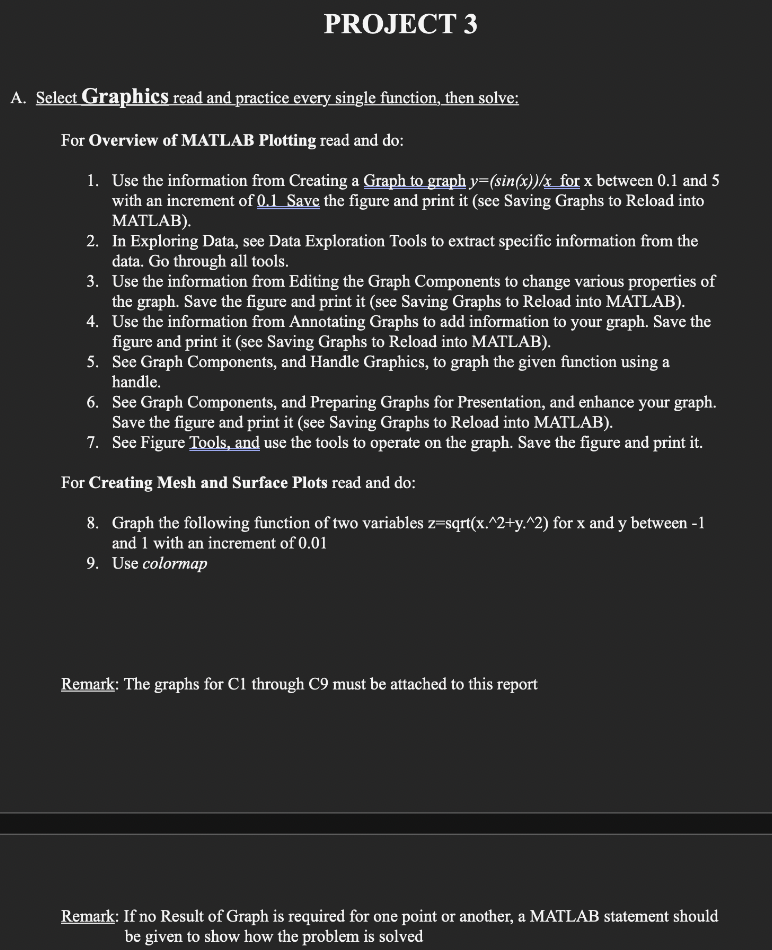
Question: A . Select Graphics read and practice every single function, then solve: For Overview of MATLAB Plotting read and do: 1 . Use the information
A Select Graphics read and practice every single function, then solve:
For Overview of MATLAB Plotting read and do:
Use the information from Creating a Graph to graph ysin x x for x between and with an increment of Save the figure and print it see Saving Graphs to Reload into MATLAB
In Exploring Data, see Data Exploration Tools to extract specific information from the data. Go through all tools.
Use the information from Editing the Graph Components to change various properties of the graph. Save the figure and print it see Saving Graphs to Reload into MATLAB
Use the information from Annotating Graphs to add information to your graph. Save the figure and print it see Saving Graphs to Reload into MATLAB
See Graph Components, and Handle Graphics, to graph the given function using a handle.
See Graph Components, and Preparing Graphs for Presentation, and enhance your graph. Save the figure and print it see Saving Graphs to Reload into MATLAB
See Figure Tools, and use the tools to operate on the graph. Save the figure and print it
For Creating Mesh and Surface Plots read and do:
Graph the following function of two variables mathrmzmathrmsqrtmathrmxwedge mathrmywedge for x and y between and with an increment of
Use colormap
Remark: The graphs for Cl through C must be attached to this report
Remark: If no Result of Graph is required for one point or another, a MATLAB statement should be given to show how the problem is solved
Step by Step Solution
There are 3 Steps involved in it
1 Expert Approved Answer
Step: 1 Unlock

Question Has Been Solved by an Expert!
Get step-by-step solutions from verified subject matter experts
Step: 2 Unlock
Step: 3 Unlock
 Study Help