







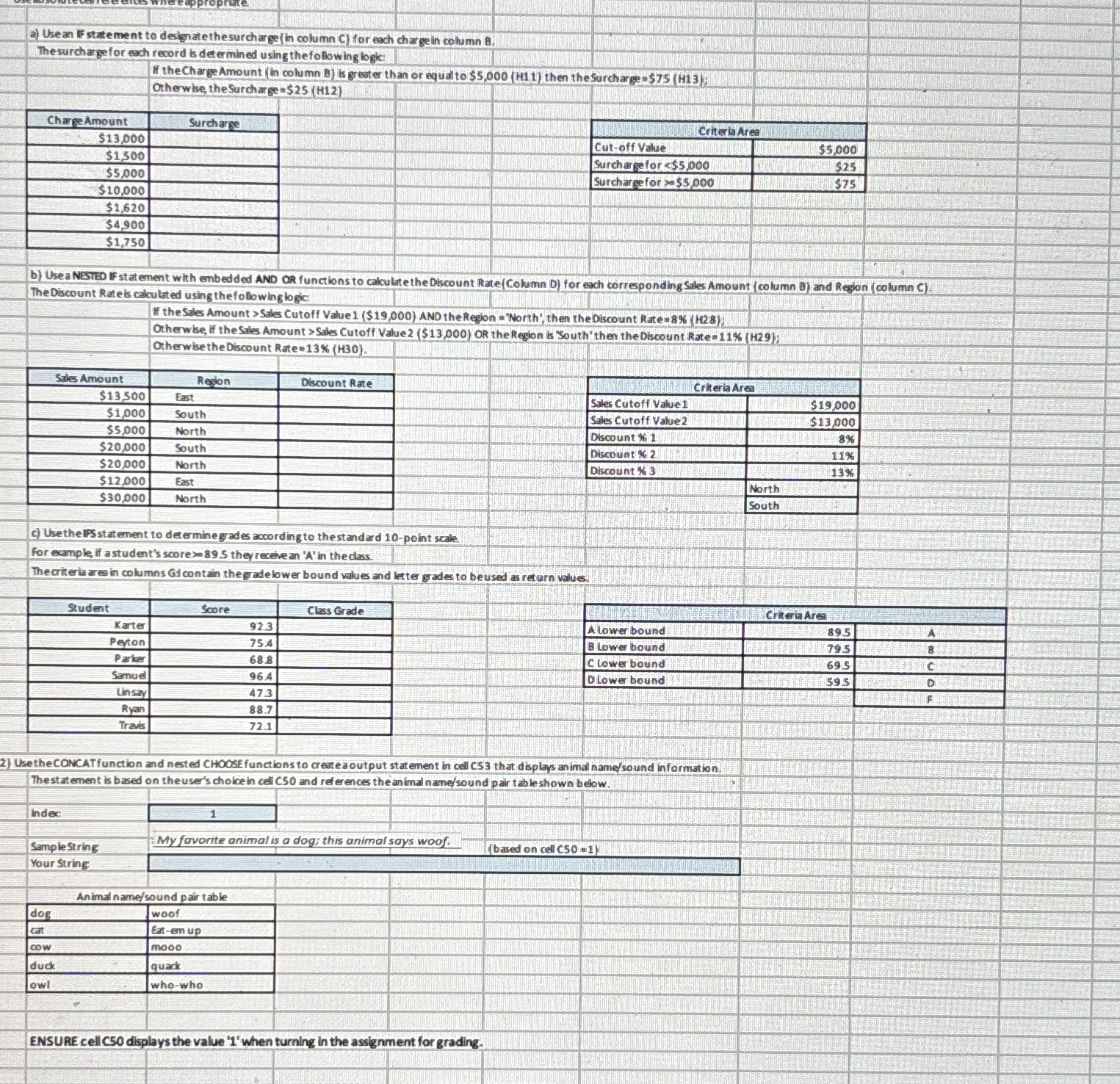
Question: a ) Usean IF statement to design ate thesurcharge ( in column C ) for ach chargein column 8 . The surcharge for each record
a Usean IF statement to design ate thesurcharge in column C for ach chargein column
The surcharge for each record is determined using the following logic:
b Usea NESTED IF stat ement whth embed ded AND OR functions to cakulate the Olscount Rate Column D for each corresponding Sales Amount column B and Region column C
The Discount Rate is calculated using the following logic:
c Use the IFS statement to determine grades according to thestandard point scale
For eample, if a student's score they recele an in the cass.
Thecriteria ares in columns GJ contain theg adelower bound values and letter grades to beused as ret urn values
tableStudentScore,Class GradeKarterPevtonParkerSamueLinsayRyanTrave
Use the CONCATfunction and nested CHOCSE functions to createaOutput statement in cell CS that displaps an imal namesound information.
Thest atement is based on the user's choice in cell C and ref erences the animal namesound pair table shown below.
Indec
Samplestring
My favorite animal is a dog; this animal says woof.
based on cell
Your String:
tableAnimal namesound pair tabledogwoofcatEatemupcowmooodudkquackowlwhowho
ENSURE cell C displays the value when turning in the assignment for grading.
Step by Step Solution
There are 3 Steps involved in it
1 Expert Approved Answer
Step: 1 Unlock

Question Has Been Solved by an Expert!
Get step-by-step solutions from verified subject matter experts
Step: 2 Unlock
Step: 3 Unlock
 Study Help