







Question: a) Write a class called car with the following public member variables double Px, Py; I/ position of the car (global coordinates) double Vx, Vy;
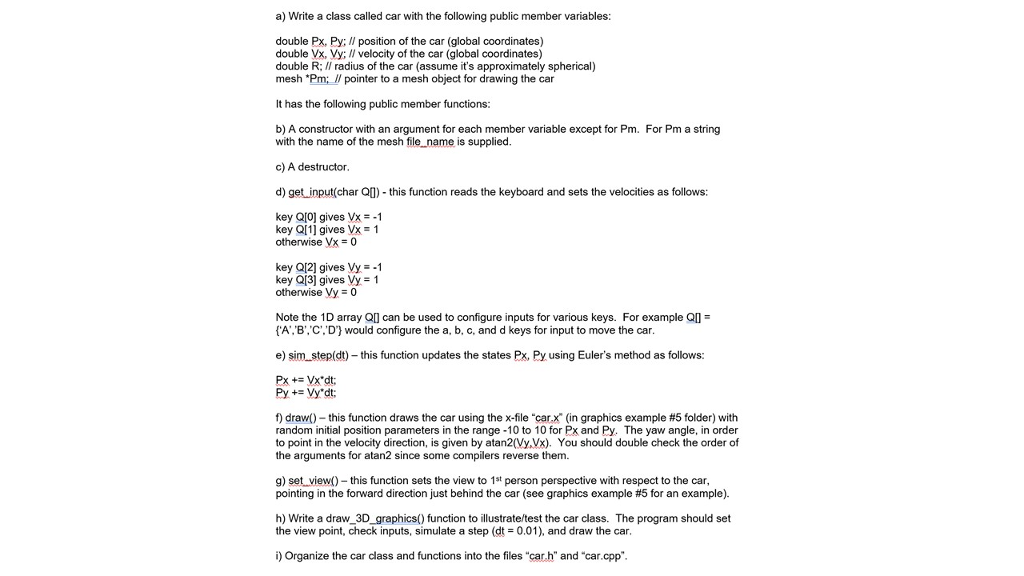
a) Write a class called car with the following public member variables double Px, Py; I/ position of the car (global coordinates) double Vx, Vy; II velocity of the car (global coordinates) double R; I/ radius of the car (assume it's approximately spherical) mesh "Pm;/pointer to a mesh object for drawing the car It has the following public member functions: b) A constructor with an argument for each member variable except for Pm. For Pm a string with the name of the mesh file name is supplied c) A destructor d) get input(char QU) this function reads the keyboard and sets the velocities as follows: key QI0] gives Vx-1 key Ql1] gives Vx-1 otherwise VX = 0 key Q[2] gives Vy-1 key QI3] gives Vy 1 otherwise Vy 0 Note the 1D array Ql can be used to configure inputs for various keys. For example Q A,B'. C'.'D' would configure the a, b, c, and d keys for input to move the car e) sim step(dt)-this function updates the states Px, Py using Euler's method as follows: f) draw()-this function draws the car using the x-file "car-x" (in graphics example #5 folder) with random initial position parameters in the range -10 to 10 for Px and Py. The yaw angle, in order to point in the velocity direction, is given by atan2(Vy,Vx). You should double check the order of the arguments for atan2 since some compilers reverse them. g) set view)- this function sets the view to 1st person perspective with respect to the car pointing in the forward direction just behind the car (see graphics example #5 for an example). h) Write a draw_3D_graphics() function to illustrate/test the car class. The program should set the view point, check inputs, simulate a step (d0.01), and draw the car, i) Organize the car class and functions into the files "car.h" and "car.cpp
Step by Step Solution
There are 3 Steps involved in it

Get step-by-step solutions from verified subject matter experts
 Study Help