







Question: Above is the solution given for ex. 26 in chapter 6.3 but it is incomplete. How do i get the 50 state names to appear
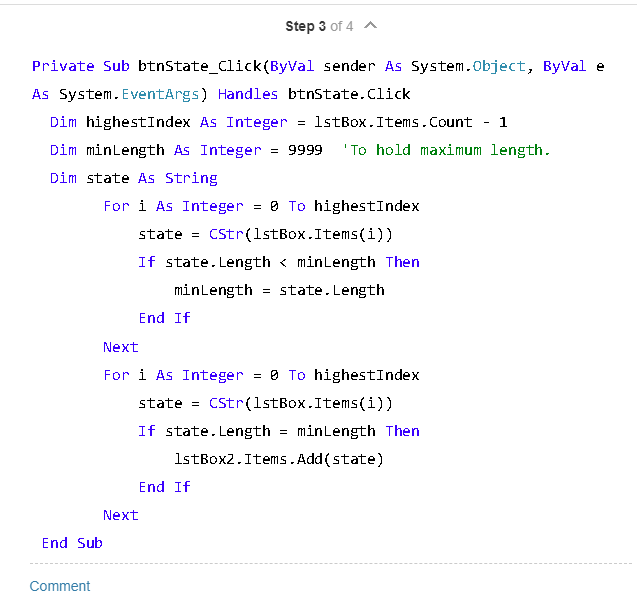
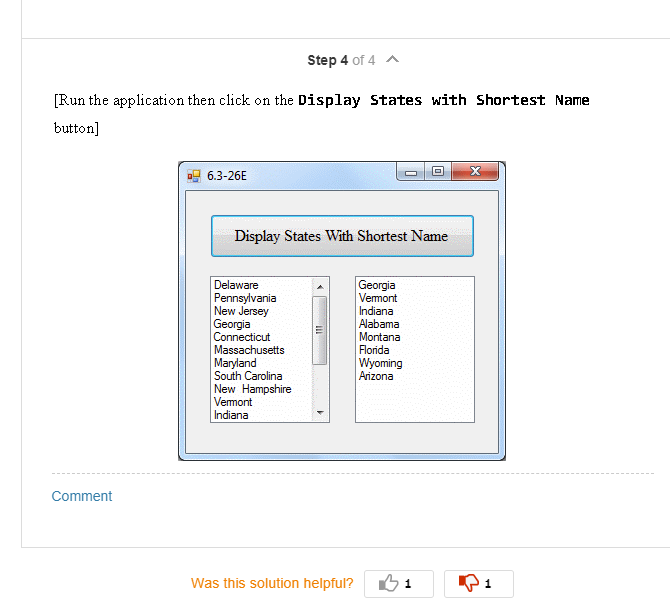
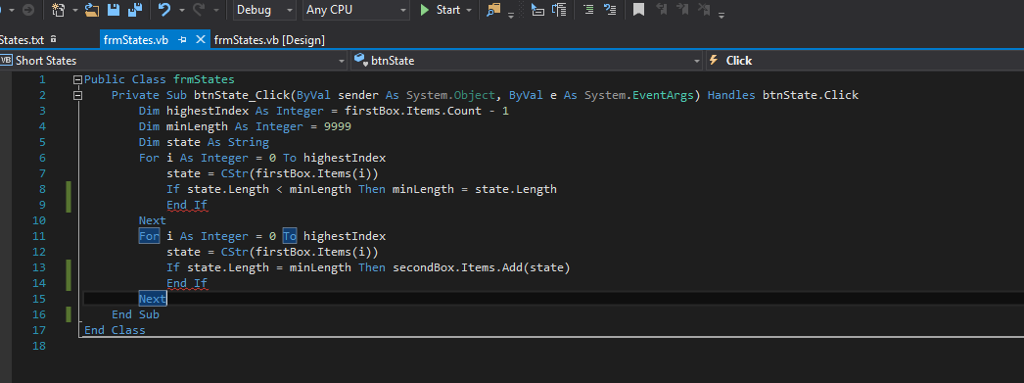
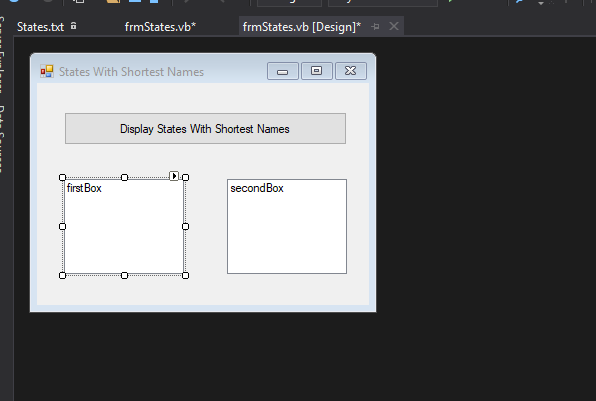
Above is the solution given for ex. 26 in chapter 6.3 but it is incomplete. How do i get the 50 state names to appear in the first lisy box? You can't add text to a listbox, do i type them in the code? If so where? Also, the End If in lines 9 and 14 is not being recognized even though the corresponding Ifs are there (lines 8 and 13), how do I fix this?
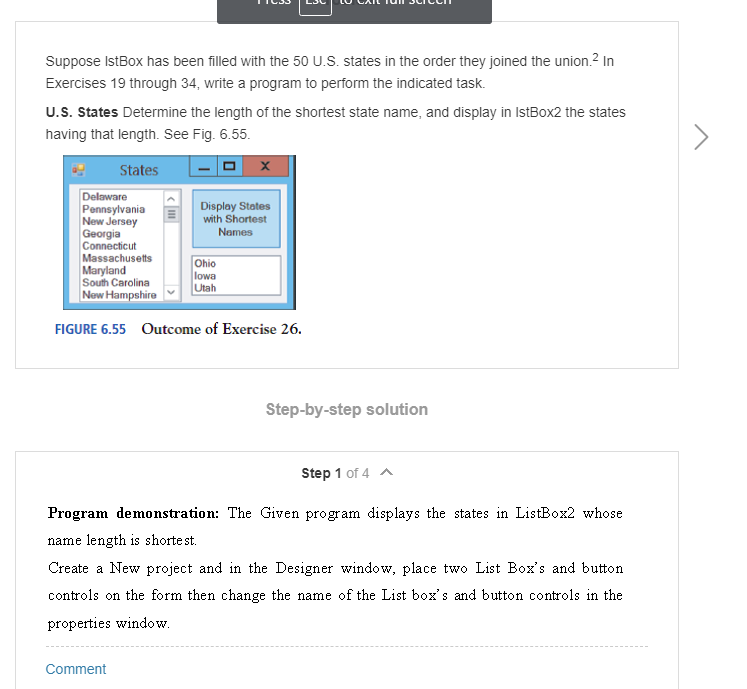
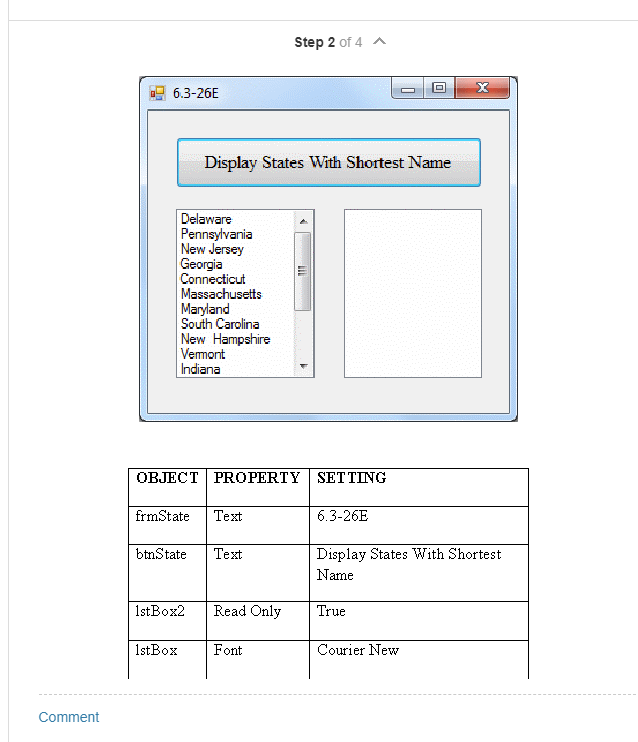
Suppose IstBox has been filled with the 50 U.S. states in the order they joined the union 2 In Exercises 19 through 34, write a program to perform the indicated task. U.S. States Determine the length of the shortest state name, and display in IstBox2 the states having that length. See Fig. 6.55. StatesX Delaware PennsylvaniaDisplay States New Jersey Georgia Connecticut Massachusetts Maryland South Carolina New HampshireUtah Names Ohio lowa FIGURE 6.55 Outcome of Exercise 26. Step-by-step solution Step 1 of 4 Program demonstration: The Given program displays the states in ListBox2 whose name length is shorte st. Create a New project and in the Designer window, place two List Box's and button controls on the form then change the name of the List box's and button controls in the properties window Comment
Step by Step Solution
There are 3 Steps involved in it

Get step-by-step solutions from verified subject matter experts
 Study Help