Question: Absolute Cell References By placing a dollar sign ($) in front of the row and/or column of a cell you can lock down either the
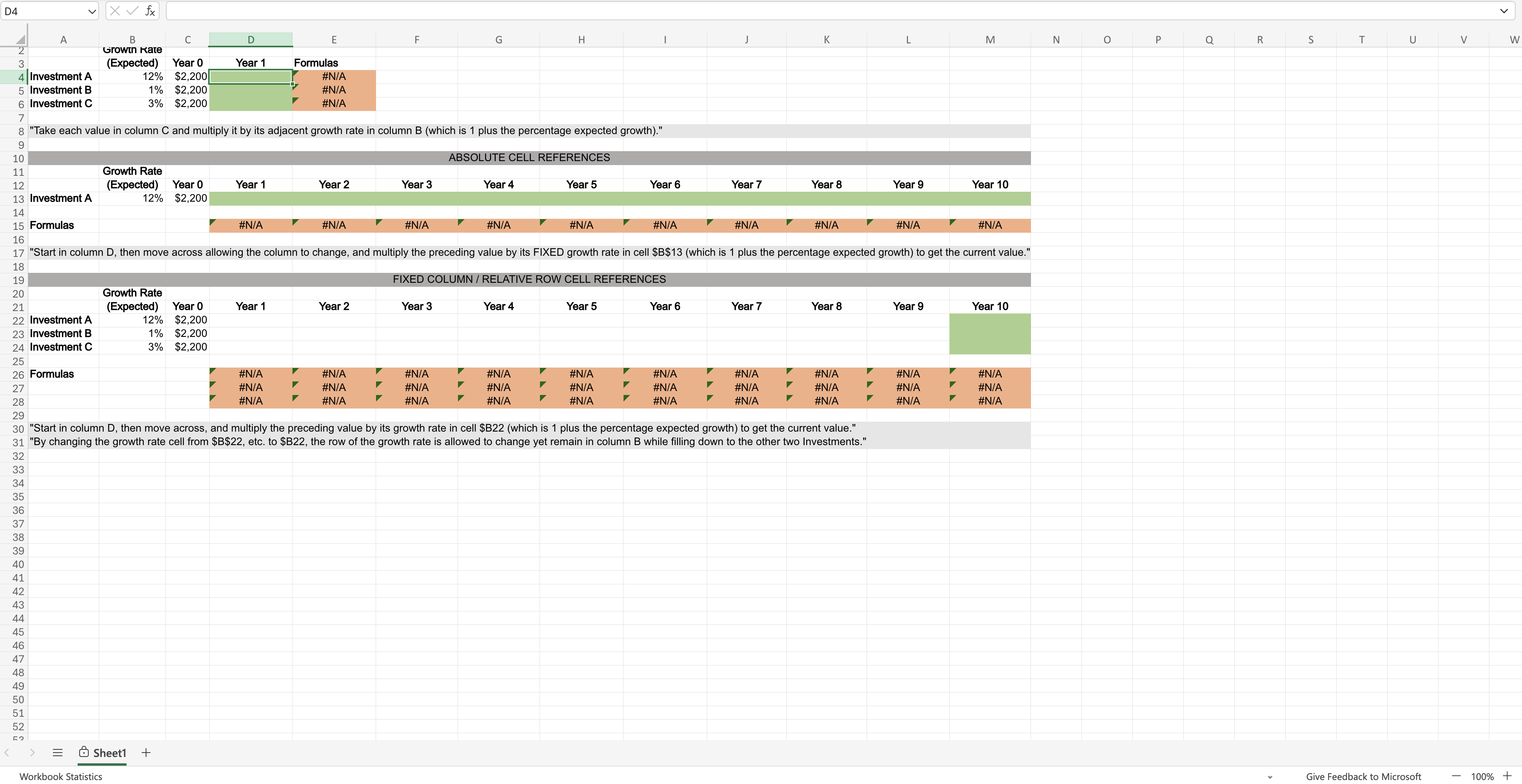
Absolute Cell References By placing a dollar sign ($) in front of the row and/or column of a cell you can "lock down" either the row, column, or both so no change occurs when you drag to fill other cells. In row 13, we would like to calculate the value of Investment A over a period of ten years assuming the constant growth rate in cell B13. First, calculate the value in Year 1 (D13) using the same technique in Part A. If you try to drag D13 to the right to fill in the remaining years, you will get some very strange numbers! That is because the growth rate cell B13 is changing as you drag. However, you need that cell to say fixed in place for all the formulas as you drag to fill E13 through M13. The way to fix cell B13 in place is using an absolute cell reference. Instead of B13 in the formula change it to $B$13 and then drag to the right to fill Year 2 through Year 10. Enter those values below (to the nearest dollar). Do not use a dollar sign ($), just the value. Year1 Year 2 Year 3 Year 4 Year 5 Year 6 Year 7 Year 8 Year 9 Year 10 $ 264Y$ 260Y$ 301Y$ 34622Y$ 3877YH$ 4342203 4803Y$ 544705 Os 3 D4 v\\ [Xv & A 8 'Growin Rate 3 (Expected) 4|Investment A 12% 5 Investment B 1% 6 Investment C 3% c Year 0 $2,200] $2,200 $2,200 E F G H | J K L M Year 1 Formulas Zz 8 "Take each value in column C and multiply it by its adjacent growth rate in column B (which is 1 plus the percentage expected growth).\" 9 B00 ABSOLUTE CELL REFERENCES 11 Growth Rate 12 (Expected) 13 Investment A 12% 14 15 Formulas 16 Year 0 $2,200 Year 1 Year 2 Year 3 'Year 4 Year 5 Year 6 Year 7 Year 8 Year 9 Year 10 17 "Start in column D, then move across allowing the column to change, and multiply the preceding value by its FIXED growth rate in cell $B$13 (which is 1 plus the percentage expected growth) to get the current value.\" 18 yo IED COLUMN RELATIVE ROW CELL REFERENCES 20 Growth Rate 21 (Expected) 22 Investment A 12% 23 Investment B 1% 24 Investment C 3% 25 26 Formulas 27 28 29 Year 0 $2,200 $2,200 $2,200 Year 1 Year 2 Year 3 Year 4 Year 5 Year 6 Year 7 Year 8 Year 9 Year 10 30 \"Start in column D, then move across, and multiply the preceding value by its growth rate in cell $B22 (which is 1 plus the percentage expected growth) to get the current value." 31 "By changing the growth rate cell from $B$22, etc. to $B22, the row of the growth rate is allowed to change yet remain in column B while filling down to the other two Investments." = G@Sheett + Workbook Statistics Give Feedback to Microsoft 100% +










 Study Help