







Question: Accounting Excel Excel test 1) PIVOT TABLE Please make a pivot table from the information in the below chart (red borders), similar to the
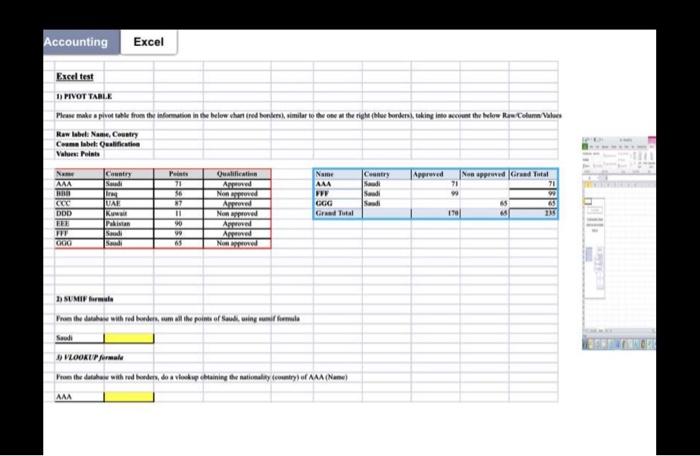
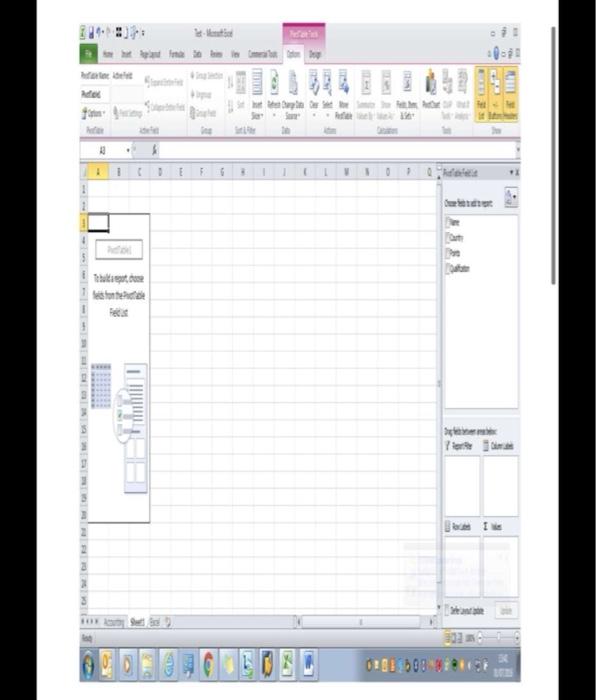
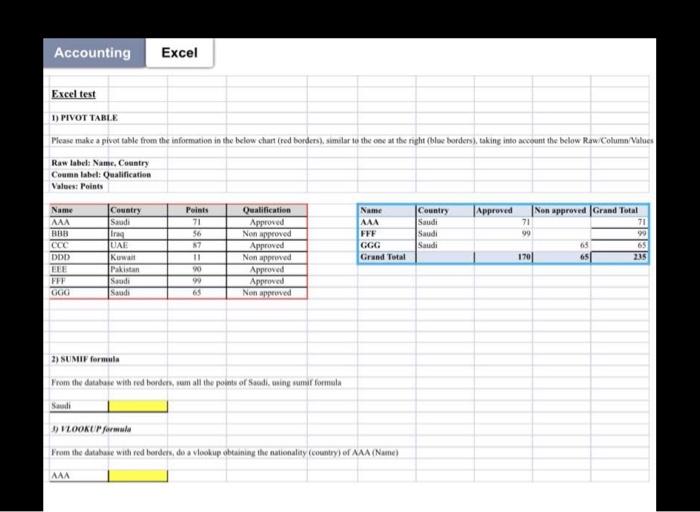
Accounting Excel Excel test 1) PIVOT TABLE Please make a pivot table from the information in the below chart (red borders), similar to the o 1 the right (blue borders), taking into account the below Raw Column Values Raw label: Name, Country Coma label: Qualification Value: Points Name Country Points AAA Qualification Approved Name Country Approved Non approved Grand Total AAA 71 56 Non approved FFF 99 CCC UAE 7 Approved CGG Saudi 65 65 DDD Kuwait Non approved Grand Tutal 170 135 EEE Pakistan 90 m Saudi 99 Approved Approved GOD Saudi 65 SUMIF format From the database with red borders, sum all the points of Saudi, sing Saudi VLOOKUP formale From the database with red borders, do a vlookup obtaining the nationality (country) of AAA (Name) AMA ALTOR
Step by Step Solution
There are 3 Steps involved in it

Get step-by-step solutions from verified subject matter experts
 Study Help