







Question: ACCY207 EXCEL ASSIGNMENT #1 REQUIREMENTS: Part 1: Prepare a complete (including cost reconciliation) FIFO production report using the data from the Problem Data File. Use
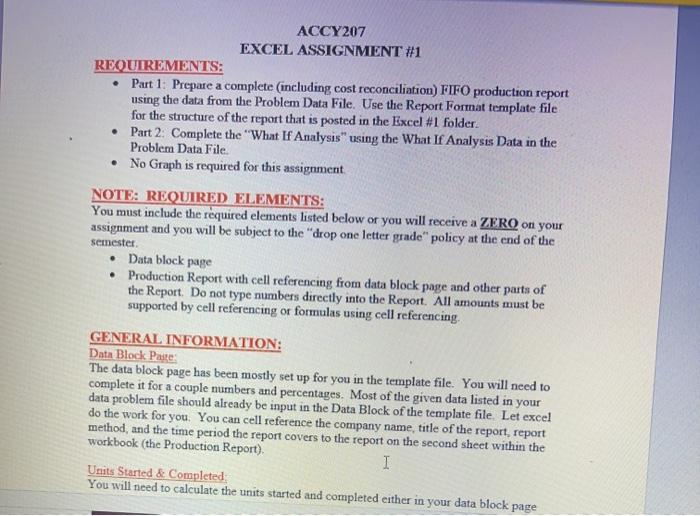
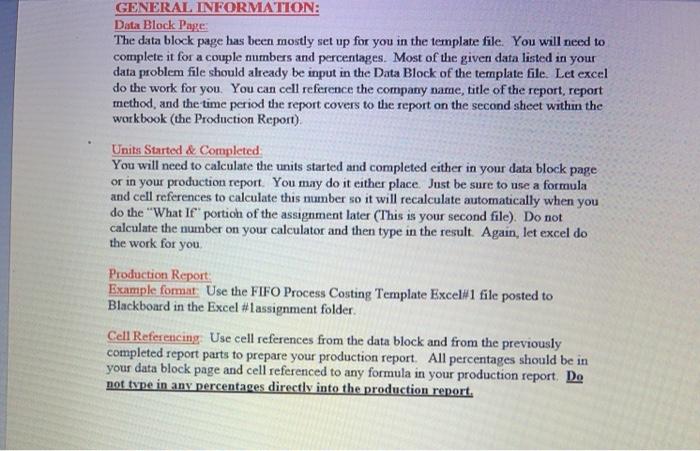
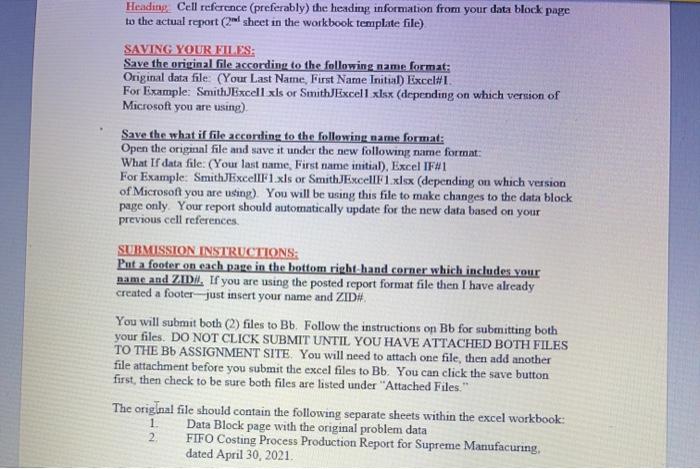
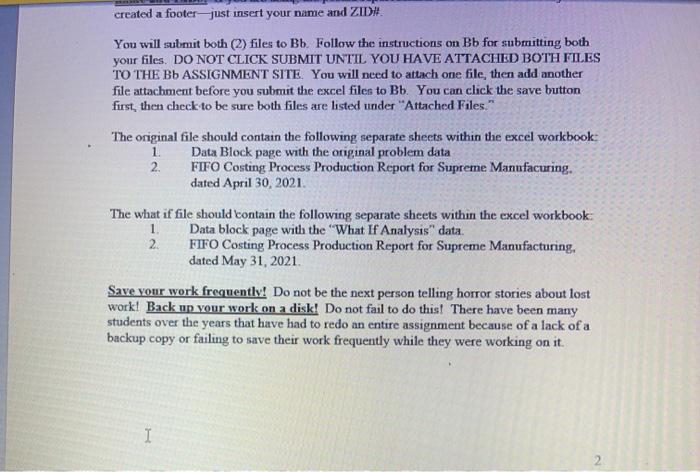
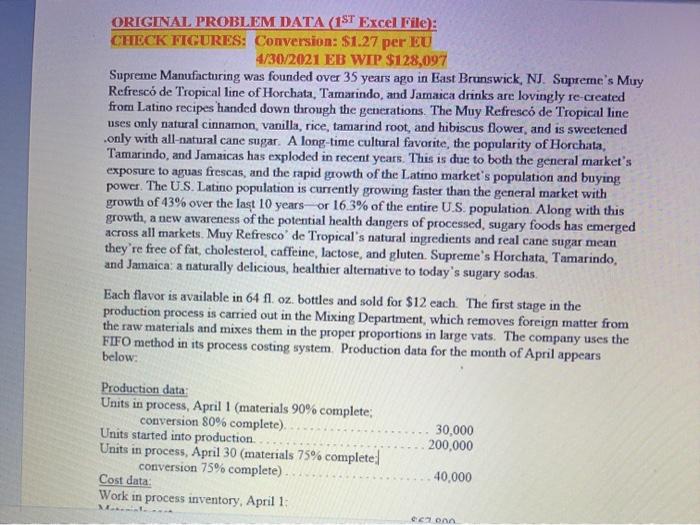
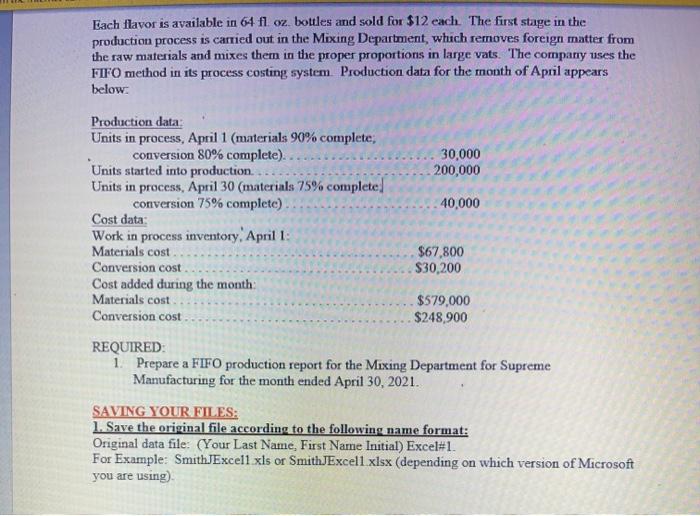
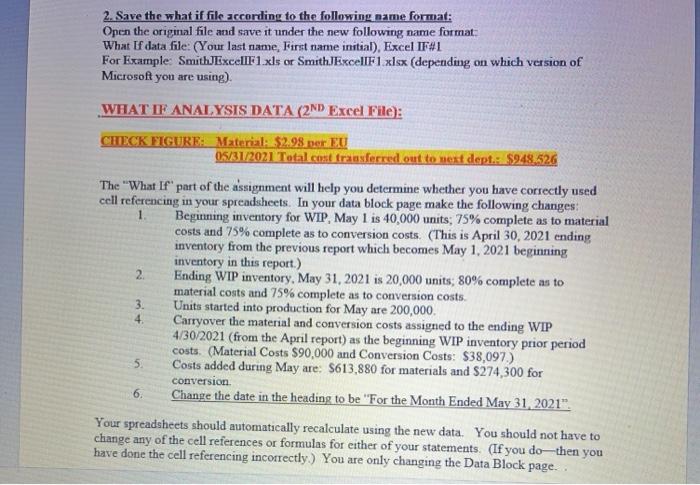
ACCY207 EXCEL ASSIGNMENT #1 REQUIREMENTS: Part 1: Prepare a complete (including cost reconciliation) FIFO production report using the data from the Problem Data File. Use the Report Format template file for the structure of the report that is posted in the Excel #1 folder. Part 2: Complete the "What If Analysis" using the What If Analysis Data in the Problem Data File No Graph is required for this assignment NOTE: REQUIRED ELEMENTS: You must include the required elements listed below or you will receive a ZERO on your assignment and you will be subject to the "drop one letter grade" policy at the end of the semester Data block page Production Report with cell referencing from data block page and other parts of the Report. Do not type numbers directly into the Report. All amounts must be supported by cell referencing or formulas using cell referencing. GENERAL INFORMATION: Data Block Paste: The data block page has been mostly set up for you in the template file. You will need to complete it for a couple numbers and percentages. Most of the given data listed in your data problem file should already be input in the Data Block of the template file. Let excel do the work for you. You can cell reference the company name title of the report, report method, and the time period the report covers to the report on the second sheet within the workbook (the Production Report), I Units Started & Completed You will need to calculate the units started and completed either in your data block page GENERAL INFORMATION: Data Block Page: The data block page has been mostly set up for you in the template file. You will need to complete it for a couple numbers and percentages. Most of the given data listed in your data problem file should already be input in the Data Block of the template file. Let excel do the work for you. You can cell reference the company name, title of the report, report method, and the time period the report covers to the report on the second sheet within the workbook (the Production Report) Units Started & Completed You will need to calculate the units started and completed either in your data block page or in your production report. You may do it either place. Just be sure to use a formula and cell references to calculate this number so it will recalculate automatically when you do the "What if" portion of the assignment later (This is your second file). Do not calculate the number on your calculator and then type in the result. Again, let excel do the work for you Production Report Example fomat Use the FIFO Process Costing Template Excel#1 file posted to Blackboard in the Excel #Lassignment folder Cell Referencing. Use cell references from the data block and from the previously completed report parts to prepare your production report. All percentages should be in your data block page and cell referenced to any formula in your production report. Do not type in any percentages directly into the production report, Heading Cell reference (preferably) the headmg information from your data block page to the actual report (2ml sheet in the workbook template file) SAVING YOUR FILES: Save the original file according to the following name format: Original data file: (Your Last Name, First Name Initial) Excel#I. For example: SmithExcell xls or SmithExcell.xlsx (depending on which version of Microsoft you are using) Save the what if file according to the following name format: Open the original file and save it under the new following name format: What If data file: (Your last name, First name initial), Excel IF#1 For Example: SmithExcellF1.xls or SmithExcellF1.xlsx (depending on which version of Microsoft you are using). You will be using this file to make changes to the data block page only. Your report should automatically update for the new data based on your previous cell references SUBMISSION INSTRUCTIONS: Put a footer on each page in the bottom right-hand corner which includes your name and ZIDI. If you are using the posted report format file then I have already created a footer-just insert your name and ZID You will submit both (2) files to Bb. Follow the instructions on Bb for submitting both your files. DO NOT CLICK SUBMIT UNTIL YOU HAVE ATTACHED BOTH FILES TO THE Bb ASSIGNMENT SITE. You will need to attach one file, then add another file attachment before you submit the excel files to Bb. You can click the save button first, then check to be sure both files are listed under "Attached Files." The original file should contain the following separate sheets within the excel workbook: 1 Data Block page with the original problem data FIFO Costing Process Production Report for Supreme Manufacuring, dated April 30, 2021 2 created a footer-just insert your name and ZID# You will submit both (2) files to Bb. Follow the instructions on Bb for submitting both your files, DO NOT CLICK SUBMIT UNTIL YOU HAVE ATTACHED BOTH FILES TO THE Bb ASSIGNMENT SITE. You will need to attach one file, then add another file attachment before you submit the excel files to Bb. You can click the save button first, then check to be sure both files are listed under "Attached Files." The original file should contain the following separate sheets within the excel workbook 1 Data Block page with the original problem data 2. FIFO Costing Process Production Report for Supreme Manufacuring. dated April 30, 2021 The what if file should contain the following separate sheets within the excel workbook: 1. Data block page with the "What If Analysis" data. 2 FIFO Costing Process Production Report for Supreme Manufacturing, dated May 31, 2021 Save your work frequently! Do not be the next person telling horror stories about lost work! Back up your work on a disk! Do not fail to do this! There have been many students over the years that have had to redo an entire assignment because of a lack of a backup copy or failing to save their work frequently while they were working on it. I ORIGINAL PROBLEM DATA (1ST Excel File): CHECK FIGURES: Conversion: $1.27 per EU 4/30/2021 EB WIP $128,097 Supreme Manufacturing was founded over 35 years ago in East Brunswick, NJ. Supreme's Muy Refresco de Tropical line of Horchata, Tamarindo, and Jamaica drinks are lovingly re-created from Latino recipes handed down through the generations. The Muy Refresco de Tropical line uses only natural cinnamon vanilla, rice, tamarind root, and hibiscus flower, and is sweetened only with all-natural cane sugar. A long-time cultural favorite, the popularity of Horchata, Tamarindo, and Jamaicas has exploded in recent years. This is due to both the general market's exposure to aguas frescas, and the rapid growth of the Latino market's population and buying power. The U.S. Latino population is currently growing faster than the general market with growth of 43% over the last 10 years or 16.3% of the entire U.S. population. Along with this growth, a new awareness of the potential health dangers of processed, sugary foods has emerged across all markets. Muy Refresco de Tropical's natural ingredients and real cane sugar mean they're free of fat, cholesterol, caffeine, lactose, and gluten. Supreme's Horchata, Tamarindo, and Jamaica: a naturally delicious, healthier alternative to today's sugary sodas. Each flavor is available in 64 fl. oz. bottles and sold for $12 each. The first stage in the production process is carried out in the Mixing Department, which removes foreign matter from the raw materials and mixes them in the proper proportions in large vats. The company uses the FIFO method in its process costing system. Production data for the month of April appears below: Production data Units in process, April 1 (materials 90% complete; conversion 80% complete) Units started into production. Units in process, April 30 (materials 75% complete conversion 75% complete) Cost data Work in process inventory, April 1: 30,000 200,000 40,000 con Each flavor is available in 64 fl oz. bottles and sold for $12 each. The first stage in the production process is carried out in the Mixing Department, whuch removes foreign matter from the raw materials and mixes them in the proper proportions in large vats. The company uses the FIFO method in its process costing system Production data for the month of April appears below 30,000 200,000 40,000 Production data Units in process, April 1 (materials 90% complete, conversion 80% complete).. Units started into production. Units in process, April 30 (materials 75% complete conversion 75% complete) Cost data: Work in process inventory, April 1: Materials cost Conversion cost Cost added during the month Materials cost Conversion cost $67,800 $30,200 $579,000 $248.900 REQUIRED i Prepare a FIFO production report for the Mixing Department for Supreme Manufacturing for the month ended April 30, 2021. SAVING YOUR FILES: 1. Save the original file according to the following name format: Original data file: (Your Last Name, First Name Initial) Excel#1. For Example: SmithdExcell xls or SmithExcell xlsx (depending on which version of Microsoft you are using) 2. Save the what if file according to the following name format: Open the original file and save it under the new following name format What If data file: (Your last name, First name initial), Excel IF#1 For Example: SmithExcellF1.xls or SmithExcellF1 xlsx (depending on which version of Microsoft you are using) WHAT IF ANALYSIS DATA (2ND Excel File): CHECK FIGURE: Material: $2.98. Der EU 05/31/2021 Total cost transferred out to next dept: $948.526 The "What If part of the assignment will help you determine whether you have correctly used cell referencing in your spreadsheets. In your data block page make the following changes: Beginning inventory for WIP, May 1 is 40,000 units: 75% complete as to material costs and 75% complete as to conversion costs. (This is April 30, 2021 ending inventory from the previous report which becomes May 1, 2021 beginning inventory in this report.) 2 Ending WIP inventory, May 31, 2021 is 20,000 units: 80% complete as to material costs and 75% complete as to conversion costs. Units started into production for May are 200,000 4 Carryover the material and conversion costs assigned to the ending WIP 4/30/2021 (from the April report) as the beginning WIP inventory prior period costs. (Material Costs $90,000 and Conversion Costs: $38,097) 5. Costs added during May are: $613,880 for materials and $274,300 for conversion 6. Change the date in the heading to be "For the Month Ended May 31, 2021". Your spreadsheets should automatically recalculate using the new data. You should not have to change any of the cell references or formulas for either of your statements. (If you do then you have done the cell referencing incorrectly.) You are only changing the Data Block page. 3. ACCY207 EXCEL ASSIGNMENT #1 REQUIREMENTS: Part 1: Prepare a complete (including cost reconciliation) FIFO production report using the data from the Problem Data File. Use the Report Format template file for the structure of the report that is posted in the Excel #1 folder. Part 2: Complete the "What If Analysis" using the What If Analysis Data in the Problem Data File No Graph is required for this assignment NOTE: REQUIRED ELEMENTS: You must include the required elements listed below or you will receive a ZERO on your assignment and you will be subject to the "drop one letter grade" policy at the end of the semester Data block page Production Report with cell referencing from data block page and other parts of the Report. Do not type numbers directly into the Report. All amounts must be supported by cell referencing or formulas using cell referencing. GENERAL INFORMATION: Data Block Paste: The data block page has been mostly set up for you in the template file. You will need to complete it for a couple numbers and percentages. Most of the given data listed in your data problem file should already be input in the Data Block of the template file. Let excel do the work for you. You can cell reference the company name title of the report, report method, and the time period the report covers to the report on the second sheet within the workbook (the Production Report), I Units Started & Completed You will need to calculate the units started and completed either in your data block page GENERAL INFORMATION: Data Block Page: The data block page has been mostly set up for you in the template file. You will need to complete it for a couple numbers and percentages. Most of the given data listed in your data problem file should already be input in the Data Block of the template file. Let excel do the work for you. You can cell reference the company name, title of the report, report method, and the time period the report covers to the report on the second sheet within the workbook (the Production Report) Units Started & Completed You will need to calculate the units started and completed either in your data block page or in your production report. You may do it either place. Just be sure to use a formula and cell references to calculate this number so it will recalculate automatically when you do the "What if" portion of the assignment later (This is your second file). Do not calculate the number on your calculator and then type in the result. Again, let excel do the work for you Production Report Example fomat Use the FIFO Process Costing Template Excel#1 file posted to Blackboard in the Excel #Lassignment folder Cell Referencing. Use cell references from the data block and from the previously completed report parts to prepare your production report. All percentages should be in your data block page and cell referenced to any formula in your production report. Do not type in any percentages directly into the production report, Heading Cell reference (preferably) the headmg information from your data block page to the actual report (2ml sheet in the workbook template file) SAVING YOUR FILES: Save the original file according to the following name format: Original data file: (Your Last Name, First Name Initial) Excel#I. For example: SmithExcell xls or SmithExcell.xlsx (depending on which version of Microsoft you are using) Save the what if file according to the following name format: Open the original file and save it under the new following name format: What If data file: (Your last name, First name initial), Excel IF#1 For Example: SmithExcellF1.xls or SmithExcellF1.xlsx (depending on which version of Microsoft you are using). You will be using this file to make changes to the data block page only. Your report should automatically update for the new data based on your previous cell references SUBMISSION INSTRUCTIONS: Put a footer on each page in the bottom right-hand corner which includes your name and ZIDI. If you are using the posted report format file then I have already created a footer-just insert your name and ZID You will submit both (2) files to Bb. Follow the instructions on Bb for submitting both your files. DO NOT CLICK SUBMIT UNTIL YOU HAVE ATTACHED BOTH FILES TO THE Bb ASSIGNMENT SITE. You will need to attach one file, then add another file attachment before you submit the excel files to Bb. You can click the save button first, then check to be sure both files are listed under "Attached Files." The original file should contain the following separate sheets within the excel workbook: 1 Data Block page with the original problem data FIFO Costing Process Production Report for Supreme Manufacuring, dated April 30, 2021 2 created a footer-just insert your name and ZID# You will submit both (2) files to Bb. Follow the instructions on Bb for submitting both your files, DO NOT CLICK SUBMIT UNTIL YOU HAVE ATTACHED BOTH FILES TO THE Bb ASSIGNMENT SITE. You will need to attach one file, then add another file attachment before you submit the excel files to Bb. You can click the save button first, then check to be sure both files are listed under "Attached Files." The original file should contain the following separate sheets within the excel workbook 1 Data Block page with the original problem data 2. FIFO Costing Process Production Report for Supreme Manufacuring. dated April 30, 2021 The what if file should contain the following separate sheets within the excel workbook: 1. Data block page with the "What If Analysis" data. 2 FIFO Costing Process Production Report for Supreme Manufacturing, dated May 31, 2021 Save your work frequently! Do not be the next person telling horror stories about lost work! Back up your work on a disk! Do not fail to do this! There have been many students over the years that have had to redo an entire assignment because of a lack of a backup copy or failing to save their work frequently while they were working on it. I ORIGINAL PROBLEM DATA (1ST Excel File): CHECK FIGURES: Conversion: $1.27 per EU 4/30/2021 EB WIP $128,097 Supreme Manufacturing was founded over 35 years ago in East Brunswick, NJ. Supreme's Muy Refresco de Tropical line of Horchata, Tamarindo, and Jamaica drinks are lovingly re-created from Latino recipes handed down through the generations. The Muy Refresco de Tropical line uses only natural cinnamon vanilla, rice, tamarind root, and hibiscus flower, and is sweetened only with all-natural cane sugar. A long-time cultural favorite, the popularity of Horchata, Tamarindo, and Jamaicas has exploded in recent years. This is due to both the general market's exposure to aguas frescas, and the rapid growth of the Latino market's population and buying power. The U.S. Latino population is currently growing faster than the general market with growth of 43% over the last 10 years or 16.3% of the entire U.S. population. Along with this growth, a new awareness of the potential health dangers of processed, sugary foods has emerged across all markets. Muy Refresco de Tropical's natural ingredients and real cane sugar mean they're free of fat, cholesterol, caffeine, lactose, and gluten. Supreme's Horchata, Tamarindo, and Jamaica: a naturally delicious, healthier alternative to today's sugary sodas. Each flavor is available in 64 fl. oz. bottles and sold for $12 each. The first stage in the production process is carried out in the Mixing Department, which removes foreign matter from the raw materials and mixes them in the proper proportions in large vats. The company uses the FIFO method in its process costing system. Production data for the month of April appears below: Production data Units in process, April 1 (materials 90% complete; conversion 80% complete) Units started into production. Units in process, April 30 (materials 75% complete conversion 75% complete) Cost data Work in process inventory, April 1: 30,000 200,000 40,000 con Each flavor is available in 64 fl oz. bottles and sold for $12 each. The first stage in the production process is carried out in the Mixing Department, whuch removes foreign matter from the raw materials and mixes them in the proper proportions in large vats. The company uses the FIFO method in its process costing system Production data for the month of April appears below 30,000 200,000 40,000 Production data Units in process, April 1 (materials 90% complete, conversion 80% complete).. Units started into production. Units in process, April 30 (materials 75% complete conversion 75% complete) Cost data: Work in process inventory, April 1: Materials cost Conversion cost Cost added during the month Materials cost Conversion cost $67,800 $30,200 $579,000 $248.900 REQUIRED i Prepare a FIFO production report for the Mixing Department for Supreme Manufacturing for the month ended April 30, 2021. SAVING YOUR FILES: 1. Save the original file according to the following name format: Original data file: (Your Last Name, First Name Initial) Excel#1. For Example: SmithdExcell xls or SmithExcell xlsx (depending on which version of Microsoft you are using) 2. Save the what if file according to the following name format: Open the original file and save it under the new following name format What If data file: (Your last name, First name initial), Excel IF#1 For Example: SmithExcellF1.xls or SmithExcellF1 xlsx (depending on which version of Microsoft you are using) WHAT IF ANALYSIS DATA (2ND Excel File): CHECK FIGURE: Material: $2.98. Der EU 05/31/2021 Total cost transferred out to next dept: $948.526 The "What If part of the assignment will help you determine whether you have correctly used cell referencing in your spreadsheets. In your data block page make the following changes: Beginning inventory for WIP, May 1 is 40,000 units: 75% complete as to material costs and 75% complete as to conversion costs. (This is April 30, 2021 ending inventory from the previous report which becomes May 1, 2021 beginning inventory in this report.) 2 Ending WIP inventory, May 31, 2021 is 20,000 units: 80% complete as to material costs and 75% complete as to conversion costs. Units started into production for May are 200,000 4 Carryover the material and conversion costs assigned to the ending WIP 4/30/2021 (from the April report) as the beginning WIP inventory prior period costs. (Material Costs $90,000 and Conversion Costs: $38,097) 5. Costs added during May are: $613,880 for materials and $274,300 for conversion 6. Change the date in the heading to be "For the Month Ended May 31, 2021". Your spreadsheets should automatically recalculate using the new data. You should not have to change any of the cell references or formulas for either of your statements. (If you do then you have done the cell referencing incorrectly.) You are only changing the Data Block page. 3
Step by Step Solution
There are 3 Steps involved in it

Get step-by-step solutions from verified subject matter experts
 Study Help