







Question: Acquire Continuous Audio Data with MATLAB through sound card. I have the data acquisition toolbox, and data acquisition toolbox support package for Windows sound card
Acquire Continuous Audio Data with MATLAB through sound card.
I have the data acquisition toolbox, and data acquisition toolbox support package for Windows sound card installed.
When I follow the steps to acquire audio available on https://www.mathworks.com/help/daq/examples/getting-started-acquiring-data-using-audio-in-session.html?s_tid=srchtitle, my MATLAB command line cannot find the 'helper_continuous_fft.m'.
Where do I find the function 'helper_continuous_fft.m'?
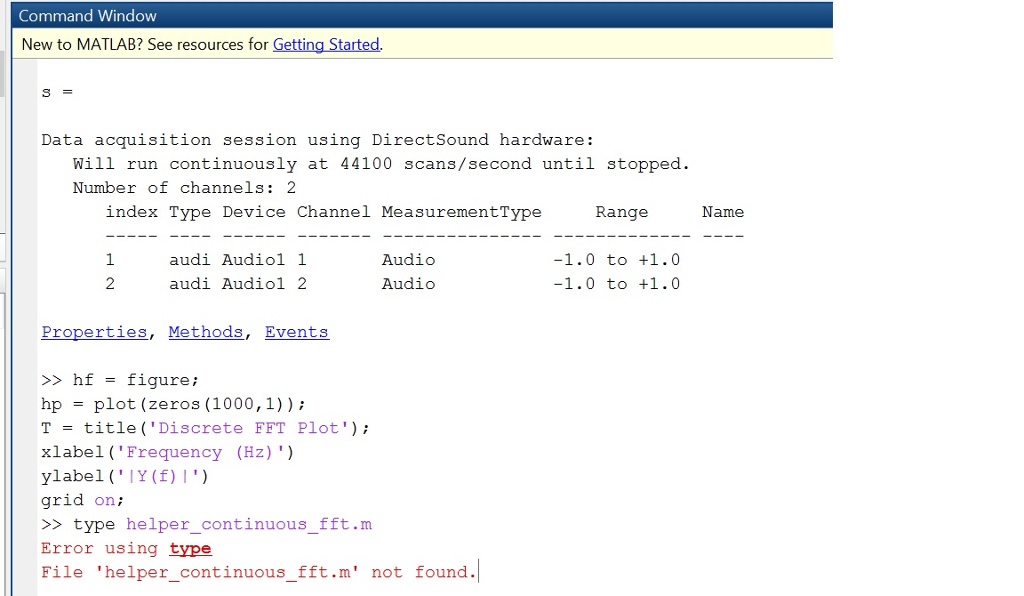
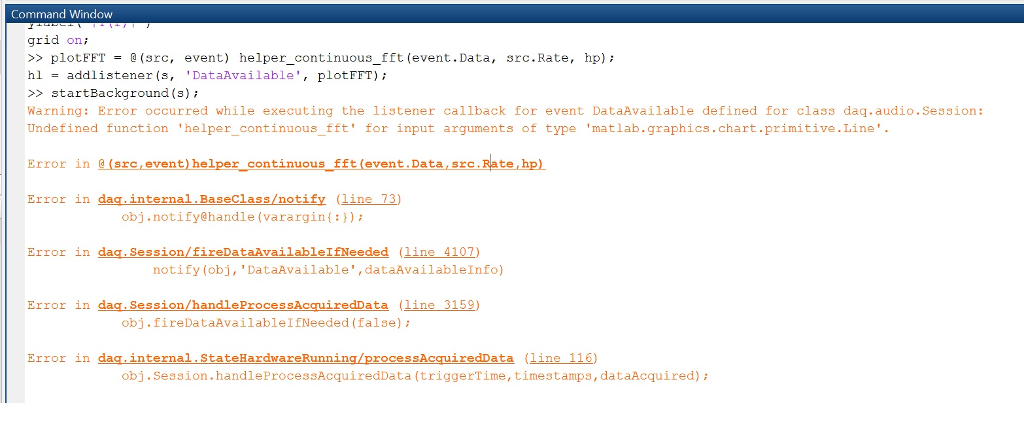
Command Window New to MATLAB? See resources for Getting Started. Data acquisition session using DirectSound hardware: Will run continuously at 44100 scans/second until stopped. Number of channels: 2 index Type Device Channel MeasurementType Range Name audi Audiol 1 audi Audiol 2 Audio Audio Properties, Methods, Events >> hf = figure ; hp = plot (zeros (1000,1)) ; T = title ("Discrete FFT Plot'); xlabel (Frequency (Hz) ") ylabel ('IY(f) I') grid on; >type helper continuous fft.m Error using type File 'helper continuous fft.m' not found. Command Window New to MATLAB? See resources for Getting Started. Data acquisition session using DirectSound hardware: Will run continuously at 44100 scans/second until stopped. Number of channels: 2 index Type Device Channel MeasurementType Range Name audi Audiol 1 audi Audiol 2 Audio Audio Properties, Methods, Events >> hf = figure ; hp = plot (zeros (1000,1)) ; T = title ("Discrete FFT Plot'); xlabel (Frequency (Hz) ") ylabel ('IY(f) I') grid on; >type helper continuous fft.m Error using type File 'helper continuous fft.m' not found
Step by Step Solution
There are 3 Steps involved in it

Get step-by-step solutions from verified subject matter experts
 Study Help