







Question: * Acrobat Reader File Edit View Window Help OHC 47% D Sun Feb 23 4:28 PM Q E ECE 2036 Lab 3.pdf HW07sp20.pdf Home Tools
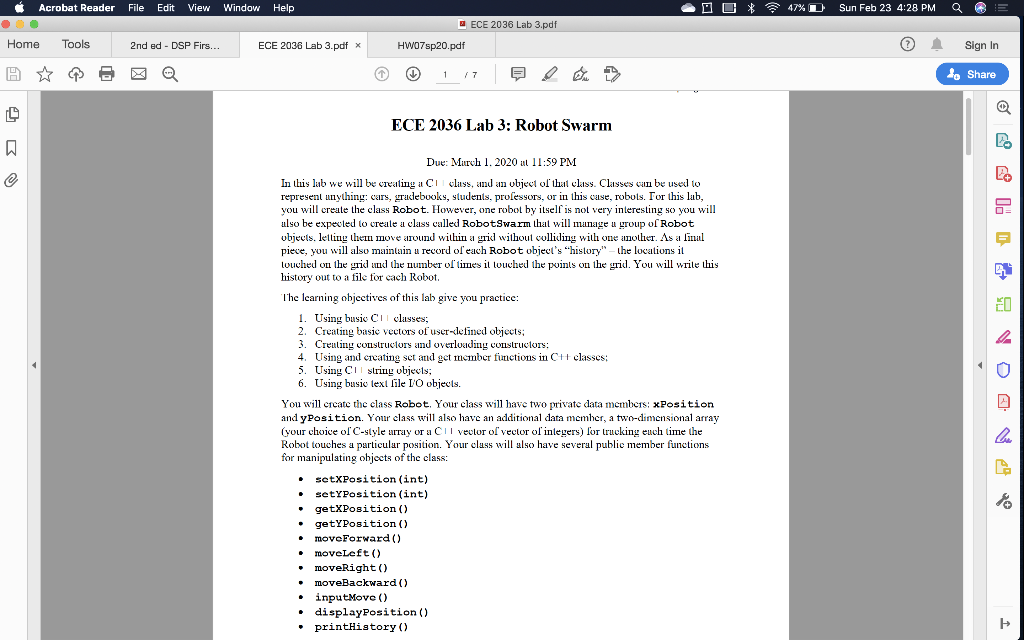
* Acrobat Reader File Edit View Window Help OHC 47% D Sun Feb 23 4:28 PM Q E ECE 2036 Lab 3.pdf HW07sp20.pdf Home Tools 2nd ed-DSP Firs... ECE 2036 Lab 3.pdf * Sign In de Share ECE 2036 Lab 3: Robot Swarm Due: Murxh 1. 2020 at 11:59 PM In this lab we will be creating a Ci Class, and an object of that class. Classes wu be used to represent anything: cars, gracebooks, students, professors, or in this case, robots. Tor this lub, you will create the class Robot. However, one robot by itself is not very interesting so you will ulso be expected to create a class called Robot Swarm that will manage u group of Robot objects. letting the move around within a grid without colliding with one another. As a linal piece, you will also maintain u record of each Robot object's "history" the locations il louched on the grid und the number of times il louched the points on the grid. You will wrile this history out to a file for cach Robot. The learning objectives of this lal give you practice 1. Using busic Ciclasses; 2. Creating basic vectors of user-lefined objects; 3. Creuling constructors and overloading constructors: 4. Using and cicating sct and get mcinber functions in C+ classes: 5. Using Cul string objects; 6. Using basic text lile I/O objects. You will create the class Robot. Your class will have two private data members: Position and y Position. Your class will also have an additional data member, a two-dimensional array (your choice of C-style array or a Cilveolur of vector of inlegers) for trucking euch time the Rolxot touches a particular position. Your class will also have several public member functions for manipulating objects of the class: . setxPosition (int) - sety Position (int) getXPosition() getYPosition() moveForward() . moveLeft() moveRight() moveBackward() . inputMove () displayPosition() printHistory () * Acrobat Reader File Edit View Window Help OHC 47% D Sun Feb 23 4:28 PM Q E ECE 2036 Lab 3.pdf HW07sp20.pdf Home Tools 2nd ed-DSP Firs... ECE 2036 Lab 3.pdf * Sign In de Share ECE 2036 Lab 3: Robot Swarm Due: Murxh 1. 2020 at 11:59 PM In this lab we will be creating a Ci Class, and an object of that class. Classes wu be used to represent anything: cars, gracebooks, students, professors, or in this case, robots. Tor this lub, you will create the class Robot. However, one robot by itself is not very interesting so you will ulso be expected to create a class called Robot Swarm that will manage u group of Robot objects. letting the move around within a grid without colliding with one another. As a linal piece, you will also maintain u record of each Robot object's "history" the locations il louched on the grid und the number of times il louched the points on the grid. You will wrile this history out to a file for cach Robot. The learning objectives of this lal give you practice 1. Using busic Ciclasses; 2. Creating basic vectors of user-lefined objects; 3. Creuling constructors and overloading constructors: 4. Using and cicating sct and get mcinber functions in C+ classes: 5. Using Cul string objects; 6. Using basic text lile I/O objects. You will create the class Robot. Your class will have two private data members: Position and y Position. Your class will also have an additional data member, a two-dimensional array (your choice of C-style array or a Cilveolur of vector of inlegers) for trucking euch time the Rolxot touches a particular position. Your class will also have several public member functions for manipulating objects of the class: . setxPosition (int) - sety Position (int) getXPosition() getYPosition() moveForward() . moveLeft() moveRight() moveBackward() . inputMove () displayPosition() printHistory ()
Step by Step Solution
There are 3 Steps involved in it

Get step-by-step solutions from verified subject matter experts
 Study Help