







Question: Activity 6: Let's return to the program sign.py. Suppose we want to print one message when the condition (number > 0) is true, and a
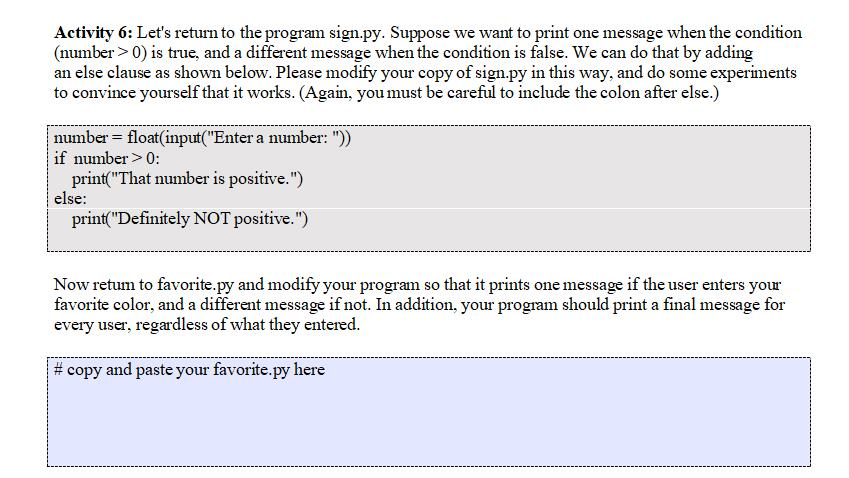
Activity 6: Let's return to the program sign.py. Suppose we want to print one message when the condition (number > 0) is true, and a different message when the condition is false. We can do that by adding an else clause as shown below. Please modify your copy of sign.py in this way, and do some experiments to convince yourself that it works. (Again, youmust be careful to include the colon after else.) number float(input("Enter a number:")) if number> 0: print("That number is positive.") else print"Definitely NOT positive.") Now retum to favorite.py and modify your program so that it prints one message if the user enters your favorite color, and a different message if not. In addition, your program should print a final message for every user, regardless of what they entered copy and paste your favorite py here
Step by Step Solution
There are 3 Steps involved in it

Get step-by-step solutions from verified subject matter experts
 Study Help