







Question: Activity Guide - Function Houses Perod Date O alo D E Instructions: Challenge #1: Time to create your own function with parameters! Create a function
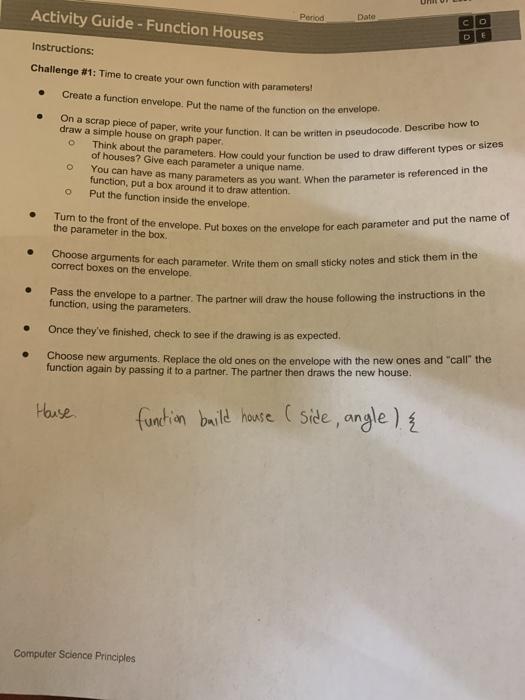

Activity Guide - Function Houses Perod Date O alo D E Instructions: Challenge #1: Time to create your own function with parameters! Create a function envelope. Put the name of the function on the envelope. draw a simple house on graph paper On a scrap piece of paper, write your function. It can be written in pseudocode. Describe how to Think about the parameters. How could your function be used to draw different types or sizes You can have as many parameters as you want. When the parameter is referenced in the o of houses? Give each parameter a unique name function, put a box around it to draw attention Put the function inside the envelope Turn to the front of the envelope. Put boxes on the envelope for each parameter and put the name of the parameter in the box. . correct boxes on the envelope Choose arguments for each parameter, Write them on small sticky notes and stick them in the funcfithe envelope to a partner. The partner will draw the house following the instructions in the function, using the parameters. Once they've finished, check to see if the drawing is as expected. Choose new arguments. Replace the old ones on the envelope with the new ones and call the function again by passing it to a partner. The partner then draws the new house. House function build house (side, angle) { Computer Science Principles Unit 07 Lesson 01 Challenge #2: Create a cost calculator function for building the house you created a function for earlier. . Create a function envelope. Put the name of the function on the envelope On a scrap piece of paper, write your function. It can be written in pseudocode. Create a cost calculator o Think about the parameters, How would these impact the cost? Add a return at the end of your function that returns the total cost . Turn to the front of the envelope. Put boxes on the envelope for each parameter and put the name of the parameter in the box . . Choose arguments for each parameter. Write them on small sticky notes and stick them in the correct boxes on the envelope Pass the envelope to a partner. The partner will calculate the cost of building the house using the parameters Once they've finished, the partner should pass back or return a sticky note with the value of the total cost. Then choose new arguments. Replace the old ones on the envelope with the new ones and call the function again by passing it to a partner. The partner will now run the calculations again and complete the return. Partners should check to see if the return value is correct
Step by Step Solution
There are 3 Steps involved in it

Get step-by-step solutions from verified subject matter experts
 Study Help