







Question: Add a new class file named Square.vb to the project. The Square class should have one attribute: a side measurement. The side measurement may contain
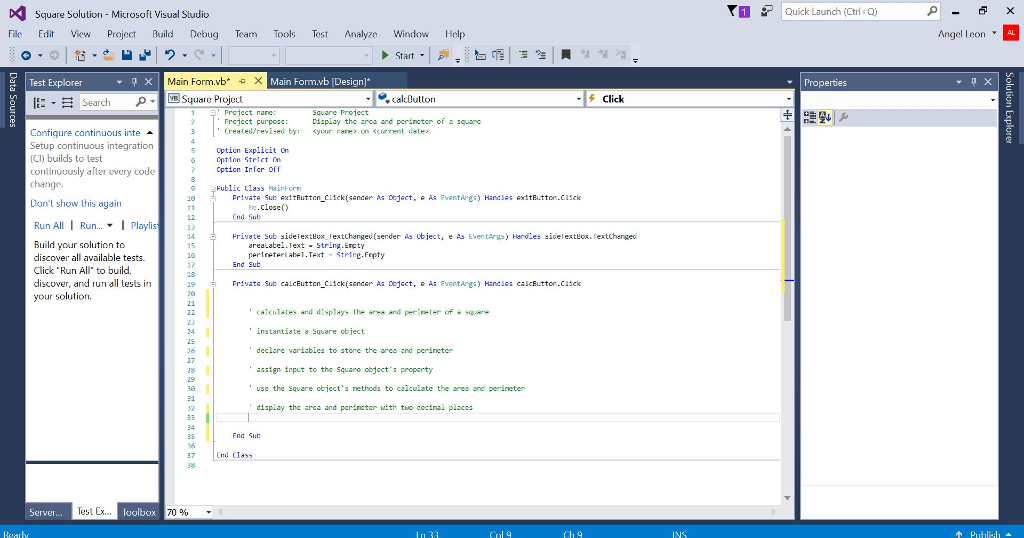
Add a new class file named Square.vb to the project. The Square class should have one attribute: a side measurement. The side measurement may contain a decimal place and should always be greater than or equal to 0. The class should also have three behaviors: a default constructor, a function that calculates and returns the square's area, and a function that calculates and returns the square's perimeter. Code the Square class. Then, open the form's Code Editor window and complete the calcButton_Click procedure. Display the calculated results with two decimal places. Save the solution and then start the application
Square Solution Microsoft Visual Studio File Edit View Project Build Debug Team Tools Test Analyze Window Help Start Test Explorer x Main orm.vb X Main Form vb Design Square Pioject e, kaldutton Click Display the and porin ter of Configure continuous inte a Setup continuous integration 5 option Explicit on (CI) builds to test uuusly aller every code Private Sub ext tRutten C11ck (senter object. e AE Event Hand exitButton.cisck Don't show this again Run All I Run... I Playlis 14 Frivate sub sidelextEux text hanged (sender as ubiect, e As EventArgsy Handles siderextEox. Textchenged Build your solution to ng Empty e.Frpty discover a available tests. End Sub Click "Run All" to build. discover, and run all tests in 19 Priwate sub calcEutton ci1ck(sender As object, e Ewentarge) Handles calcEutton.cusck your solution, alculates and displays the area and perineter of variabl assign input to the square object property nethods to calculate the and perincter play the d porinctor with thao decinal places Test Ex Serve loolbox 70 rn P Quick Launch (Ctrl Properties Angel Leon
Step by Step Solution
There are 3 Steps involved in it

Get step-by-step solutions from verified subject matter experts
 Study Help