







Question: Open the Circle Area Solution (Circle Area Solution.sln) file contained in the VbReloaded2015Chap14Circle Area Solution folder. Add a new class file named Circle.vb to the
Open the Circle Area Solution (Circle Area Solution.sln) file contained in the VbReloaded2015\Chap14\Circle Area Solution folder. Add a new class file named Circle.vb to the project. The Circle class should contain one attribute: the circles radius. It should also contain a default constructor, a parameterized constructor, and a method that calculates and returns the circles area. Use the following formula to calculate the area: 3.141592 * radius2. Code the Circle class. Save the solution and then close the Circle.vb window. Next, open the forms Code Editor window. The calcButton_Click procedure should display the circles area, using the radius entered by the user. Display the area with two decimal places. Code the procedure. Save the solution and then start and test the application. 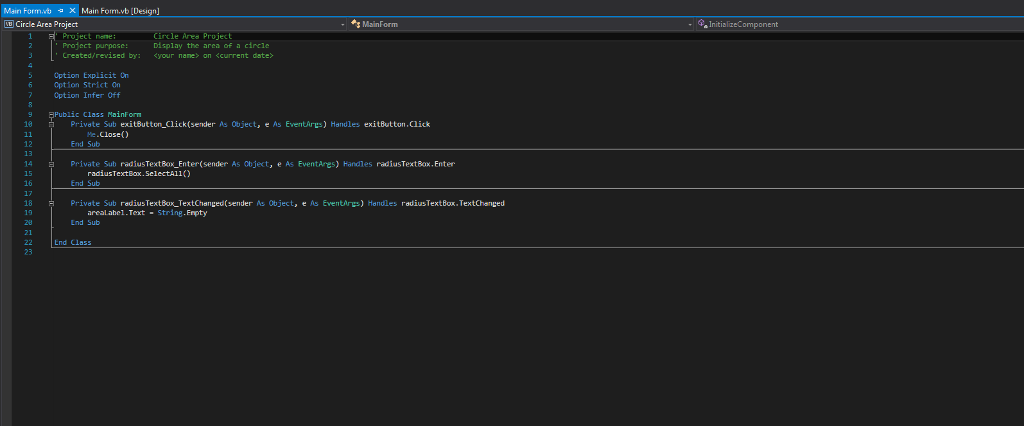
Mair, Forrn.vb X Mdin Forrn.vb [ Circle Area Project MainForm Project none Project purpose: Crested/revised by: ircle Ares Projec Display the area of a circle
Step by Step Solution
There are 3 Steps involved in it

Get step-by-step solutions from verified subject matter experts
 Study Help