







Question: Add code that uses LINQ to find the inventory item to delete Run the application, select the item you added and click Delete. Note that
Add code that uses LINQ to find the inventory item to delete
Run the application, select the item you added and click Delete. Note that the confirmation message identifies the wrong item for deletion. Click Cancel and exit the application.
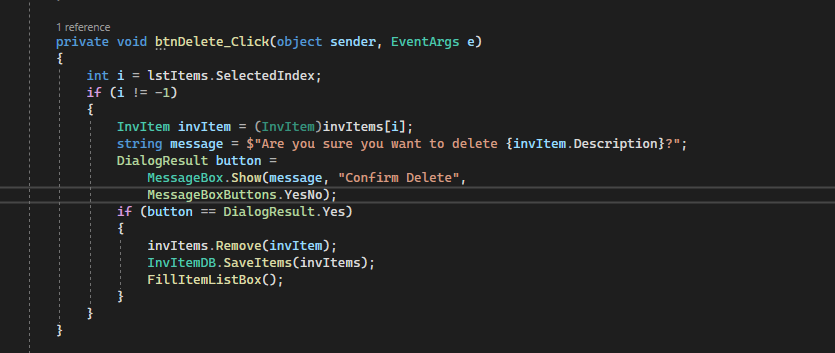
Display the btnDelete_Click() event handler in the Inventory Maintenance form and comment out the line of code that uses the selected index value of the ListView control to get the selected InvItem object from the invItems collection.
Add code that uses that selected index value to retrieve the display text of the selected item from the Items collection of the ListView control.
Use a LINQ query to get the selected InvItem object from the InvItems collection. The LINQ query should select the item whose DisplayText property is equal to the display text value you just retrieved. Note: To do this, you need to use the First() or FirstOrDefault() method. Because of that, you should code this as a method-based query.
Run the application and try to delete the item you added in step 4. This time, the confirm message should present the correct inventory item. Click OK to delete the item and exit the application
Step by Step Solution
There are 3 Steps involved in it

Get step-by-step solutions from verified subject matter experts
 Study Help