







Question: Add the following things to the java code import java.io.File; import java.util.Scanner; public class RecursiveFileDirectoryDisplay { public static void main(String[] args) { Scanner scnr =
Add the following things to the java code 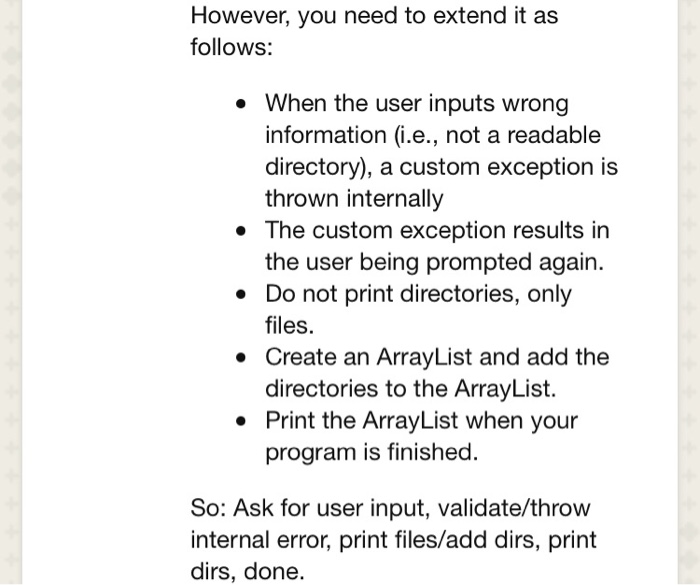
import java.io.File;
import java.util.Scanner;
public class RecursiveFileDirectoryDisplay {
public static void main(String[] args) {
Scanner scnr = new Scanner(System.in);//for input
System.out.print("Please Enter Root Directory: ");//prompt user
String rootDirectory = scnr.nextLine();//set rootDirectory to user input
System.out.println("List of all Directory & files under " + rootDirectory);
System.out.println("------------------------------------");
displayDirectoryContents(rootDirectory);// call method to recurse and print
}
public static void displayDirectoryContents(String rootDirectory) {
File root = new File(rootDirectory);
if (root.exists()) { //if root directory exists
File[] list = root.listFiles(); //create array of all files in root directory
if (list != null) {//if list is not null
for (File f : list) {
if (f.isDirectory()) {//if it is a directory
System.out.println("Directory: " + f.getAbsoluteFile());// print
displayDirectoryContents(f.getAbsolutePath());//send back in
} else {//else it is a file
System.out.println("File : " + f.getAbsoluteFile());// print the file name
}
}
}
else {//
System.out.println("Input root directory is not exists!");// print error message
}
}
}
}
However, you need to extend it as follows: When the user inputs wrong information (i.e., not a readable directory), a custom exception is thrown internally . The custom exception results in the user being prompted again. Do not print directories, only files. * Create an ArrayList and add the directories to the ArrayList. Print the ArrayList when your program is finished. So: Ask for user input, validate/throw internal error, print files/add dirs, print dirs, done
Step by Step Solution
There are 3 Steps involved in it
1 Expert Approved Answer
Step: 1 Unlock

Question Has Been Solved by an Expert!
Get step-by-step solutions from verified subject matter experts
Step: 2 Unlock
Step: 3 Unlock
 Study Help